
ArtCraft is an open-source AI studio for images, video, audio and 3D, plus 13 free "Crafting Apps" written in Rust that recreate tools like Photoshop, Illustrator, Premiere and Lightroom. The apps and the studio code are free under MIT or Apache-2.0. You only pay for optional AI generation credits, from $8 per month.
ArtCraft on Toolfolio. Updated October 20, 2026.
What is ArtCraft?
ArtCraft is two things under one brand, and most of the confusion online comes from mixing them up.
- The ArtCraft AI studio. The original product. Its GitHub README calls it "the IDE for interactive AI image and video creation." You compose a scene in 2D or stage it in 3D, then let an AI model render it. It runs on desktop (macOS and Windows) and in the browser at app.getartcraft.com.
- The Crafting Apps. A newer suite of 13 native creative apps (PhotoCraft, VectorCraft, FilmCraft and more) that copy the layouts, tools and shortcuts of familiar Adobe-style software. These are free and do not need an account to be useful.
Both live in the storytold organization on GitHub. The main artcraft repo had about 34,000 stars on October 20, 2026, and the PhotoCraft repo had about 69,000.
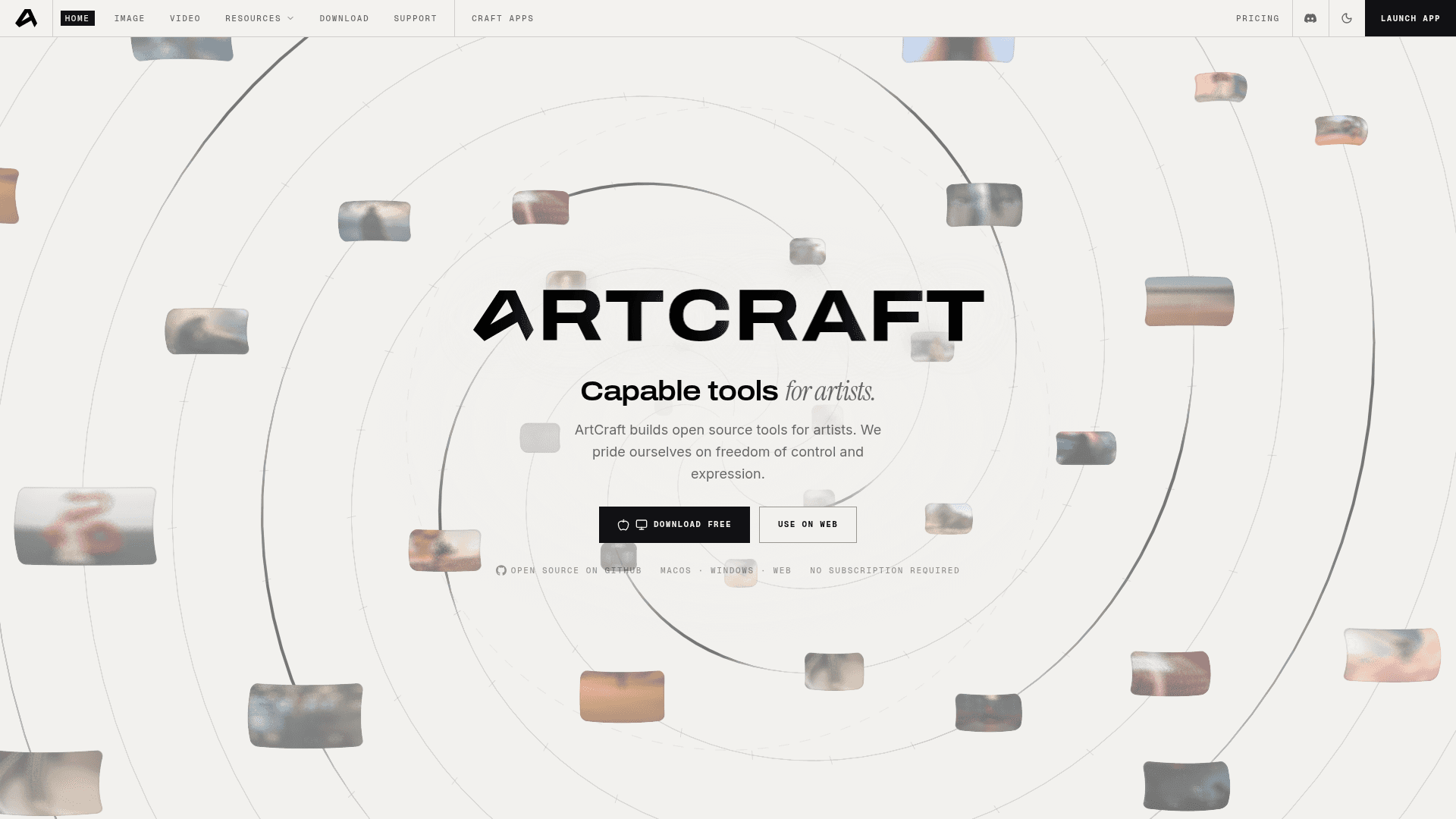
ArtCraft homepage (getartcraft.com, October 20, 2026).
Why everyone is suddenly searching for ArtCraft
On October 7, 2026, Ars Technica reported that ArtCraft had pivoted from a "controllable AI for artists" into a suite of open-source apps recreating Photoshop, Illustrator, Premiere, Lightroom, After Effects, InDesign and Acrobat Pro. Developer Brandon Thomas said he used Anthropic's Claude Opus 5.5 to build "clean-room replacements" in Rust, with WebAssembly versions for the browser.
That AI-built angle is the hook. The apps were not written line by line by a large team. They were produced with AI-assisted reverse engineering, and Thomas has said the "super early alpha" builds will reach near feature parity "in months and not years." Ars also noted the apps could face legal questions if their look and feel copies Adobe's "trade dress" too closely.
The suite has grown since that article. It launched with seven apps and the apps page now lists thirteen.
The 13 ArtCraft Crafting Apps
Every app below is listed on getartcraft.com/apps as open source, built in pure Rust, and free to use. Status labels are ArtCraft's own as of October 20, 2026.
| App | What it does | Status | Platforms |
|---|---|---|---|
| PhotoCraft | Image editor (Photoshop-style) | Early alpha | macOS, Windows, Linux, Web |
| VectorCraft | Vector illustration (Illustrator-style) | In development | macOS, Windows, Linux, Web |
| FilmCraft | Video editor (Premiere-style) | In development | macOS, Windows, Linux |
| LightCraft | Photo library and raw developer (Lightroom-style) | In development | macOS, Windows, Linux, Web |
| PdfCraft | PDF workbench (Acrobat-style) | Early alpha | macOS, Windows, Linux, Web |
| EffectCraft | Motion graphics and VFX (After Effects-style) | In development | macOS, Windows, Linux, Web |
| DesignCraft | Page layout and publishing (InDesign-style) | In development | macOS, Windows, Linux, Web |
| FigCraft | Interface design and prototyping | Early alpha | macOS, Windows, Linux, Web |
| WordCraft | Word processing | In development | macOS, Windows, Linux, Web |
| SoundCraft | Digital audio workstation | In development | macOS, Windows, Linux, Web |
| DeckCraft | Presentations and slide shows | In development | macOS, Windows, Linux, Web |
| CADCraft | Computer-aided design and drafting | In development | macOS, Windows, Linux, Web |
| GridCraft | Spreadsheets and data analysis | In development | macOS, Windows, Linux, Web |
FilmCraft is the only app ArtCraft does not list as running in a browser tab. The other twelve also compile to WebAssembly.
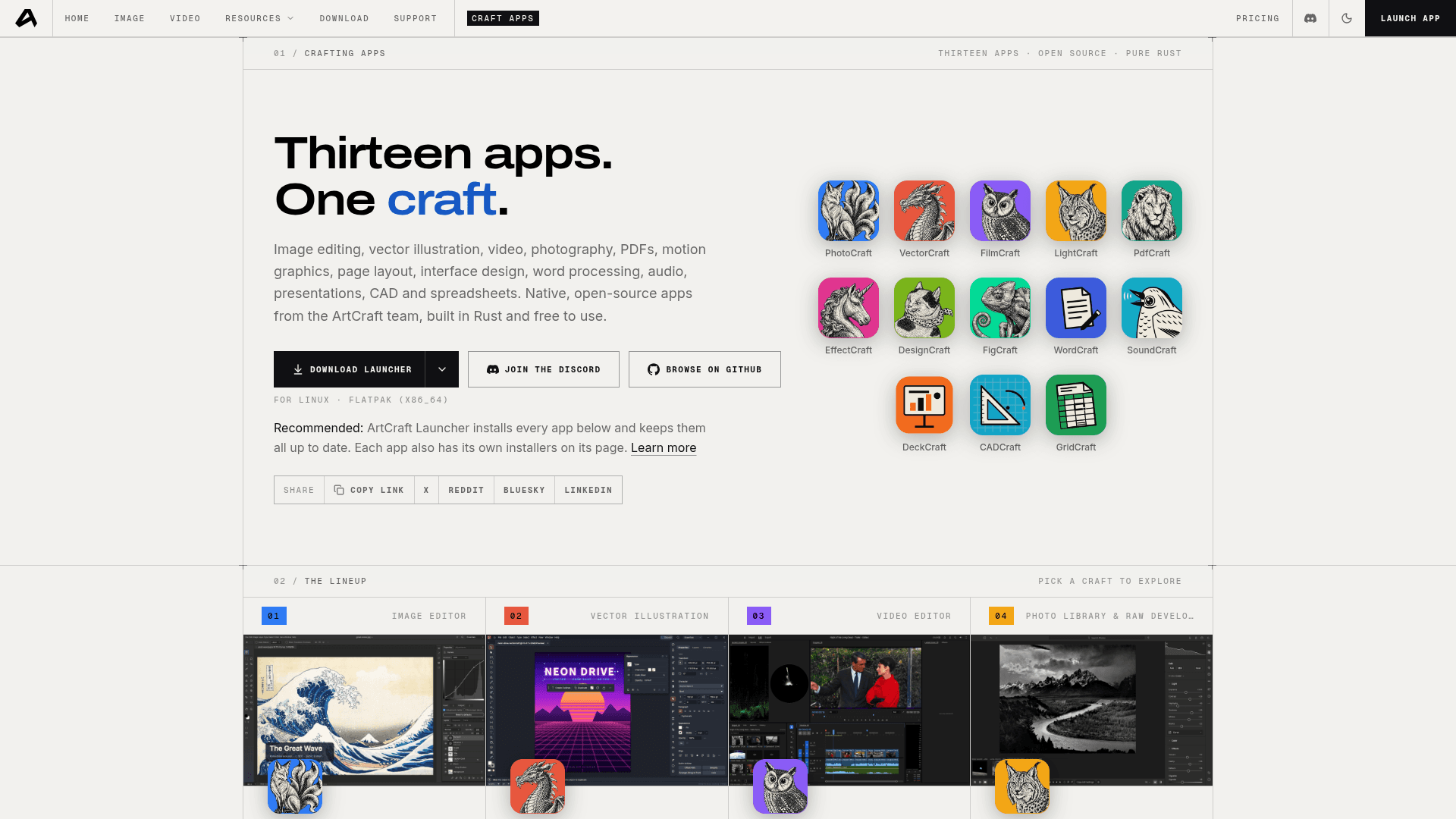
The Crafting Apps lineup (getartcraft.com/apps, October 20, 2026).
Shared rules across every Craft app
From the "Built the hard way" section of the apps page:
- Open source under permissive licenses (the GitHub repos list Apache-2.0, and the main ArtCraft repo is dual MIT or Apache-2.0).
- Native, not wrapped. Real desktop builds, "No Electron, no web views."
- Familiar from day one. Layouts and shortcuts professionals already know.
- Local files. "Everything runs locally on your own files."
- Agent-ready. Each app can be driven from a CLI, a JSON control channel or an MCP server, so AI agents can automate them. PhotoCraft, for example, ships a headless CLI build "for scripts and agents."
If you design interfaces, FigCraft is the one to watch next to the tools in our best Figma alternatives roundup. If you edit video, compare FilmCraft with DaVinci Resolve and our CapCut alternatives. For quick browser photo edits today, Photopea is still the more mature option.
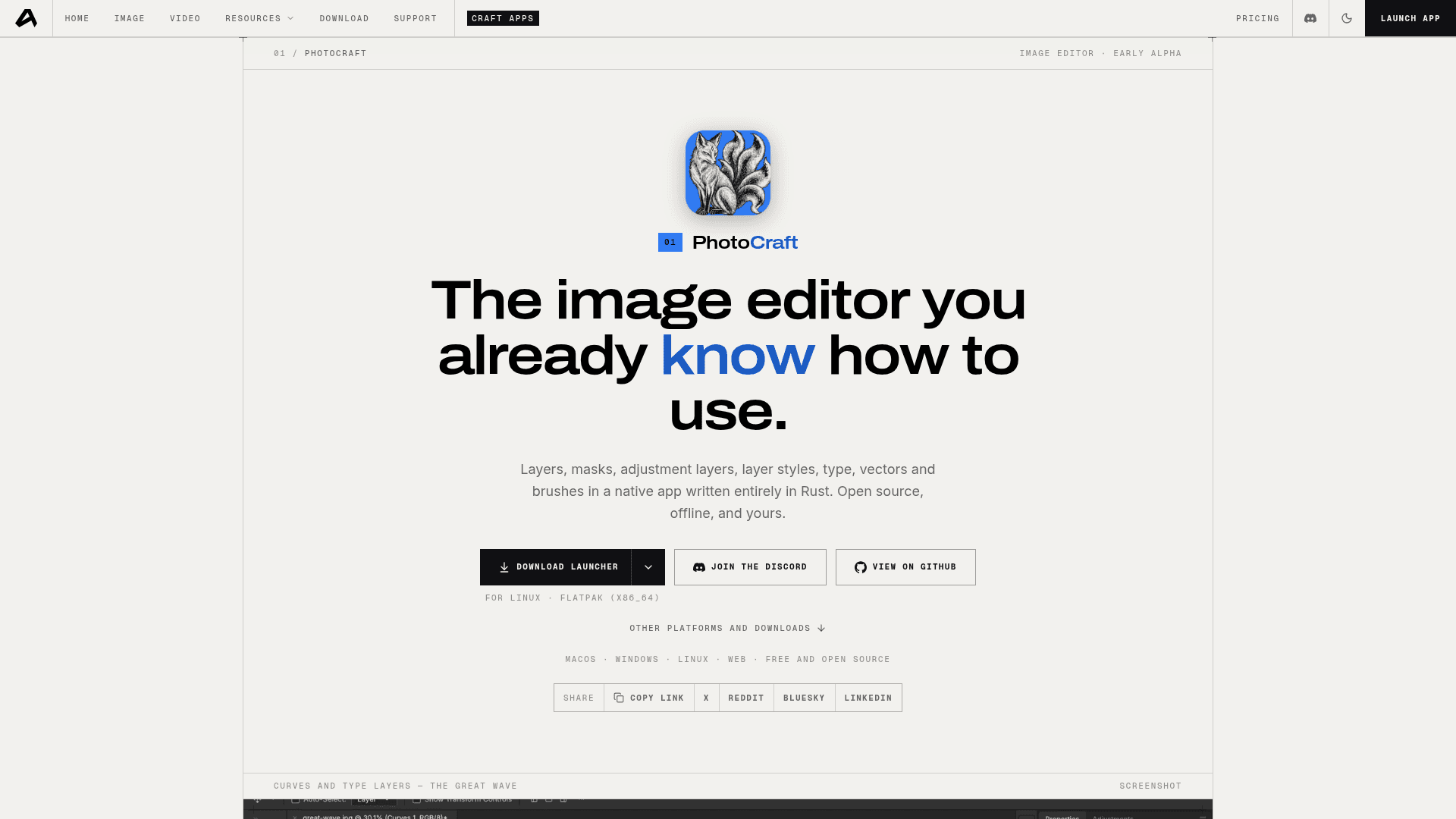
PhotoCraft, the Photoshop-style editor (getartcraft.com/apps/photocraft, October 20, 2026).
The ArtCraft Launcher
The ArtCraft Launcher installs every Crafting App from one place, picks the right build for your computer and keeps them updated. The apps page calls it the recommended way to install. Version 0.5.1 (released October 18, 2026 on GitHub) has builds for macOS (universal DMG), Windows (x64, x86 and ARM64), Linux (AppImage, deb, rpm and Flatpak on x86_64, ARM64 and RISC-V) and FreeBSD. Each app also has its own installers on its page.
The AI side: what the ArtCraft studio does
The AI studio is where ArtCraft makes money, and it is the part that uses credits. In the web app you can generate images, video, audio, 3D objects and 3D worlds, and edit images, 3D scenes and video.
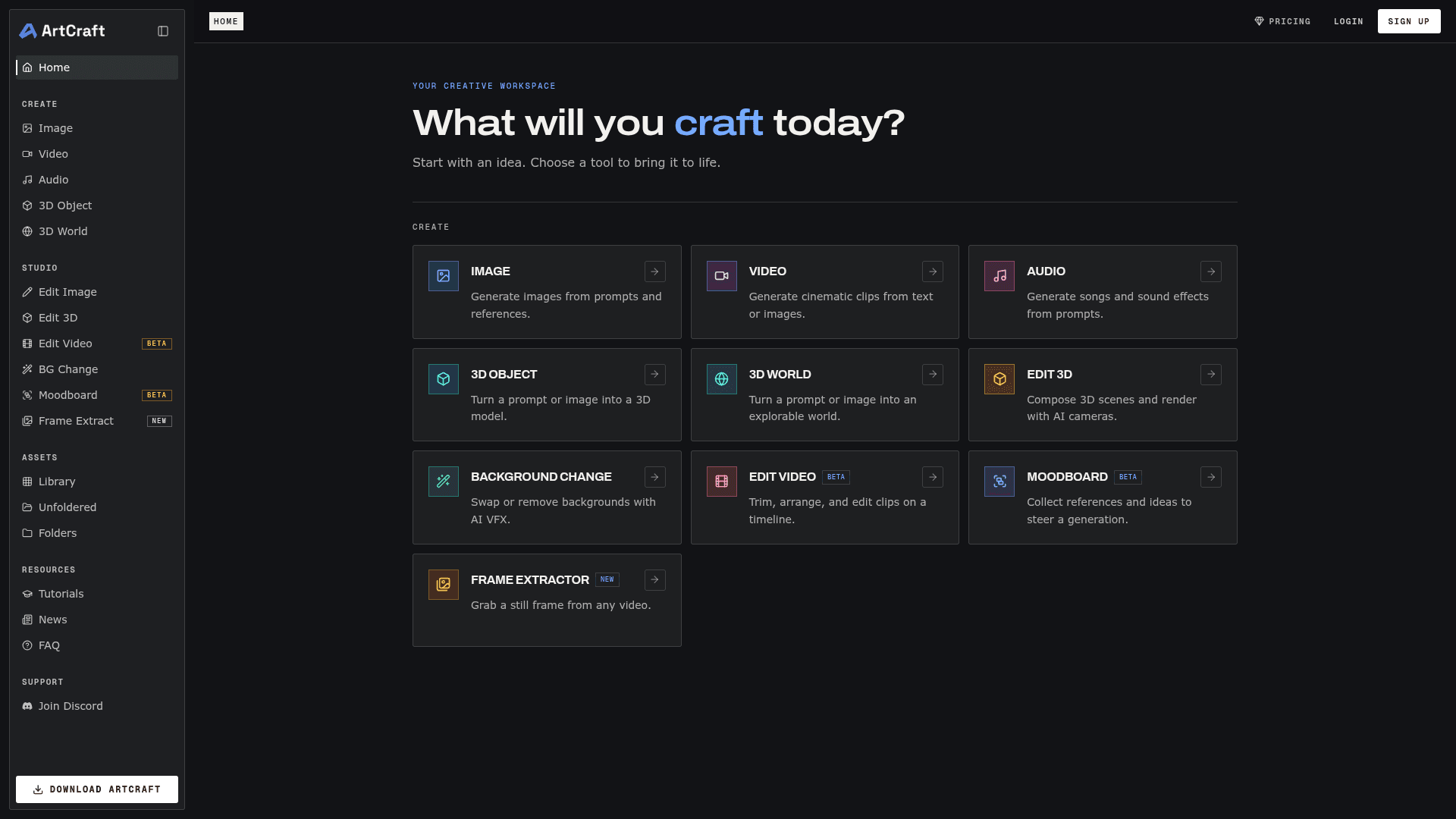
The ArtCraft studio in the browser (app.getartcraft.com, October 20, 2026).
Its main selling point is control rather than pure prompting. The homepage and README list:
- Image to Location: place virtual actors in a consistent environment and shoot several angles in the same room.
- 2D and 3D compositing: layer backdrops, props and cutouts with real depth.
- Image to 3D Mesh: turn an image into an object you can position and frame.
- Character Posing and identity transfer: pose a mannequin, then render your character in that pose.
- Background removal, inpainting and prompted image edits.
- Image to video with your choice of video model.
Which AI models does ArtCraft support?
The README's catalog lists 62 models routed through ArtCraft, including:
- Images: Nano Banana, Nano Banana 2, Nano Banana Pro, GPT Image 1.5 and 2, FLUX.1 and FLUX 1.1 Pro, Seedream 4 to 5.
- Video: Seedance 2.0, Kling 2.5 and 2.6, Veo 3 and 3.1, Vidu Q3, MiniMax H3.
- Music and sound: Suno and Seed Audio.
- 3D and worlds: Hunyuan 3D, Tripo3D, Meshy, Rodin, World Labs Marble.
Some models in that list are marked as currently disabled, so check the model picker before you plan around one. The README also lists direct provider options for Grok, Midjourney, Sora and World Labs.
If you like the node-and-canvas style of AI creation, ArtCraft sits in the same space as FLORA, Krea AI and Comfy. Our guide to why creators are switching to node-based AI tools explains that shift.
Is ArtCraft free? What is free vs paid
Yes, ArtCraft is free to download and use. The code is open source and the pricing page says subscriptions are optional. Here is the split:
| Part of ArtCraft | Cost | Notes |
|---|---|---|
| 13 Crafting Apps (PhotoCraft, FilmCraft, etc.) | Free | Open source, run locally, no subscription |
| ArtCraft Launcher | Free | Open source on GitHub |
| ArtCraft studio app (desktop and web) | Free to install and open | Free account sign-in |
| AI generations through ArtCraft | Paid credits | Monthly plan credits or one-time credit packs |
| Your own compute or third-party subscriptions | Your own cost | Footnote on the pricing page says you can bring these instead of subscribing |
The pricing footnote reads: "ArtCraft can be used without paying for a subscription. You can bring your own compute and third-party subscriptions." The company also says plainly that it hopes you subscribe, because subscriptions fund development. Ars Technica reported the same model: the free apps are funded by "token-based access" to the ArtCraft AI studio.
ArtCraft pricing (AI credit plans)
Prices from getartcraft.com/pricing on October 20, 2026. A limited-time 20% discount was running on every plan, so the struck-through list price is shown in brackets.
| Plan | Monthly | Yearly (per month) | Billed yearly | Credits / month | Example output |
|---|---|---|---|---|---|
| Free | $0 | $0 | $0 | None listed | Free apps, studio, bring your own models |
| Basic | $10 (list $13) | $8 (list $10) | $96 | 1,000 | ~250 Nano Banana images or ~63 s Seedance 2.0 video |
| Pro (most popular) | $35 (list $44) | $28 (list $35) | $336 | 3,750 | ~938 Nano Banana images or ~234 s Seedance 2.0 video |
| Max (best value) | $60 (list $75) | $48 (list $60) | $576 | 6,600 | ~1,650 Nano Banana images or ~413 s Seedance 2.0 video |
| Enterprise | Custom | Custom | Custom | Bespoke | Secure models, SLAs, custom integrations |
Other terms on the pricing page:
- Cancel anytime, checkout through Stripe.
- Credits are refunded if a generation fails.
- One-time credit packs top up without changing your plan and never expire (pack prices are shown after sign-in).
- Every paid plan includes video credits.
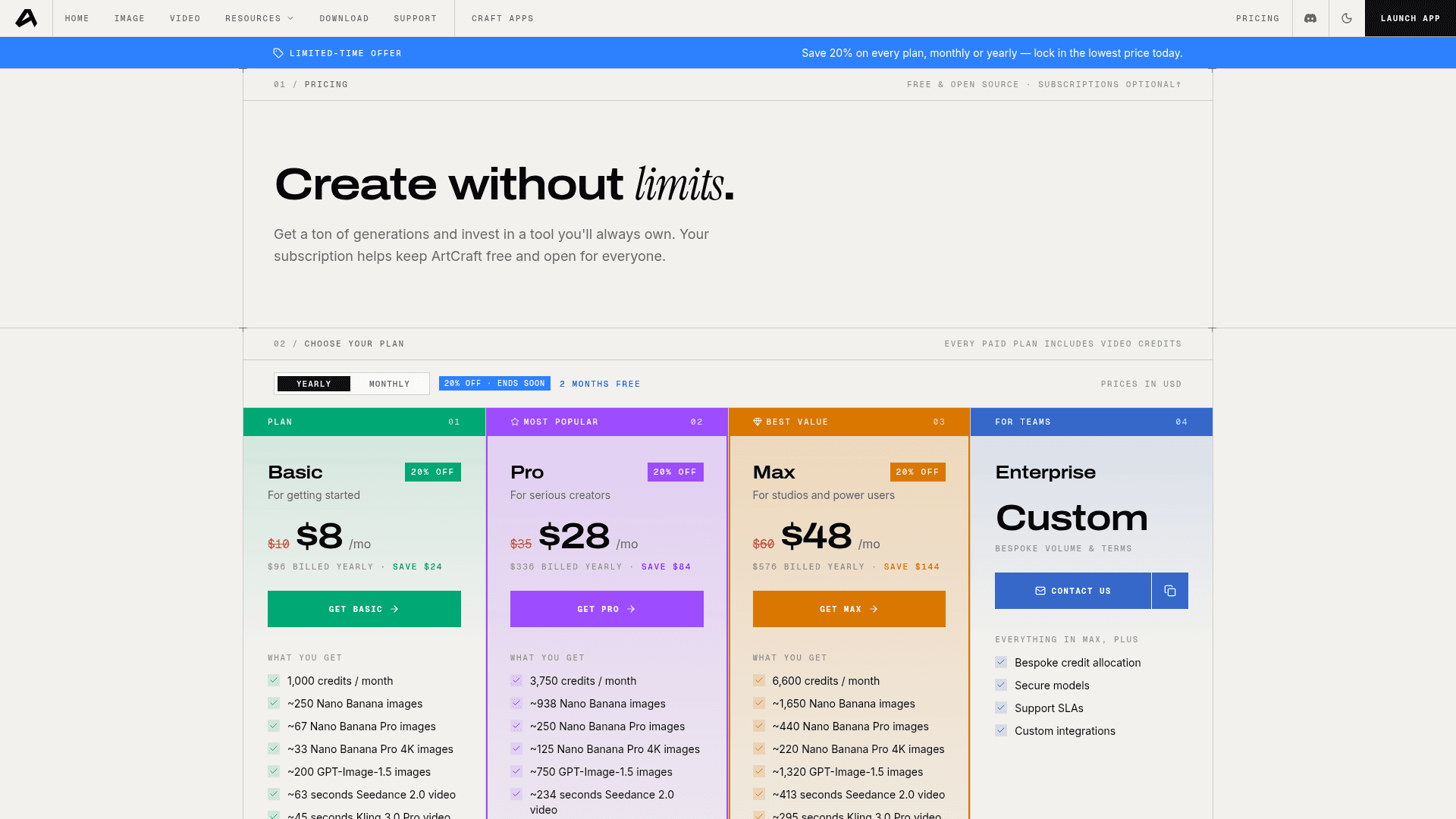
ArtCraft pricing, yearly toggle (getartcraft.com/pricing, October 20, 2026).
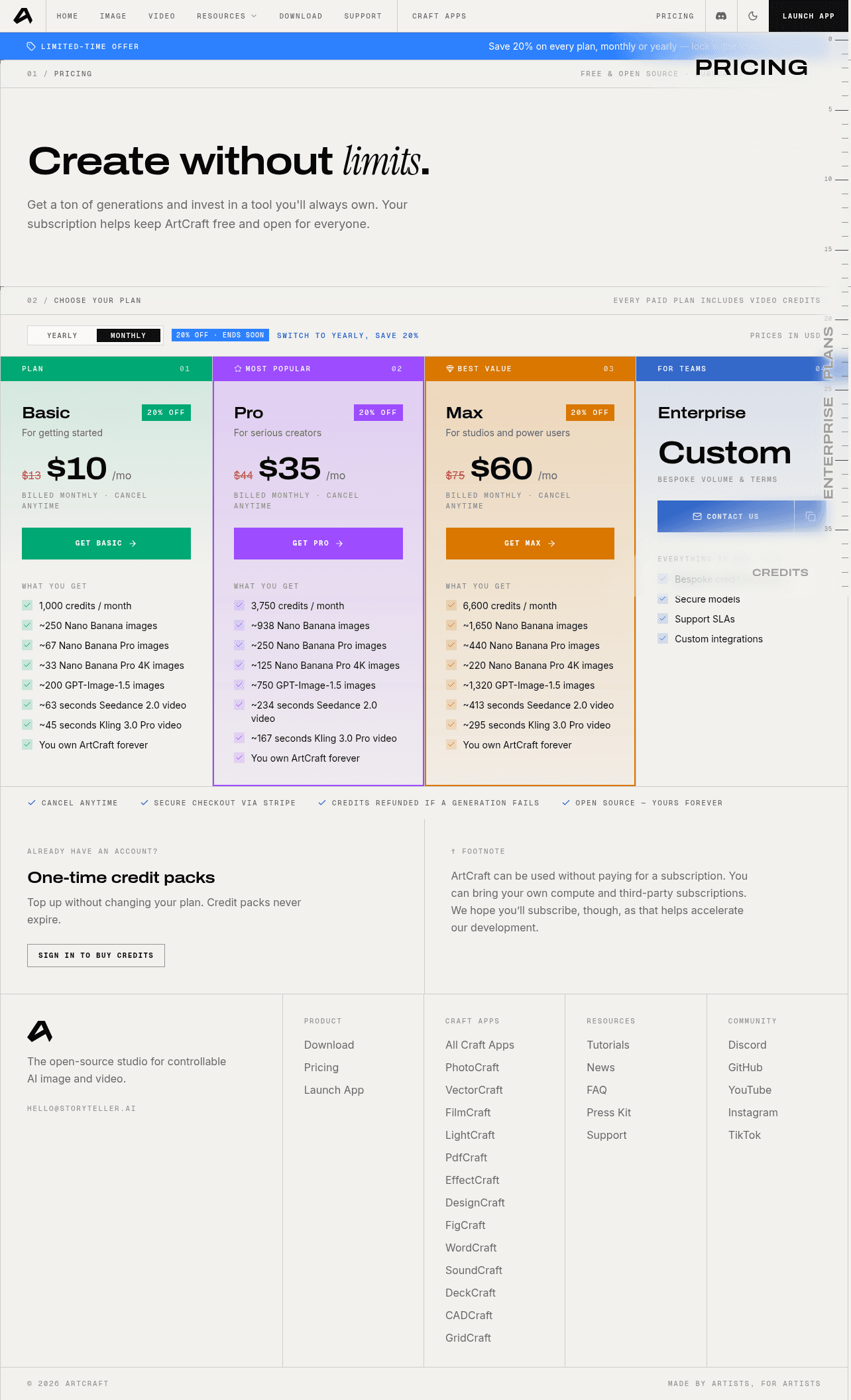
ArtCraft pricing, monthly toggle (getartcraft.com/pricing, October 20, 2026).
Is ArtCraft open source?
Yes. The main ArtCraft repo is dual-licensed MIT or Apache-2.0. The October 2026 relicense commit replaced an earlier work-in-progress "fair-source" license. The Craft app repos (PhotoCraft, FilmCraft, PdfCraft and the rest) list Apache-2.0 on GitHub. A NOTICE file flags some bundled third-party assets that are not covered by the open-source license.
Is ArtCraft a real Adobe alternative yet?
For light work and experiments, maybe. For client work, not yet. The apps are labeled "Early alpha" or "In development," and community threads on Reddit, Hacker News and DPReview point out missing features and bugs. Ars Technica also raised the open question of whether AI-assisted "clean-room" cloning holds up legally.
Good reasons to try it now:
- You want free, local, Adobe-style tools and can tolerate rough edges.
- You want one canvas that mixes AI generation with 2D and 3D control.
- You want creative apps your AI agents can drive through a CLI or MCP.
Reasons to wait:
- You need stable file compatibility and production reliability today.
- You rely on plugins or team workflows from Adobe Creative Cloud.
Is ArtCraft safe?
"Is ArtCraft safe" is one of the top related searches. The code is public on GitHub, so anyone can audit it, and official installers come from getartcraft.com or the storytold GitHub releases. Download only from those two places. As with any alpha software, keep backups of files you open in the Craft apps.
FAQ
What is ArtCraft?
ArtCraft is an open-source AI studio for creating images, video, audio and 3D scenes, plus a suite of 13 free Rust apps (Crafting Apps) that recreate familiar creative tools such as Photoshop, Illustrator, Premiere and Lightroom.
Is ArtCraft free?
Yes. The Crafting Apps, the launcher and the studio app are free and open source. You pay only for AI generation credits through ArtCraft, with plans from $8 per month billed yearly, or you can bring your own compute and third-party subscriptions.
Is ArtCraft AI free?
The AI studio is free to install, but generating with models like Nano Banana, Seedance or Kling through ArtCraft uses credits. Credits come from the Basic, Pro or Max plans or from one-time credit packs.
Is ArtCraft open source?
Yes. The main repo is MIT or Apache-2.0, and the Craft app repos are Apache-2.0 on GitHub under the storytold organization.
Is ArtCraft an Adobe alternative?
It is trying to be. The apps copy the layouts and tools of Photoshop, Illustrator, Premiere, Lightroom, After Effects, InDesign and Acrobat, but they are early alpha or in development as of October 2026.
Is there a free alternative to Adobe?
Yes. Besides ArtCraft, options include Photopea for image editing in the browser, DaVinci Resolve for video, and Figma for interface design. See our Figma alternatives guide for more.
Is ArtCraft safe?
The code is public on GitHub and installers are published on getartcraft.com and GitHub releases. Use only those sources, and treat the alpha apps as experimental for important files.
What platforms does ArtCraft run on?
The AI studio has desktop builds for macOS 12+ and Windows 10+ (64-bit), plus a web app. The Crafting Apps run on macOS, Windows and Linux, and twelve of them also run in the browser.
Who makes ArtCraft?
ArtCraft is published under the storytold GitHub organization. Ars Technica identifies developer Brandon Thomas as the person behind the Adobe-style apps.
Can AI agents control ArtCraft apps?
Yes. ArtCraft says every Crafting App can be driven from a CLI, a JSON control channel or an MCP server, built for automation and AI agents.
Try ArtCraft
See ArtCraft on Toolfolio for features and categories, then open getartcraft.com to download the studio or the launcher. If you only want the free apps, install the launcher and skip the paid plans entirely.
Related on Toolfolio: