
Yes, Dia is free to download and use as a browser on Mac and Windows 11. The free plan keeps profiles, tab groups, split view, the ad blocker and sync, but no AI. AI features need Better Answers ($10 a month) or Better Days ($100 a month) after a 14-day trial. Windows users are not on paid plans yet.
Dia on Toolfolio. Updated October 27, 2026.
Is Dia browser free? The short answer
Dia, the AI browser from The Browser Company (now part of Atlassian), is free in the sense most people mean: you can download it, browse, and keep using it without paying. What is no longer free for new Mac users is the AI. Since paid plans started rolling out to new Mac users on August 17, 2026, Dia has been split into a free browser and two paid AI plans.
Here is how that plays out depending on who you are:
| You are... | What you pay today | What you get |
|---|---|---|
| A new Mac user | $0 for 14 days, then $0 (browser only) or $10 or $100 a month | Full Better Days trial, then the free browser with AI paused unless you pick a plan |
| An existing Mac user (from before paid plans) | $0 for now | Dia says existing users "keep what they have for free" and will get at least 30 days' email notice before paid plans apply |
| A Windows user | $0 for now | Dia's FAQ says paid plans are "starting with new Mac users" and "Dia on Windows stays as it is for now" |
| A company | Contact sales | Enterprise controls (SSO, MDM, AI policies) through teams@diabrowser.com |
If you are coming from Arc, which stopped accepting new accounts on October 22, 2026 and stops working on December 22, the Arc site puts it plainly: the browser features you use in Arc are free in Dia, and the AI is optional.
Dia plans and prices compared
These are the three plans on diabrowser.com/plans as of October 27, 2026. Dia shows monthly prices only; we did not find an annual price.
| Better Browser (Free) | Better Answers | Better Days | |
|---|---|---|---|
| Price | Free | $10 a month | $100 a month |
| Profiles and tab groups | Yes | Yes | Yes |
| Split view and picture-in-picture | Yes | Yes | Yes |
| Built-in ad and tracking blocker | Yes | Yes | Yes |
| Cross-device sync | Yes | Yes | Yes |
| AI chat (find, summarize, draft, build) | No | Yes | Yes |
| Morning Brief | No | Yes | Yes |
| Connected apps (Slack, Gmail, Notion and more) | No | Yes | Yes |
| AI usage allowance | None | Monthly allowance, "usage limits apply" | "20x more asks" than Better Answers |
| Extra usage | Not available | $20 credit blocks | $20 credit blocks |
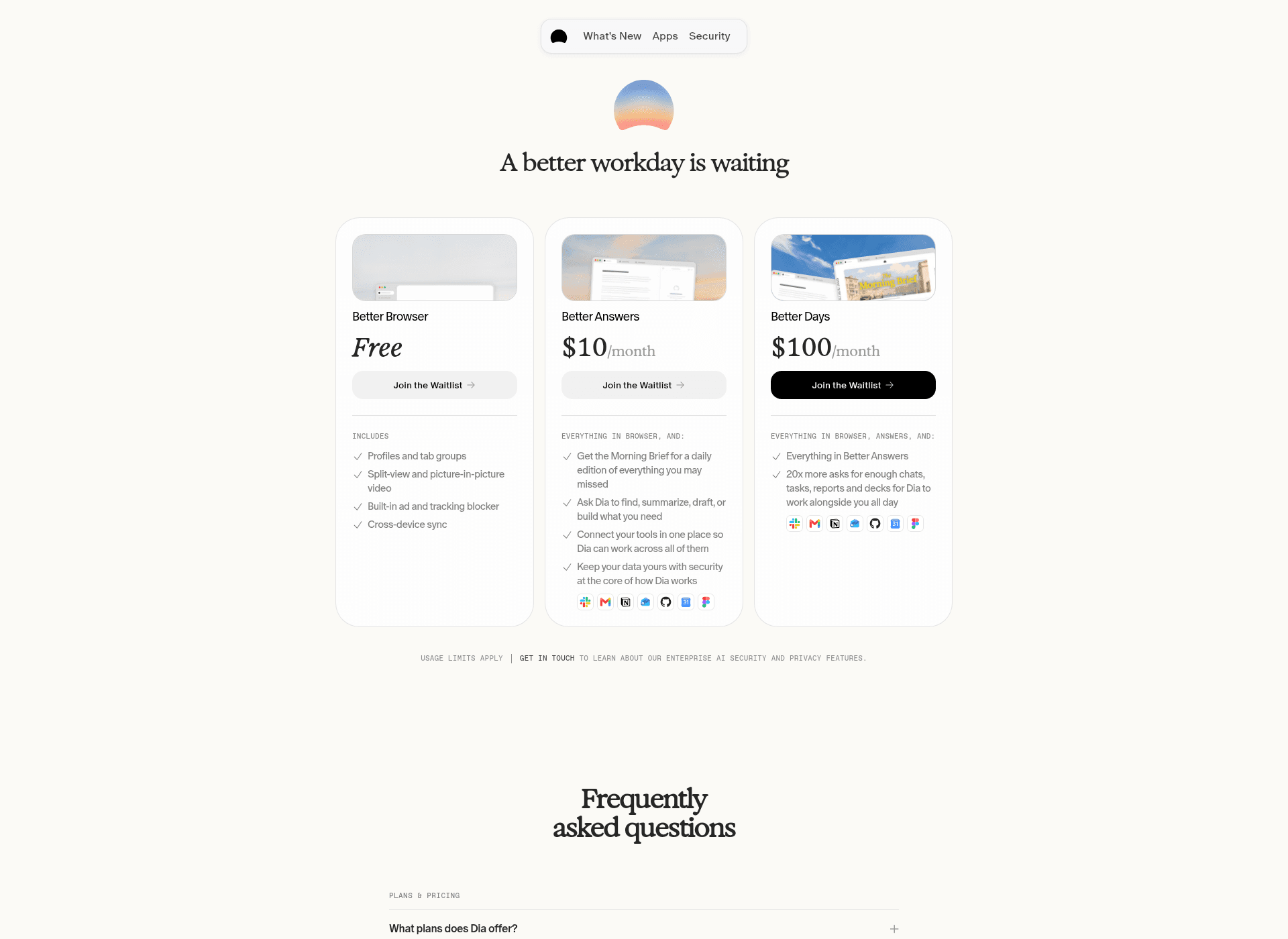
Dia's plans page (screenshot taken October 27, 2026).
Better Answers is the plan most people will look at. For $10 a month you get the AI chat that works with your open tabs, the Morning Brief (a daily summary of what you may have missed), and connections to the apps Dia lists on its Apps page, including Slack, Gmail, Google Calendar and Drive, Notion, Jira, Confluence, Linear, Figma, GitHub, Microsoft Teams, Outlook and Zoom. Better Days is the same feature set with a much bigger allowance, aimed at people who lean on the AI all day.
What the free plan includes, and what stops working
The free plan is a full Chromium browser. Dia describes it as "a clean, calm, effortlessly organized browser with no AI features." In practice that means:
- Kept on the free plan: profiles and tab groups, split view, picture-in-picture video, the built-in ad and tracking blocker, and sync between your devices.
- Paused on the free plan: the AI chat, the Morning Brief, AI Skills (saved prompts like /cite or /flashcards), and connected apps. Dia's FAQ says that when you reach for an AI feature without a plan, you may see a prompt to upgrade.
Two things are worth knowing if you pay and later stop:
- Cancelling: you keep AI access until the end of your billing cycle, then Dia "continues as a free browser." Your browser setup stays.
- Refunds: Dia says unused usage is not refunded when you cancel or downgrade, unless local law says otherwise.
If you only want a calm, organized browser with vertical tabs, the free plan may be all you need. If you want vertical tabs in the browser you already use, our guide on how to enable vertical tabs on Chrome covers that.
How the 14-day free trial works
Every new Dia user gets a 14-day trial of Better Days, the top plan. No credit card is needed to start. Dia says the trial "is designed to comfortably cover normal, everyday use," with a light limit on how much you can do in a short window.
When the trial ends and you have not chosen a plan, Dia keeps working as a browser and the AI pauses. Nothing is charged automatically, because you never entered a card. That makes the trial a low-risk way to decide between the free browser and Better Answers.
How Dia's usage limits and extra credits work
Paid plans are not unlimited. Dia measures AI usage in "Tasks," its own unit of effort. A simple question can use a fraction of a Task, while a request that pulls in more tools, more page context or a longer answer uses more. Dia does not publish how many Tasks each plan includes, only that Better Days has "20x more asks" than Better Answers.
What Dia does spell out:
- Your allowance resets each billing cycle and unused allowance does not carry over.
- There is no surprise overage bill. If you run out, the AI pauses until your next billing date.
- You can buy more in $20 credit blocks, either as a one-time top-up or with auto-reload, which charges you automatically when you run low.
- Bought credits roll over for up to three months from the date of purchase.
- Upgrades apply right away and you are credited for the unused part of your old plan. Downgrades start at your next billing date.
- You manage it all in the app. Usage lives in Dia > Settings > Usage and billing in Dia > Settings > Billing, which opens Stripe.
Is Dia available on Windows, and is it free there?
Yes. Dia for Windows is out and, for now, Windows sits outside the paid plans. According to Dia's own changelog, the Windows version shipped as v1.0 on October 6, 2026, with a one-line note: "Welcome to your new home on Windows." Weekly updates followed:
| Windows version | Date | Highlights from the changelog |
|---|---|---|
| 1.0 | October 6, 2026 | First public Windows release |
| 1.1.0 | October 8, 2026 | Faster tab switching, Arc-style pinned tabs, quicker first chat answers |
| 1.2.0 | October 15, 2026 | Skills, Arc import improvements (Live Folders from GitHub, sidebar tabs), swipe between profiles |
| 1.3.0 | October 22, 2026 | Focus Mode, Dia Sync between Windows and Mac, refreshed branding, F11 fullscreen |
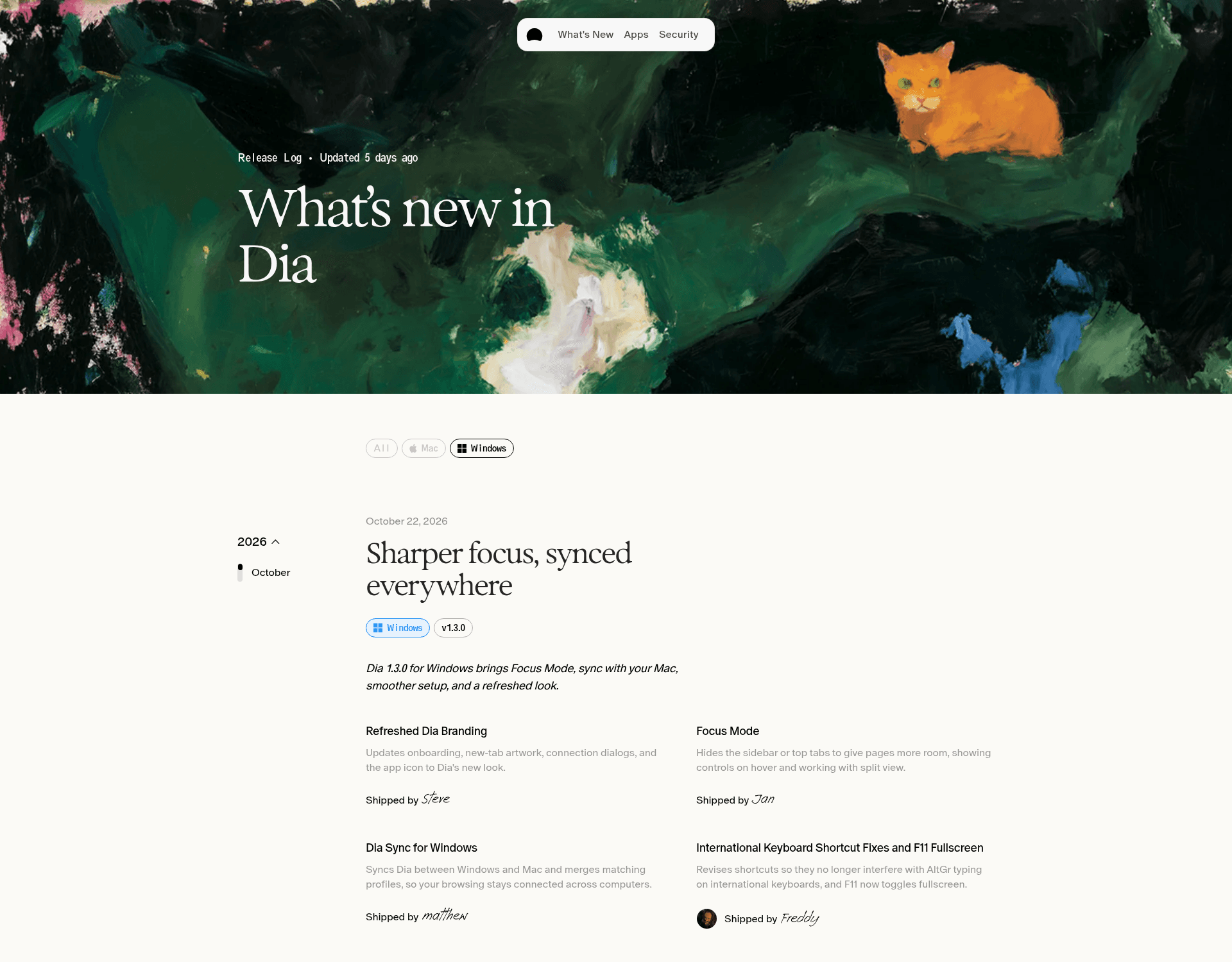
Dia's Windows changelog (screenshot taken October 27, 2026).
On pricing, the plans FAQ answers "I'm on Windows, does this apply to me?" with "Not yet. Paid plans are starting with new Mac users. Dia on Windows stays as it is for now, and we'll let you know before anything changes." Dia does not say what "as it is" means for the AI allowance on Windows, so expect that to change once paid plans reach Windows.
Does Dia work on Windows 10?
No. Dia's download page lists "Windows 11," and the Windows app package itself sets a minimum of Windows build 10.0.22000, which is the first Windows 11 release. Windows 10 is not supported. The installer comes in x64 and Arm64 builds.
How to download Dia for Mac and Windows
Get Dia only from the official site. The download is free and does not ask for payment.
| Mac | Windows | |
|---|---|---|
| Where to get it | diabrowser.com | diabrowser.com/windows |
| Supported hardware | Apple Silicon Macs (M-series) | Windows 11 PCs, x64 or Arm64 |
| What downloads | A disk image (.dmg, about 860 MB) | A small installer (DiaInstaller.exe, about 2 MB) that fetches the full app (about 890 MB for x64) |
| Latest version we saw | 1.54.0 (October 22, 2026) | 1.3.0 in the changelog, package 1.3.1.2 on October 27, 2026 |
| Publisher | The Browser Company of New York | The Browser Company of New York Inc. |
Steps:
- Open the official download page for your system.
- On Windows, run DiaInstaller.exe; on Mac, open the .dmg and drag Dia to Applications.
- Follow the setup prompts. Dia says it supports the standard import flows from all major browsers, so you can bring over bookmarks, passwords, history and (from Arc) your sidebar tabs.
- Your 14-day trial starts if you are a new Mac user. Skip any plan prompt to stay on the free browser after the trial.
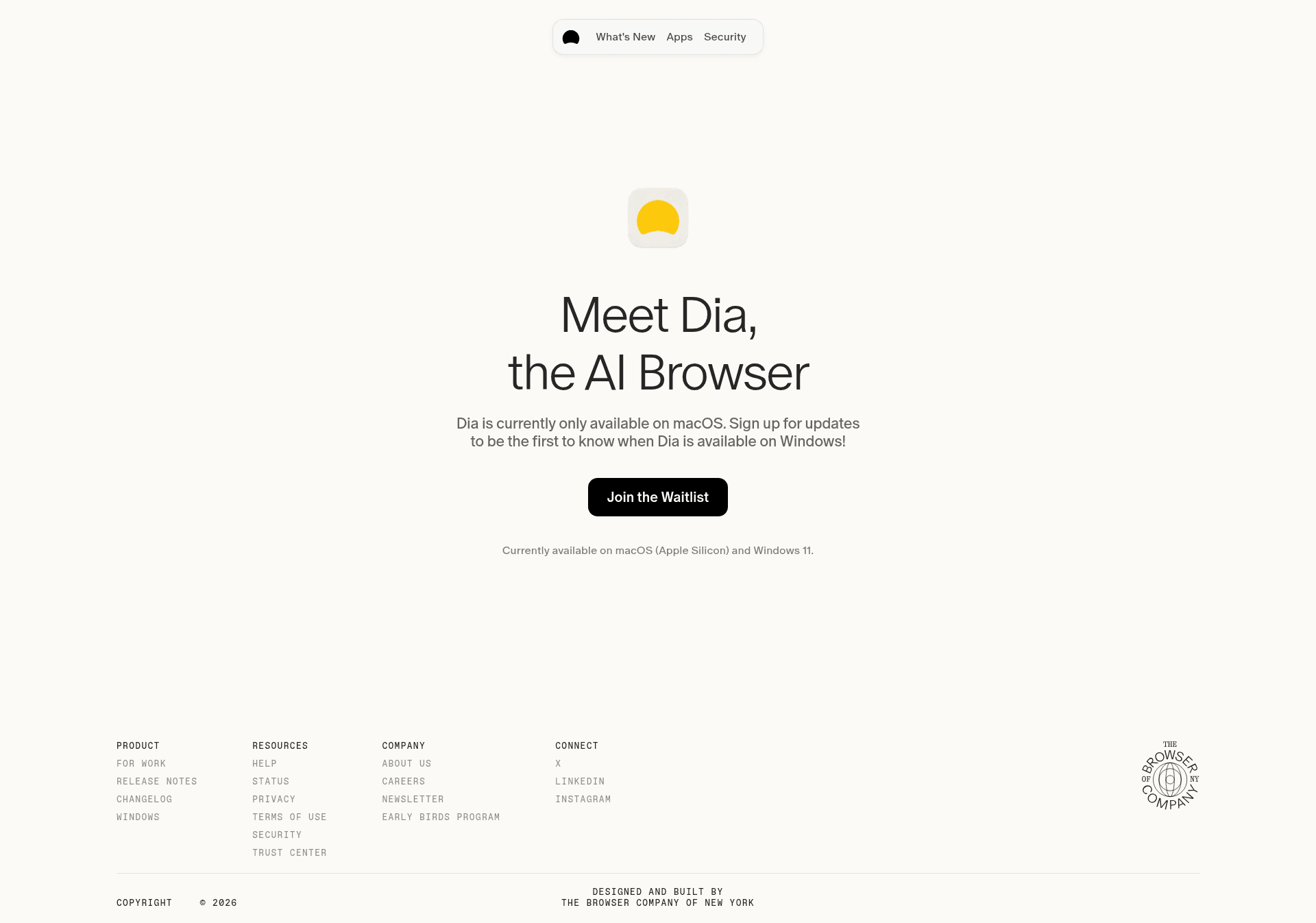
Dia's download page (screenshot taken October 27, 2026). We opened it from a Linux machine, which shows a waitlist button; the line at the bottom lists the supported systems.
There is no Dia app for Linux, Android or iPhone. Dia's site lists only macOS and Windows 11, and its Apps page refers to connected services, not mobile apps. Third-party "Dia" apps in app stores are not from The Browser Company.
Why some reviews say Dia costs $20
If you search for Dia pricing, you will see three different numbers. Here is why:
- $20 a month "Dia Pro" (2025): In August 2025, The Browser Company launched a $20 a month Pro plan for heavier AI use, with a free tier that had capped AI. TechCrunch and The Verge covered it, and those articles still rank.
- $20 and $100 (August 2026): The current three-plan setup arrived with the August 17, 2026 rollout. Coverage at the time listed Better Answers at $20 a month and Better Days at $100 a month with "6x" more usage.
- $10 and $100 (now): By October 2026 the plans page showed Better Answers at $10 a month, and Better Days' allowance is now described as "20x more asks."
Prices have moved twice in a year, so treat any number older than a month as a guide and check diabrowser.com/plans before you subscribe.
Is Dia worth paying for?
Stay on the free plan if you mainly want Arc-style organization (profiles, tab groups, split view, sync) and a built-in ad blocker. Many former Arc users will be happy there, and nothing in the free browser expires.
Pay for Better Answers ($10 a month) if you already use ChatGPT or another chatbot next to your browser and want that in your tabs, with your Gmail, calendar, Slack or Notion connected. The 14-day trial tells you how much you would actually use it. Better Days only makes sense if you hit the Better Answers limit regularly.
If you would rather not pay for AI in your browser at all, these are worth a look:
- Zen Browser is a free, Firefox-based browser with Arc-like vertical tabs and workspaces, no AI subscription.
- Comet is Perplexity's AI browser, an option if the AI assistant is the part you want.
- Aside is an AI agent browser with a free plan and paid tiers for heavier use.
We compare these and more in our roundup of the best Arc browser alternatives for Mac and Windows.
FAQ
Is Dia browser free?
Yes, as a browser. Dia's free plan includes profiles, tab groups, split view, picture-in-picture, an ad and tracking blocker, and sync. AI features need Better Answers ($10 a month) or Better Days ($100 a month) after a 14-day trial. Existing users and Windows users are not on paid plans yet.
How much does Dia Pro cost?
"Dia Pro" was the 2025 name for a $20 a month plan. It has been replaced. As of October 27, 2026, Dia's paid plans are Better Answers at $10 a month and Better Days at $100 a month.
Is Dia available for Windows?
Yes. Dia for Windows 11 came out on October 6, 2026 (version 1.0) and was on version 1.3.0 by October 22. Download it from diabrowser.com/windows. Paid plans have not reached Windows yet.
Does Dia work on Windows 10?
No. Dia lists Windows 11 as the supported system, and the app package requires Windows 11 (build 22000 or later).
Is there Dia for Android, iPhone or Linux?
No. As of October 27, 2026, Dia is only available for Apple Silicon Macs and Windows 11. Be careful with app store listings that use the Dia name.
What happens when the Dia free trial ends?
Dia keeps working as a browser and AI features pause. You are not charged, since the trial does not ask for a card. Pick Better Answers or Better Days if you want the AI back.
How do I switch profiles in Dia browser?
Click the profile toggle in the top left corner of the window. On Mac, Ctrl plus a number from 1 to 9 jumps straight to a profile, and the Windows version added swiping between profiles in version 1.2.0. Profiles are part of the free plan.
What are the key differences between Dia and Arc?
Both come from The Browser Company. Arc focused on organization (sidebar tabs, Spaces, pinned tabs) and is being shut down on December 22, 2026. Dia is built around an AI assistant that works with your tabs and apps, while keeping Arc staples like profiles, sidebar tabs and pinned tabs, plus a direct Arc import. Arc users can move to Dia's free plan without paying.
Do I lose my browser if I cancel my Dia subscription?
No. You keep AI access until the end of the billing cycle, then Dia continues as a free browser with your tabs, profiles and settings.
How we checked this guide
We did not install Dia or create an account. Everything here comes from Dia's public pages (plans, download, Windows, changelog, getting started, For Work and Apps), Arc's shutdown page, the metadata of Dia's official installers, and news coverage of past pricing, all checked on October 27, 2026. Prices and plan details change often, so confirm on diabrowser.com/plans before paying.
Prices and plan details checked October 27, 2026. Toolfolio is not affiliated with The Browser Company or Atlassian.