
OpenAI launched ChatGPT Atlas in October 2025, marking its entry into the browser space with an AI-powered browsing experience. Atlas integrated ChatGPT directly into the web, allowing users to get instant answers, suggestions, and task assistance without leaving their browser window.
Update (October 25, 2026): OpenAI retired ChatGPT Atlas on August 9, 2026, and it no longer receives updates. Its browser agent features moved into the new ChatGPT desktop app, which has a built-in browser, ChatGPT Work and Codex, and into a ChatGPT Chrome extension and sidebar that works with the page you are on. This article is kept as a record of what Atlas offered. See OpenAI's retirement notice and 9to5Mac's report. Looking for an AI browser today? Try Perplexity Comet or see our guide to Arc browser alternatives.
Here's everything you need to know about what Atlas offered.
What is ChatGPT Atlas?
ChatGPT Atlas is OpenAI’s new way to bring ChatGPT beyond the chat window directly into your browser.
It works as a side companion that helps you read, write, research, and complete tasks while you browse the web. Atlas blends ChatGPT’s intelligence with real-time web interaction, making it easier to get instant answers, organize information, and manage work online.
With Atlas, you can open a ChatGPT sidebar in any window to summarize pages, compare products, or analyze data on the spot. It also remembers what matters to you, allowing for more personalized and relevant help while keeping you in control of your privacy and what’s stored.
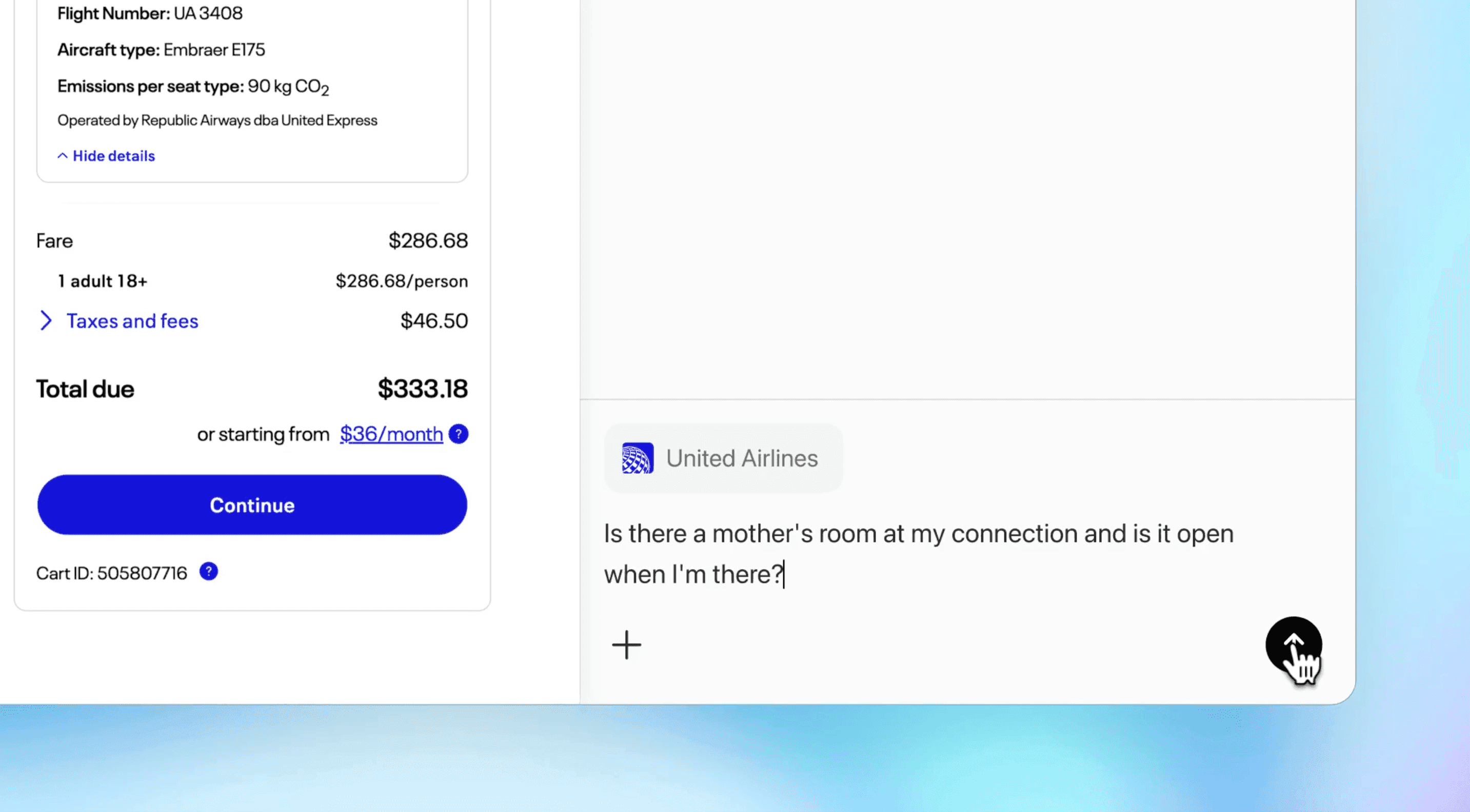
Atlas goes a step further with “Agent Mode,” where ChatGPT can perform actions on your behalf, such as booking, researching, or filling forms, always under your supervision.
It’s designed for individuals and businesses looking for a smarter, more interactive web experience, right where they work.
ChatGPT Atlas Features in Detail
ChatGPT Atlas is more than just a browser it’s a productivity hub powered by OpenAI’s latest language model.
It brings ChatGPT directly into your web experience, turning browsing, writing, and research into seamless, AI-assisted workflows. Below is a detailed look at the key features that make Atlas unique.
1. Bring ChatGPT Across the Web
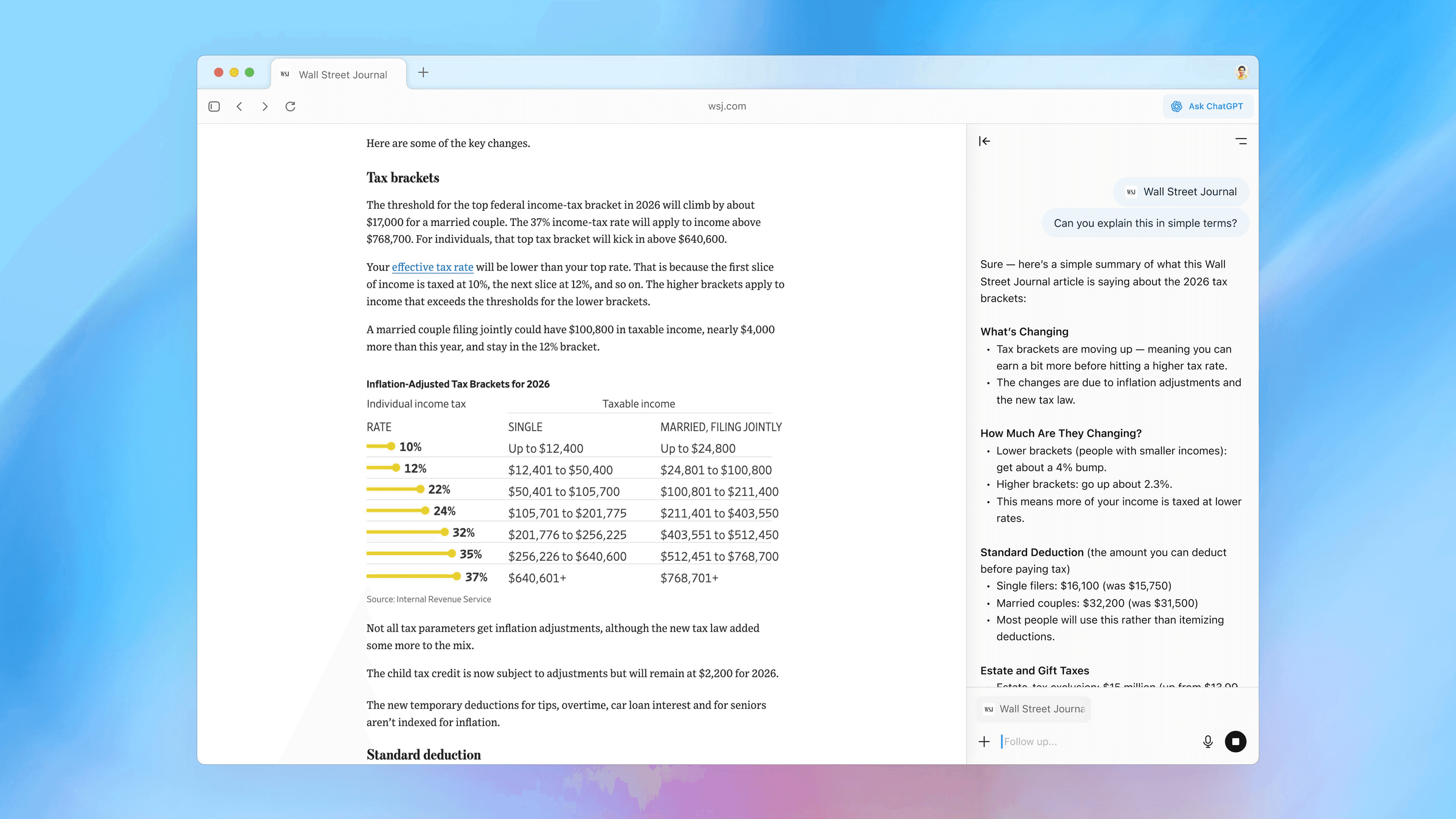
Atlas integrates ChatGPT directly into your browsing environment.
You can open a side chat panel on any webpage to ask questions, summarize long articles, analyze data, or compare products instantly. This makes it easier to understand information without switching tabs or copying links into a separate chat window.
The sidebar works contextually, meaning ChatGPT “sees” the page you’re viewing and provides answers or insights related to that content. Whether you’re reading news, working on a document, or shopping online, ChatGPT is there to guide you with real-time understanding.
2. Picks Up Where You Left Off (Memory)
Atlas introduces browser memory, allowing ChatGPT to remember what’s important to you. It can recall past conversations, ongoing projects, and preferences to deliver more personalized and efficient responses.
Users can fully manage this feature. You can decide what ChatGPT remembers, clear memories, or use incognito mode for sessions that leave no trace. This flexibility ensures productivity without compromising privacy.
3. Takes Action for You (Agent Mode)
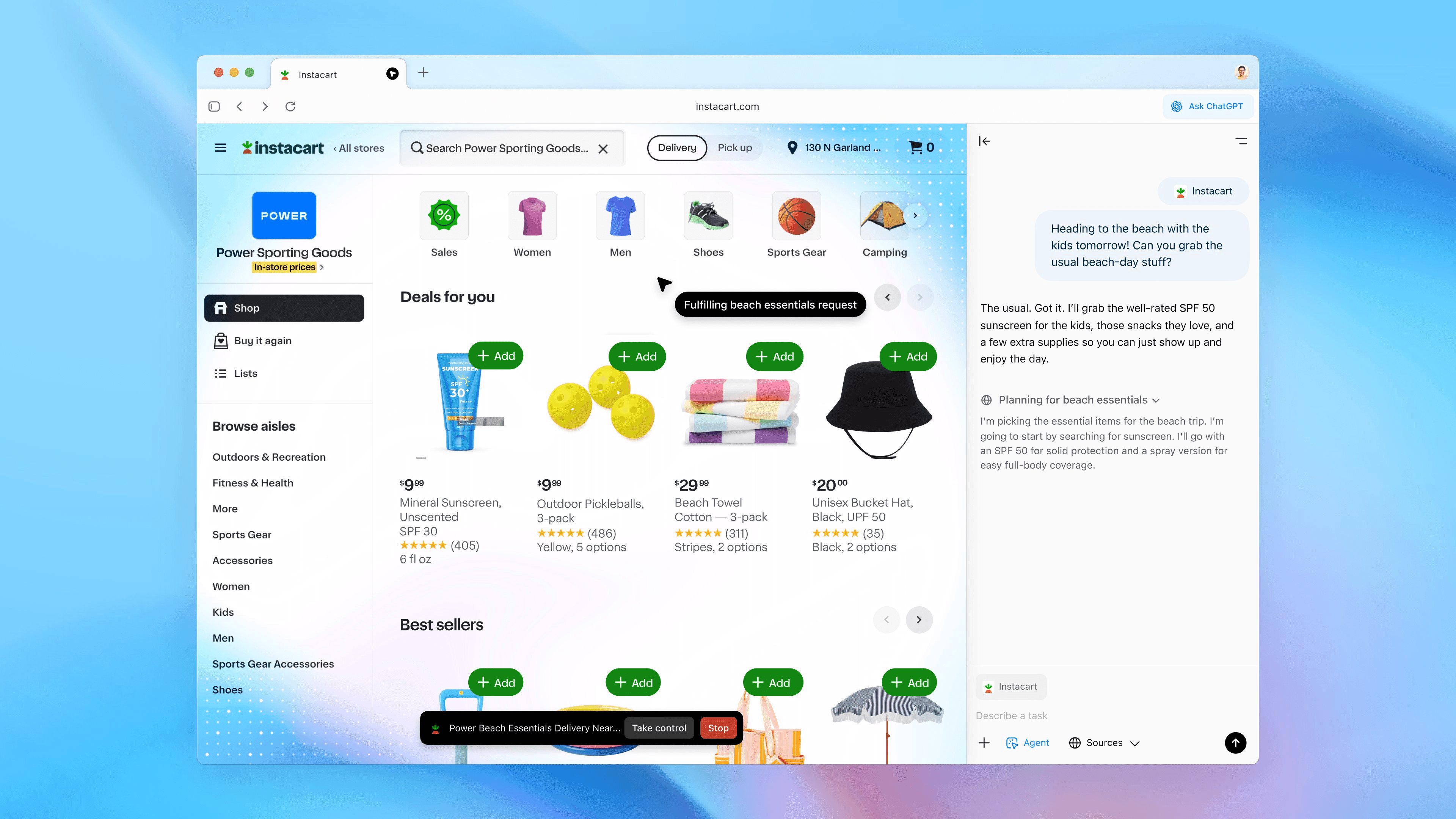
In Agent Mode, ChatGPT can take hands-on actions across websites. It can open, close, or bookmark tabs; fill forms; or perform complex tasks like planning a trip or comparing product deals.
This mode turns ChatGPT from a passive assistant into an active agent, capable of completing multi-step tasks under your supervision. Agent Mode was available in preview for Plus, Pro, and Business users.
4. Assists You Anywhere (Cursor Collaboration)
With Atlas, your cursor becomes an AI collaborator. You can highlight text in emails, documents, or calendar invites and get instant help in one click.
ChatGPT can rewrite sentences, polish your writing, or offer quick replies, making communication faster and clearer across platforms.
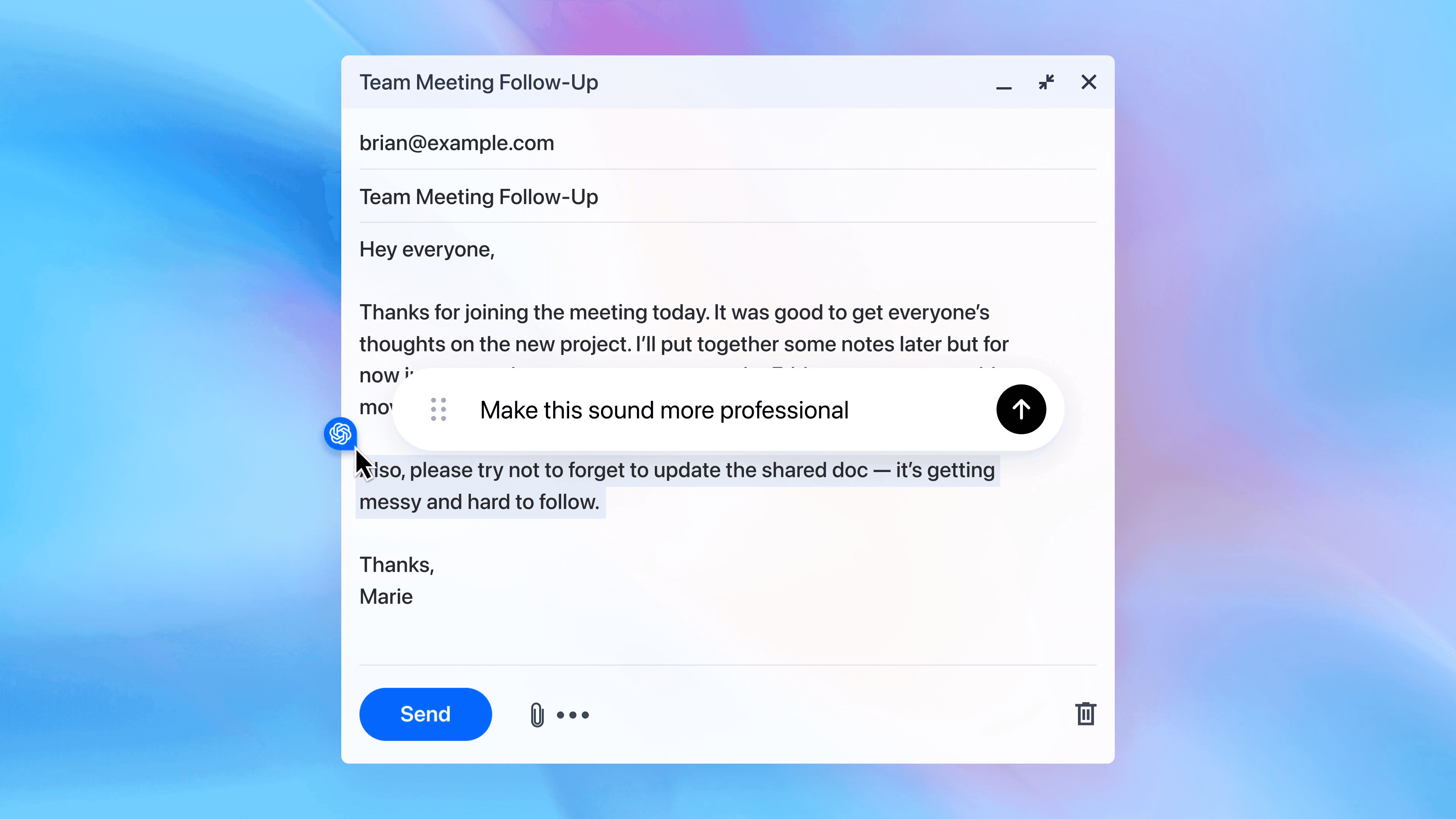
This real-time assistance works directly in web-based apps like Gmail, Google Docs, and Slack, eliminating the need to copy text into a separate chat.
5. Learn, Work, and Scale (For Business)
For business users, Atlas offers advanced collaboration and integration tools. Teams can use it to analyze data, automate research, draft content, or manage workflows, directly from the browser.
The platform is designed to scale with organizational needs, making AI productivity accessible across departments.
ChatGPT Atlas Availability and Pricing
ChatGPT Atlas was available for macOS only. Versions for Windows, iOS, and Android had been planned, but Atlas was retired on August 9, 2026. Agent Mode and advanced memory were in preview for paid tiers, including Plus, Pro, and Business accounts, and pricing followed ChatGPT’s existing subscription model.
Atlas is no longer being updated. To use ChatGPT's browser features now, use the ChatGPT desktop app or the ChatGPT Chrome extension.
Wrapping Up
ChatGPT Atlas was an early step in how people use the web. By blending intelligent assistance, automation, and privacy control into one browser, OpenAI has turned ChatGPT into more than just a chat tool. It was an active browsing companion while it lasted.
Watch the Atlas launch demo here:
With features like sidebar chat, memory, agent mode, and real-time collaboration, Atlas aimed to make online work faster, smarter, and more personal. Those ideas now live on in the ChatGPT desktop app and Chrome extension.