
DaVinci Resolve
An all-in-one video editing tool that enhances collaboration with intuitive professional features.
Loading section…
An all-in-one video editing tool that enhances collaboration with intuitive professional features.

Adobe Premiere Pro is a professional video editing app that provides advanced tools for content crea...
Video editing software for users of any skill level.

Easy-to-use video editing software.

Diffusion Studio is a browser-based video editor and creative suite built on an infinite canvas, ena...
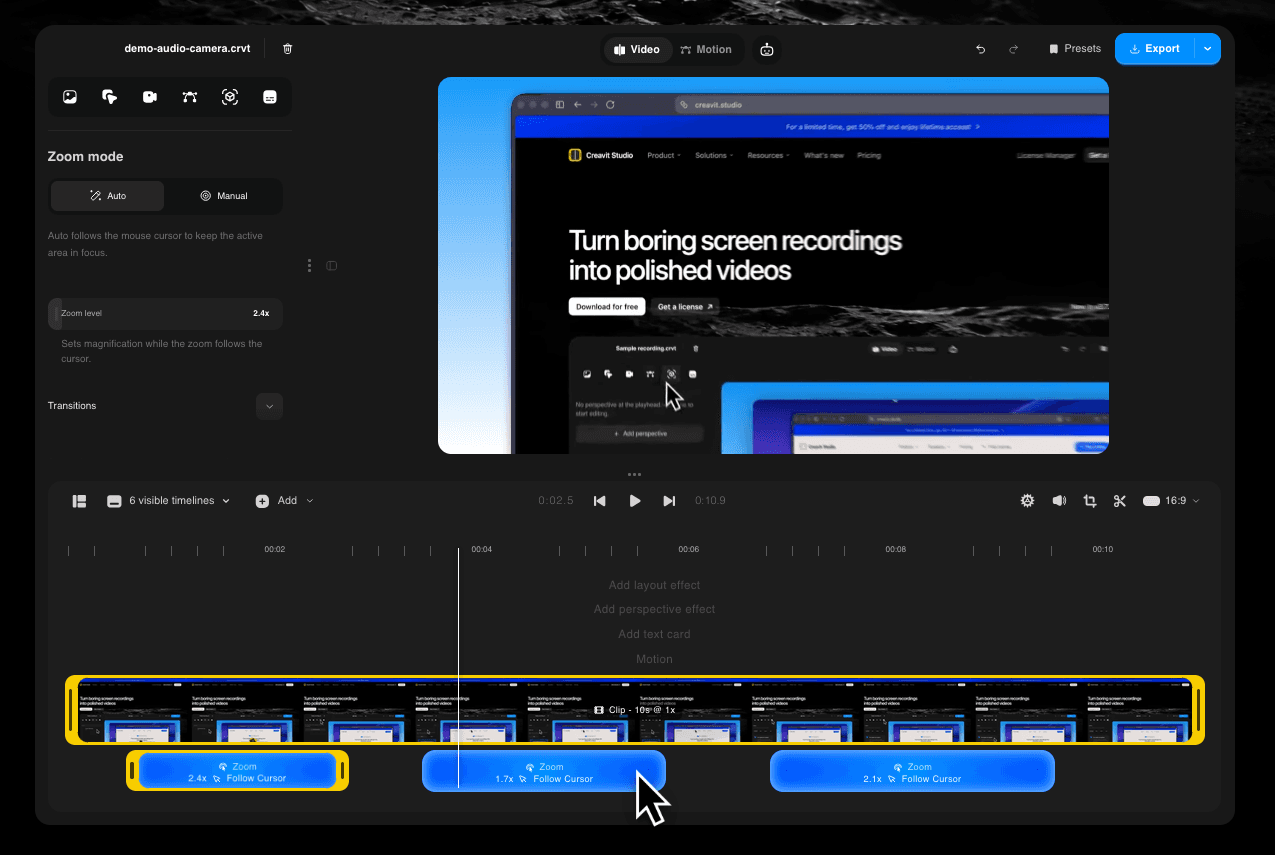
Creavit Studio is a powerful macOS screen recording tool that allows users to transform their screen...

Powerful, free video editing app with professional features for creators.

OneMacApp provides a suite of 42 native tools for various media tasks on Mac, enabling seamless edit...

Embed a robust video editor into React apps, saving hours with full code access
DaVinci Resolve 21 introduces the Photo page, bringing Hollywood's most advanced color tools to still photography. New AI tools allow searching media by content, reading slate data, de-aging, blemish removal, and more. Improved keyframing and graphic format support in the Edit and Cut pages, along with enhanced color workflows and Fusion tools.
Instantly search for people and content with AI IntelliSearch! Analyze media and use the tool to find specific objects or keywords in dialog, including searching for individual faces, which speeds up clip organization and editing.
Generate speech from written text using one of Blackmagic’s voice models or from a sample of your own. The DaVinci AI Neural Engine can create a unique voice from just a 10 second clip, allowing adjustments in speed, pitch, and inflection.
Define the focal point of a shot with AI CineFocus, allowing adjustment of aperture and focal range to change depth of field. Users can keyframe parameters to achieve desired focus effects.
Change an actor’s age with the AI Face Age Transformer, allowing adjustments to facial features based on age parameters. Great for maintaining continuity in flashbacks and forwards during filming.
DaVinci Resolve’s new Photo page fully integrates photo image editing, allowing colorists and photographers to use Hollywood color grading tools on still images.
DaVinci Resolve's powerful node-based workflow can now be used on still images for non-destructive color grading, allowing adjustments across various parts of an image simultaneously.
Keyframing updates include new ease animations with loop, pingpong, and relative modes, enabling simultaneous adjustments to multiple clips for more dynamic editing.
The MultiMaster trim manager allows generating multiple HDR and SDR trim deliverables from a single timeline, enhancing the color management process for various output standards.
DaVinci’s most advanced sharpening tool that enhances video image quality, making previously unusable footage sharp and clear, especially for upscaled videos.


