The best AI tools for Roblox Studio in 2026 fall into three jobs: UI and art generators (ForgeGUI, GenGUI, penui), script assistants and game agents (Roblox Assistant, Superbullet AI, Ropilot, Lemonade) and MCP connections that let Claude, Cursor or Codex work inside Studio (Roblox's built-in Studio MCP server and BloxBot). Most creators stack one from each group. Every tool below has a free way to start, and we checked each price on the vendor's own page on November 10, 2026.
 ForgeGUI on Toolfolio. See also our ForgeGUI Roblox Studio setup guide and ForgeGUI pricing breakdown. Updated November 10, 2026.
Quick comparison
| # | Tool | Job | Free option | Paid from | Best for |
|---|---|---|---|---|---|
| 1 | ForgeGUI | GUI art, icons, thumbnails, 3D | 10,000 credits a month | $18/mo billed yearly ($22 monthly) | Roblox style UI art and thumbnails |
| 2 | GenGUI | Editable Roblox UI (.rbxmx) | Unlimited free samples | $9/mo (1 screen) | Real Frames and TextLabels, not flat images |
| 3 | penui | UI component library over MCP | Starter free forever (4 packs) | €15/mo billed yearly | Letting your AI agent assemble UI from ready parts |
| 4 | Roblox Assistant | Built-in Studio AI | Free with a daily limit | Your own API key (optional) | Zero install scripting help |
| 5 | Superbullet AI | AI game creator (Rojo + plugin) | 1M tokens a month | $20/mo | Coders who work with files and Rojo |
| 6 | Ropilot | Studio agent (desktop app + plugin) | Free starter credits | $20/mo or $8 packs | Long agent sessions that playtest |
| 7 | Lemonade | Prompt to game, web + plugin | Free to start (limits after sign-in) | Shown after sign-in | First game draft with no setup |
| 8 | Roblox Studio MCP server | Connect Claude Code, Cursor, Codex | Free, built into Studio | Your AI client's plan | Using the AI you already pay for |
| 9 | BloxBot | Open source agent on Studio MCP | Free, MIT licensed | $0 (bring a plan or key) | Picking any model, including free ones |
UI generators and art tools
1. ForgeGUI: best for Roblox GUI art, icons and thumbnails


ForgeGUI is an AI design platform tailored for game developers, enabling rapid creation of various game assets including thumbnails, icons, and 3D models.
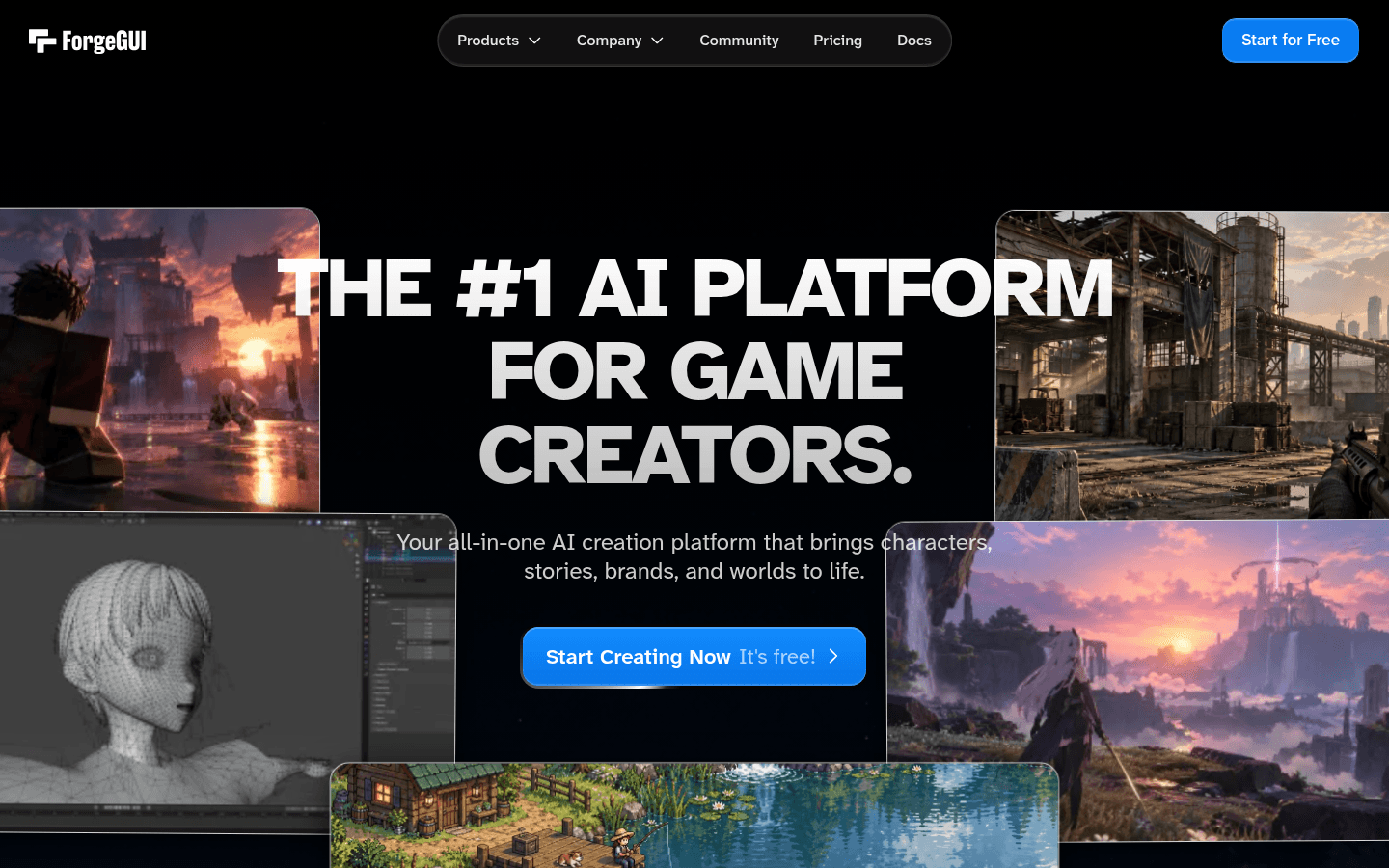
ForgeGUI is an AI design platform for game creators. You prompt for GUI sets, icons, thumbnails or 3D models in the browser, then bring them into Studio. Its homepage claims "1.2M+ creators," and it also offers ForgeMCP, which its homepage calls free, so agents like Claude can generate assets for you.
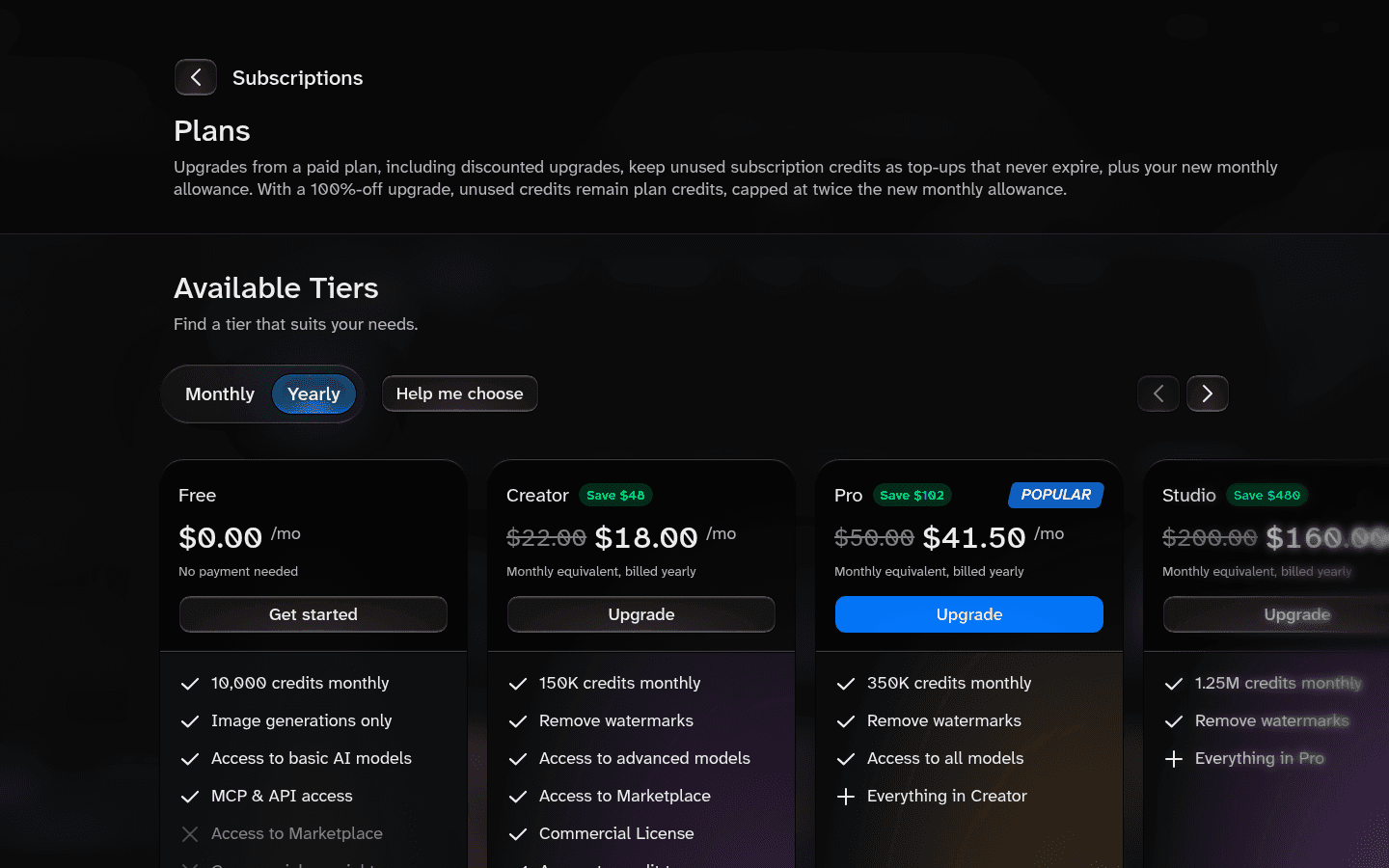
Pricing (forgegui.com/plans, November 10, 2026):
| Plan | Monthly | Billed yearly | Credits a month | Key limits |
|---|---|---|---|---|
| Free | $0 | $0 | 10,000 | Image generations only, basic models, MCP and API access, no Marketplace, no commercial use rights |
| Creator | $22 | $18/mo | 150,000 | Removes watermarks, commercial license, advanced and premium models, top-ups |
| Pro | $50 | $41.50/mo | 350,000 | All models |
| Studio | $200 | $160/mo | 1,250,000 | Everything in Pro |
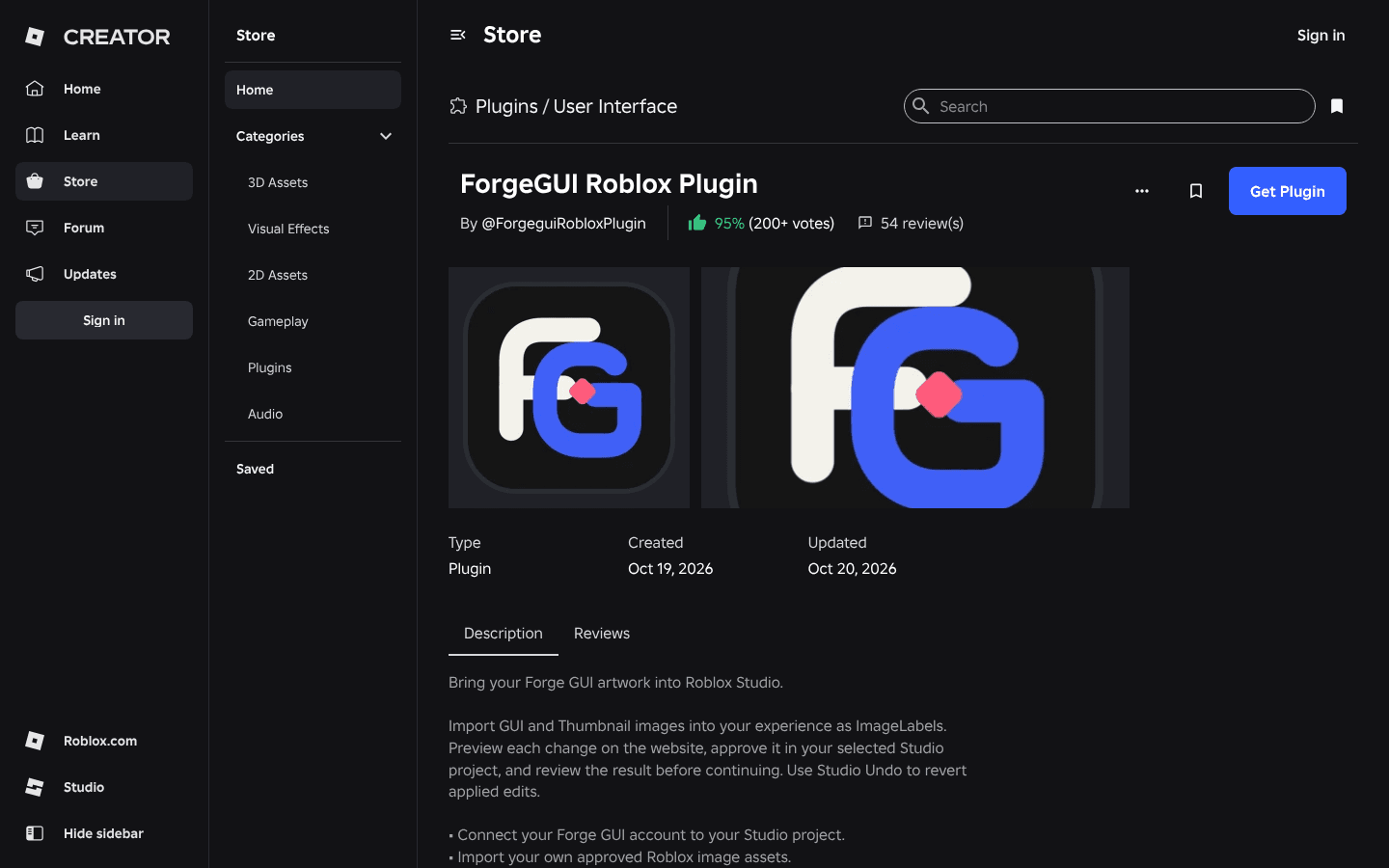
How it gets into Studio: the free ForgeGUI Roblox Plugin on the Creator Store imports your GUI and thumbnail images as ImageLabels. You preview each change on the website, approve it in Studio, and can undo with Studio Undo. The listing says importing existing images uses no ForgeGUI credits, and uploads need your own Open Cloud Assets Read/Write key. On November 10, 2026 the listing showed 95% positive from 200+ votes, 54 reviews and a verified creator badge.
Watch out: imported art is images, not working buttons. You still script behavior yourself or with one of the assistants below. Full connect steps, pairing codes and fixes are in our ForgeGUI plugin setup guide, and every plan detail is in Is ForgeGUI Free?.
2. GenGUI: best for editable Roblox UI you can export
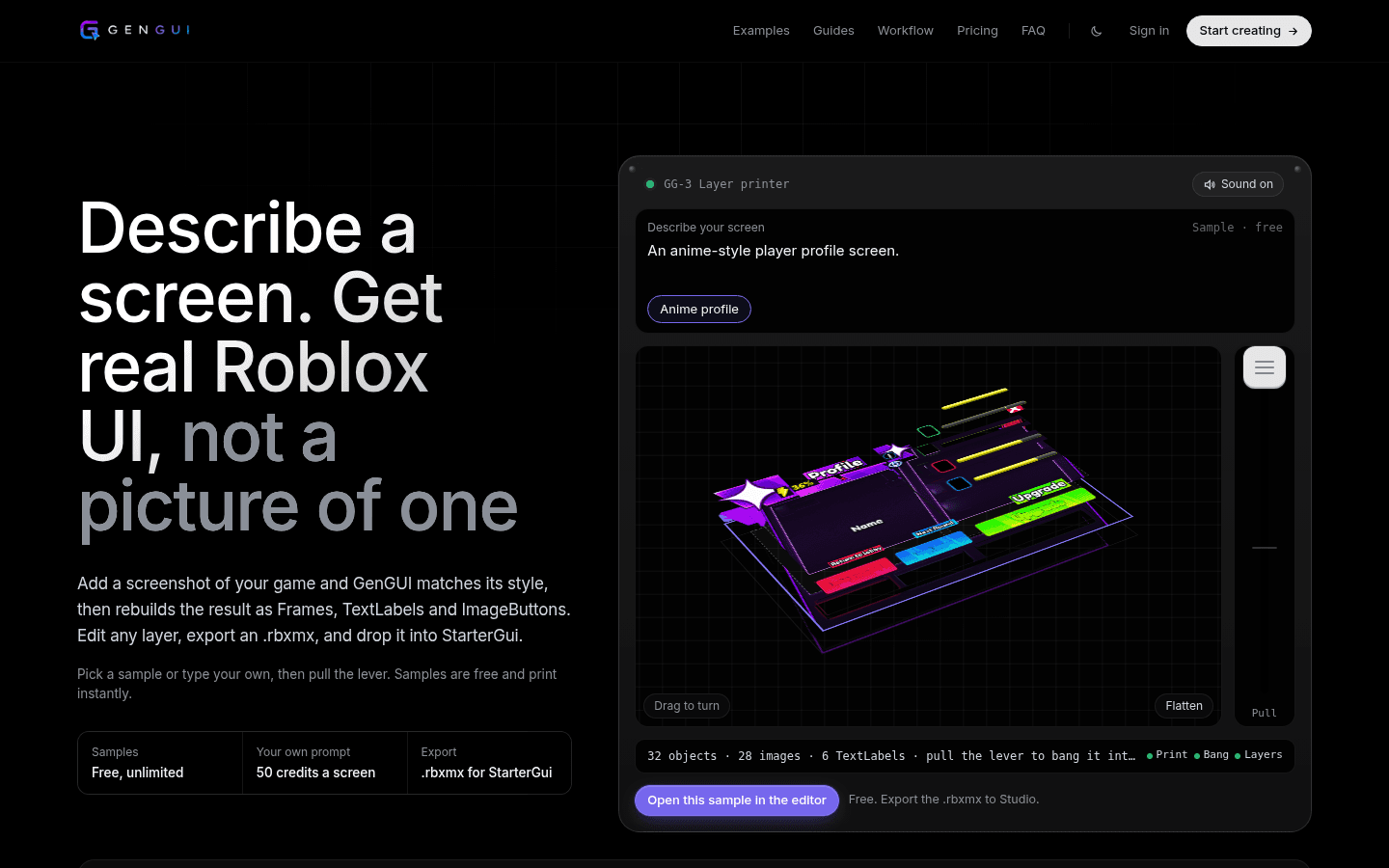
GenGUI's pitch is "Describe a screen. Get real Roblox UI, not a picture of one." It generates a screen, then rebuilds it as separate Frames, TextLabels and ImageButtons. You edit layers in a browser editor and export an .rbxmx file to drop into StarterGui. It also exposes an MCP server, so coding agents can create and export screens.
Pricing (getgengui.com/pricing): samples are free and unlimited. Your own prompt costs 50 credits a screen (about 5 minutes per generation). Starter is $9 a month (60 credits, about 1 screen), Creator $19 (150 credits, 3 screens), Pro $39 (350 credits, 7 screens) and Studio $79 (750 credits, 15 screens). Credit packs run from $5 for 30 credits to $75 for 600, and purchased credits never expire.
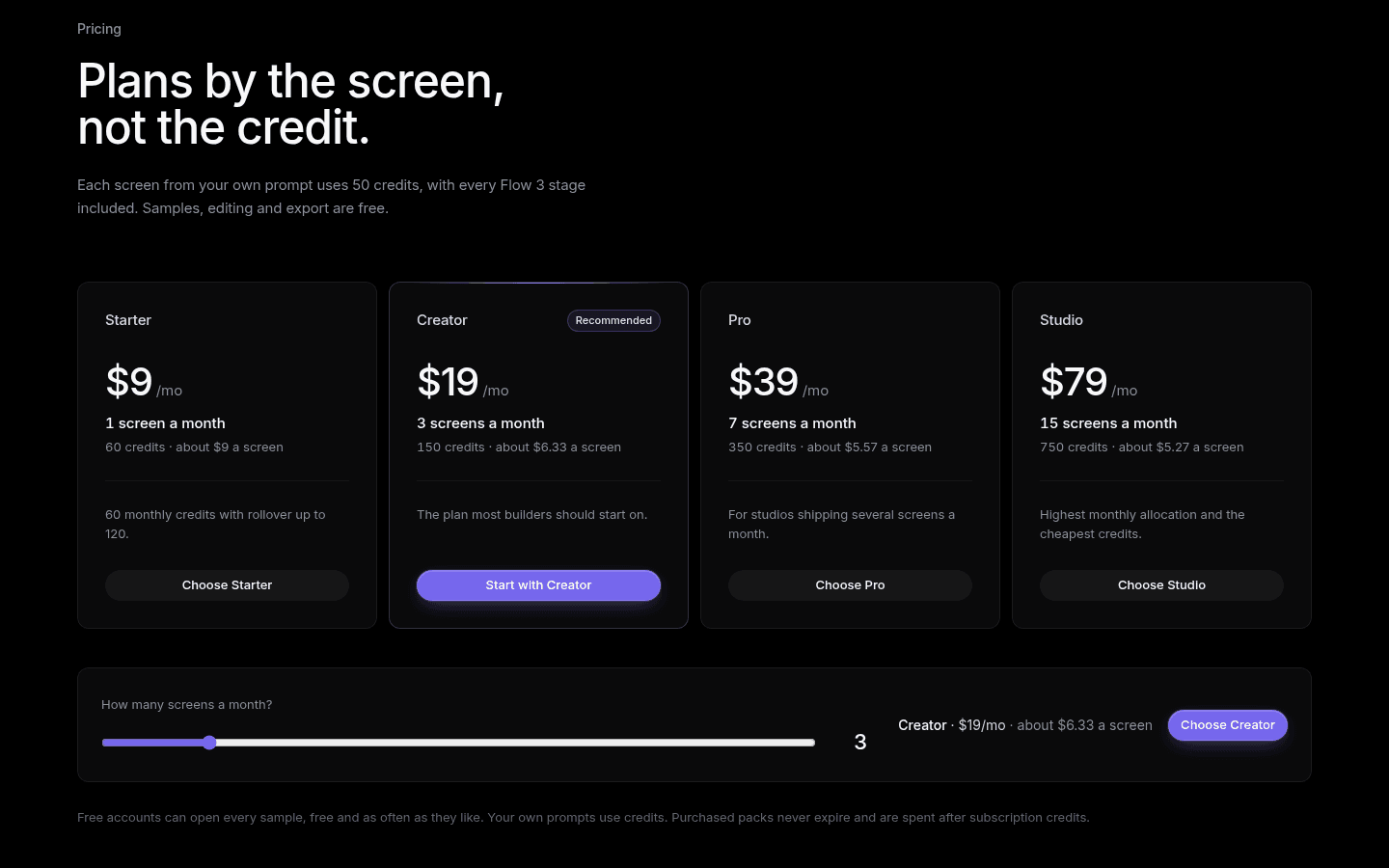
ForgeGUI vs GenGUI: pick ForgeGUI for art (icons, thumbnails, image based GUI sets, 3D) and a large free credit pool. Pick GenGUI when you need a structured, editable hierarchy straight out of the tool.
3. penui: best UI kit for AI agents
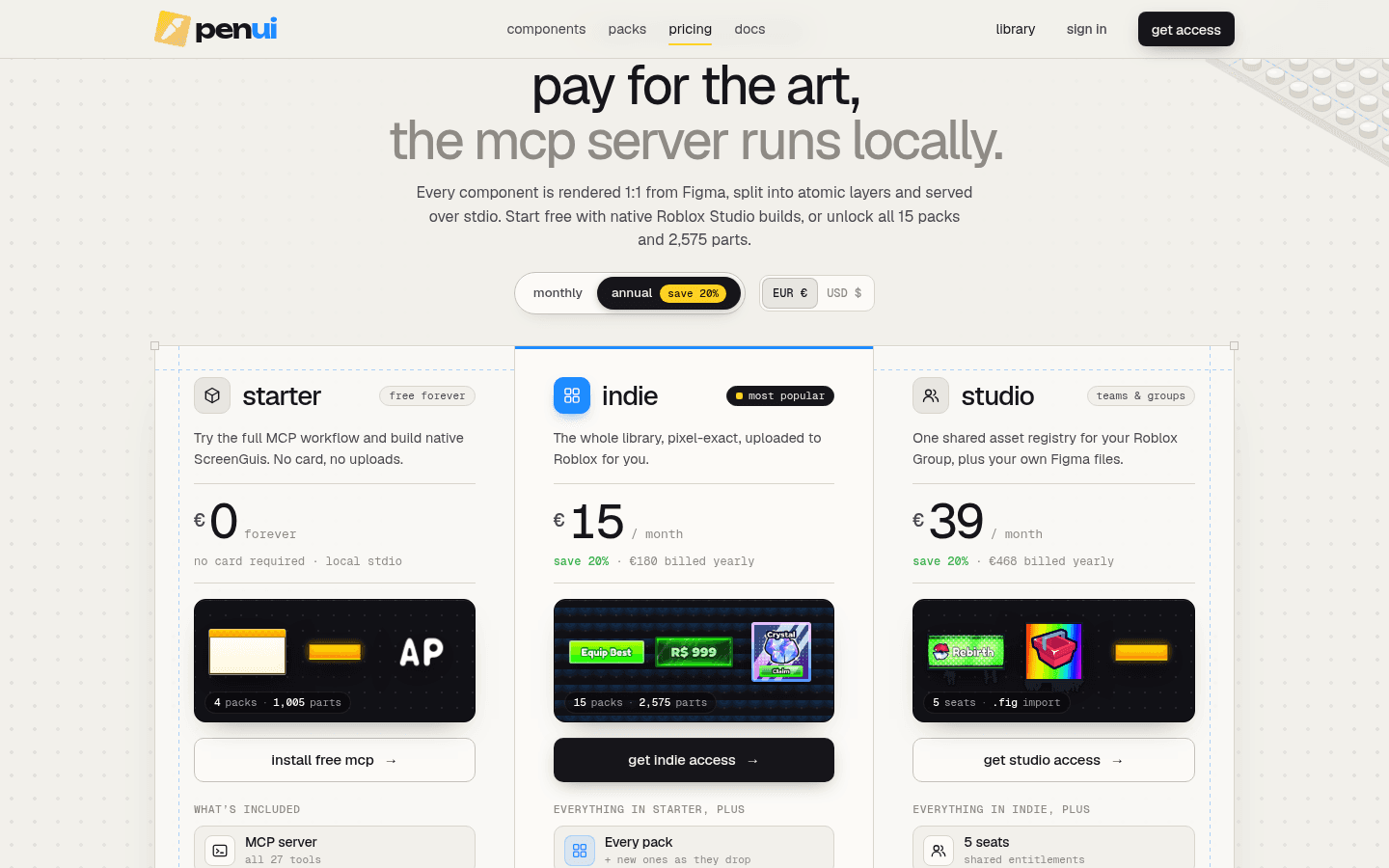
penui is a Roblox UI component library served through a local MCP server (stdio). Your AI client searches and places components, and the free tier builds native ScreenGuis using Frame plus UIGradient, so prototypes cost 0 Robux in uploads.
Pricing (penui.dev/pricing): Starter is free forever with the MCP server (all 27 tools), 4 packs and 1,005 parts including 800+ CC0 icons. Indie is €19 a month or €15 a month billed yearly (all 15 packs, 2,575 parts, auto upload through Open Cloud, commercial use). Studio is €49 a month or €39 billed yearly with up to 5 seats. A €159 Lifetime option is also listed.
Script assistants and AI game agents
4. Roblox Assistant: best free built-in option
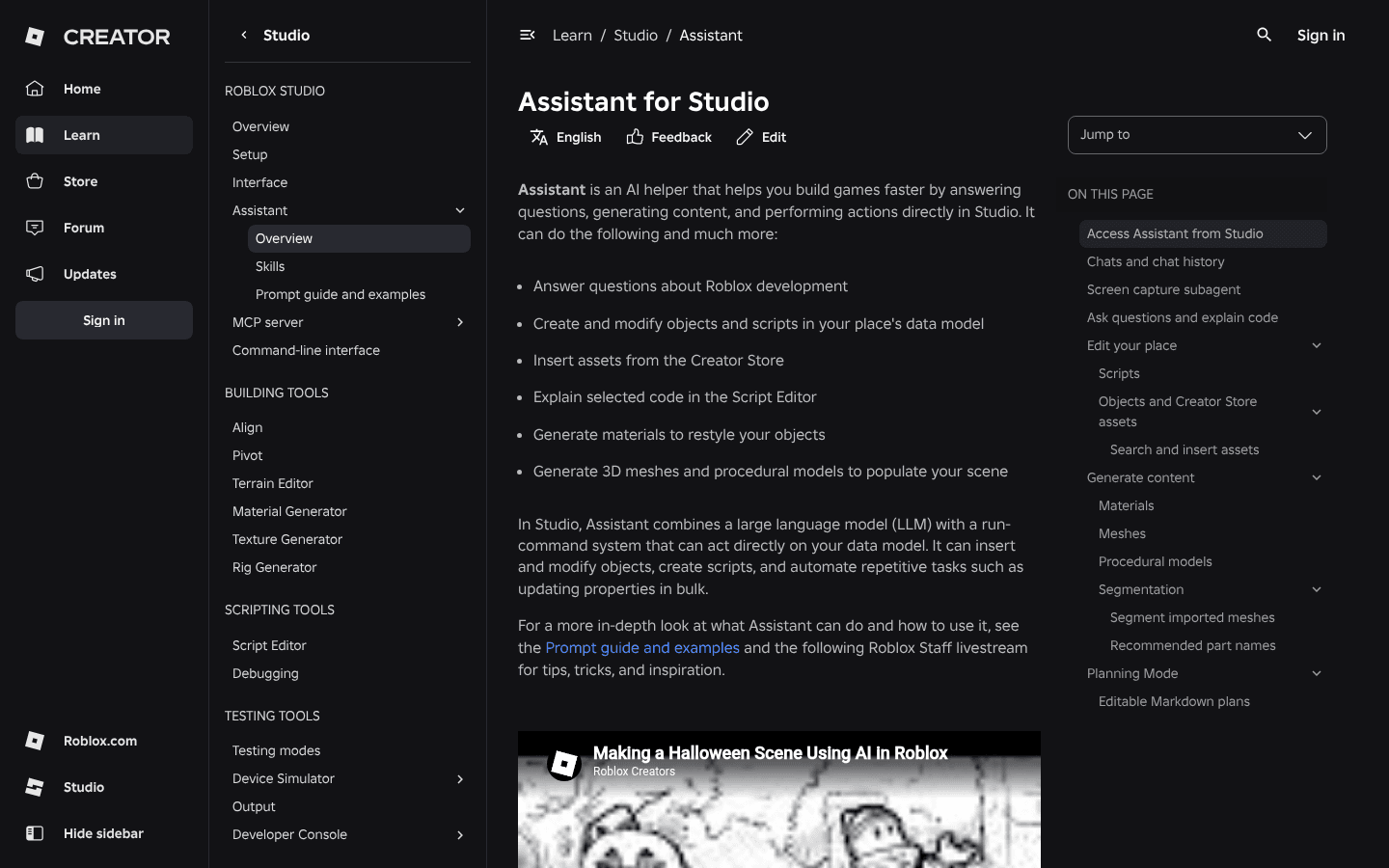
Roblox Assistant lives inside Studio (the Assistant button on the right of the mezzanine bar). Roblox's docs say it can answer development questions, create and modify objects and scripts in your data model, insert Creator Store assets, explain code, generate materials and generate 3D meshes and procedural models. Roblox added a Planning Mode and playtest automation in 2026, and says 44% of its top 1,000 creators use Assistant or third party AI tools through MCP.
Cost: free to use, with a daily usage limit Roblox does not publish as a number. The one published cap is 50 procedural models in a rolling 24 hour window. You can also plug in your own Anthropic, OpenAI or Google Gemini API key (three dot menu, Manage API Keys), billed by that provider.
5. Superbullet AI: best for Rojo based scripting
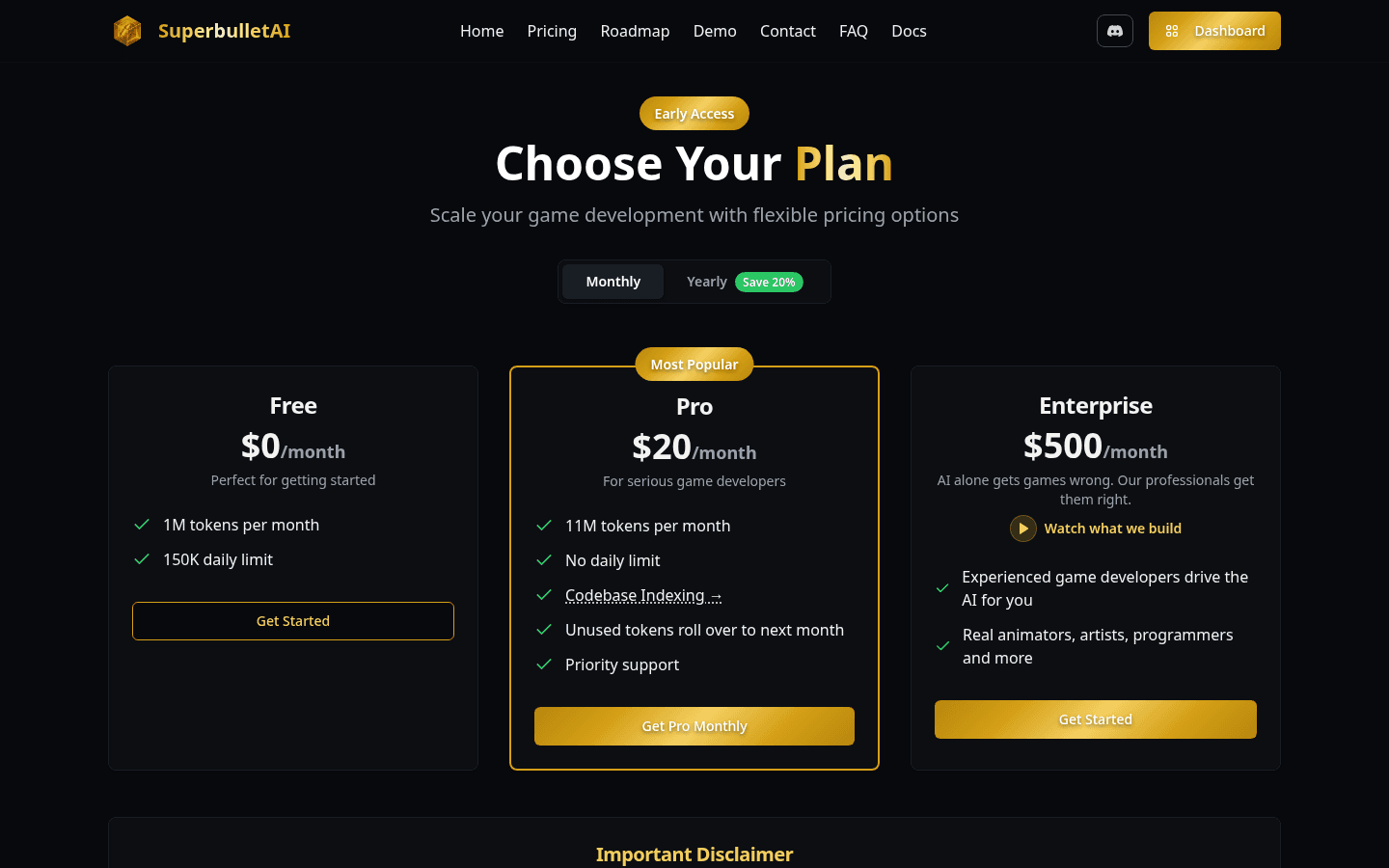
Superbullet AI calls itself "the first and strongest Roblox AI game creator." It works as a desktop app with Rojo sync plus a Studio plugin, aimed at people comfortable with files and code structure.
Pricing (ai.superbulletstudios.com/pricing, early access): Free gives 1M tokens a month with a 150K daily limit. Pro is $20 a month for 11M tokens, no daily limit, codebase indexing and rollover of unused tokens. Yearly billing saves 20%. A $500 a month Enterprise plan puts human developers behind the AI.
6. Ropilot: best for agent sessions that write, apply and playtest
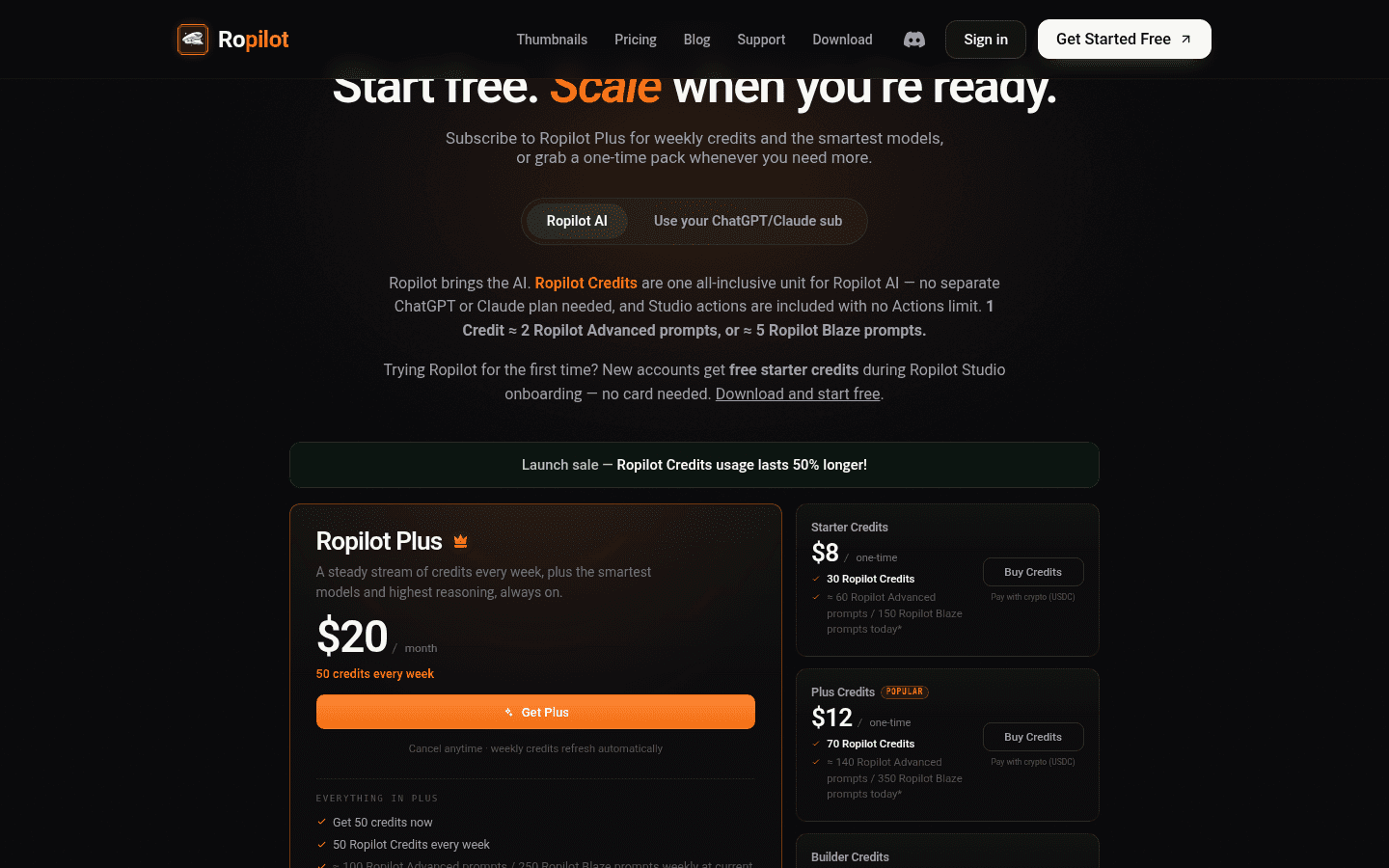
Ropilot is a desktop app plus Studio plugin that writes Luau, applies changes and runs playtests. It sells its own AI credits, or lets you bring your ChatGPT or Claude subscription.
Pricing (ropilot.ai/pricing): new accounts get free starter credits with no card. Ropilot Plus is $20 a month for 50 credits every week (Ropilot estimates about 100 Advanced or 250 Blaze prompts a week). One time packs start at $8 for 30 credits. If you use your own ChatGPT or Claude plan, a Free tier gives 500 Ropilot Actions a month (Studio steps like edits and playtests).
7. Lemonade: best for a first game draft with no setup
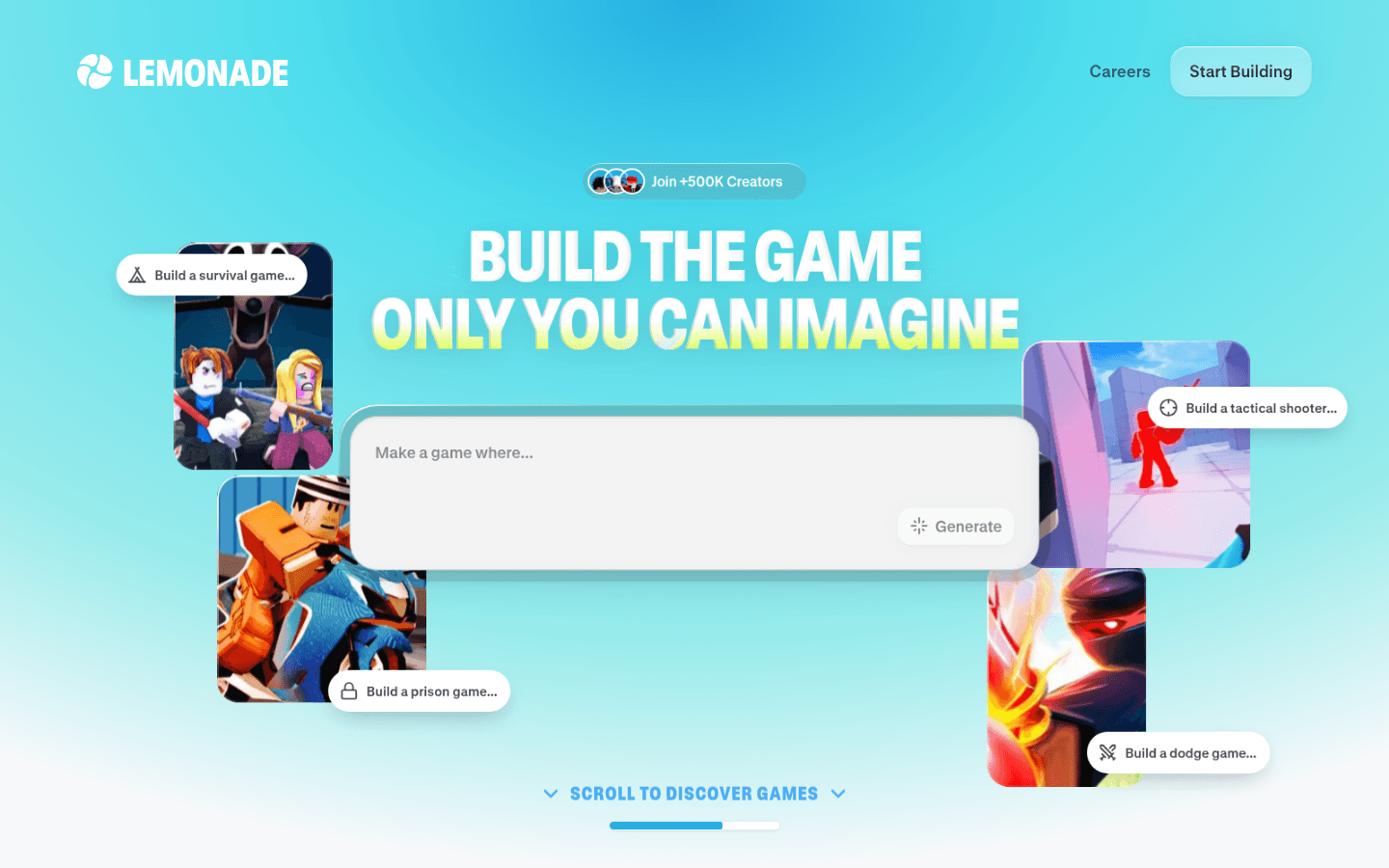
Lemonade (lemonade.gg) is the best known prompt to game tool. You type a game idea on the homepage ("Build the game only you can imagine"), and it claims 500K+ creators. Pricing is not shown on its public homepage and appears only after a Roblox sign-in, so we did not verify plan prices for this list.
MCP plugins: use Claude, Cursor or Codex inside Studio
8. Roblox Studio built-in MCP server: best way to use the AI you already pay for
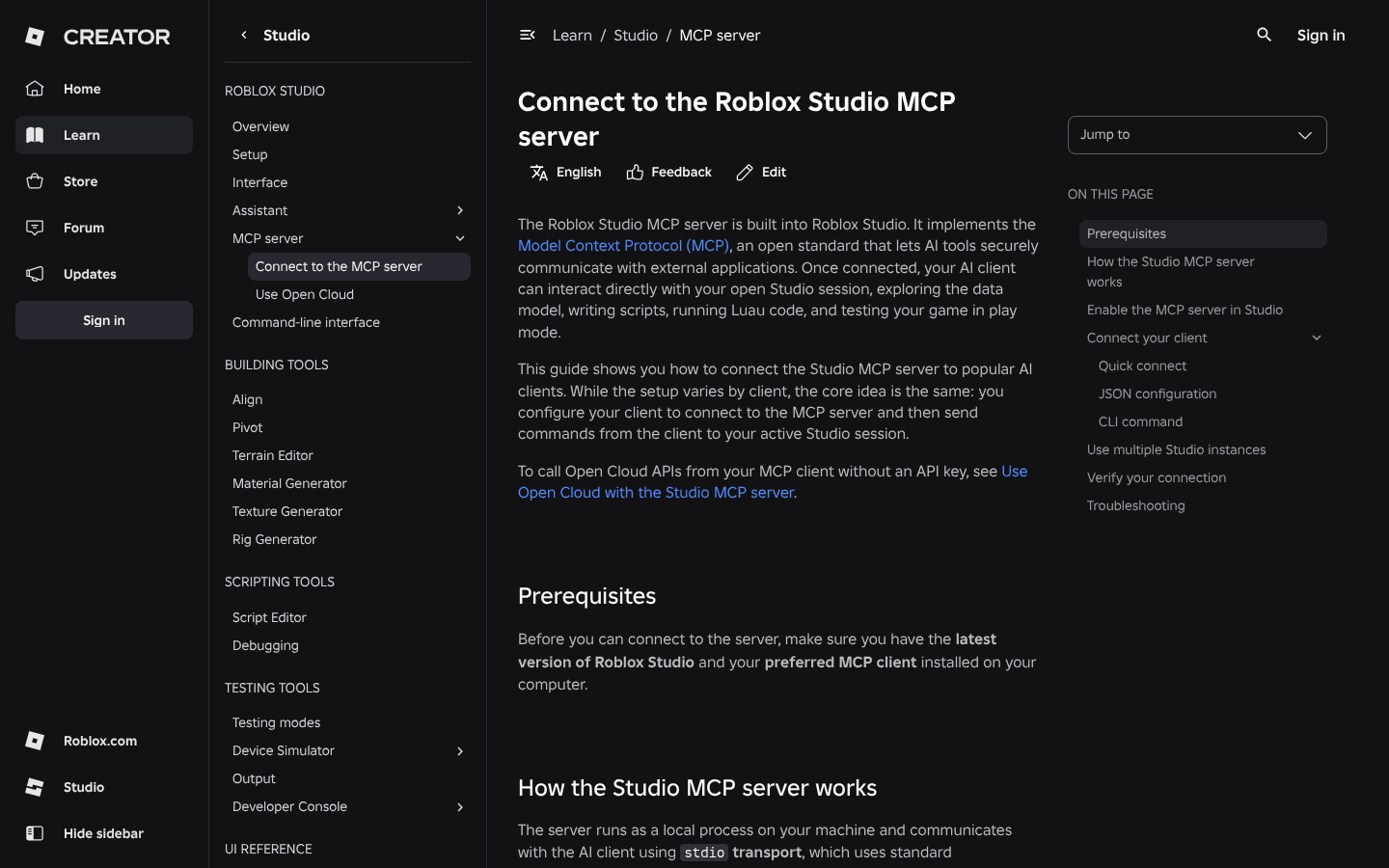
Roblox Studio now ships its own MCP server. Once enabled, an AI client such as  Claude Code,
 Cursor or
 Codex can explore your data model, read and edit scripts, run Luau, generate meshes and materials, start and stop playtests, simulate player input and capture the viewport. It runs locally over stdio.
How to turn it on, from Roblox's docs:
- Open Assistant in Studio.
- Click ... and then Manage MCP Servers.
- Turn on Enable Studio as MCP server.
- Use Quick connect for Claude Code, Claude Desktop, Cursor, Codex CLI and other supported clients, or paste the JSON config or CLI command shown in the panel.
- Restart your AI client. A green indicator shows how many clients are connected.
Cost: the server is free. You pay for whatever AI client or plan you connect. Roblox warns that MCP clients can read and modify your open places, so connect only tools you trust.
9. BloxBot: best free, open source agent on Studio MCP
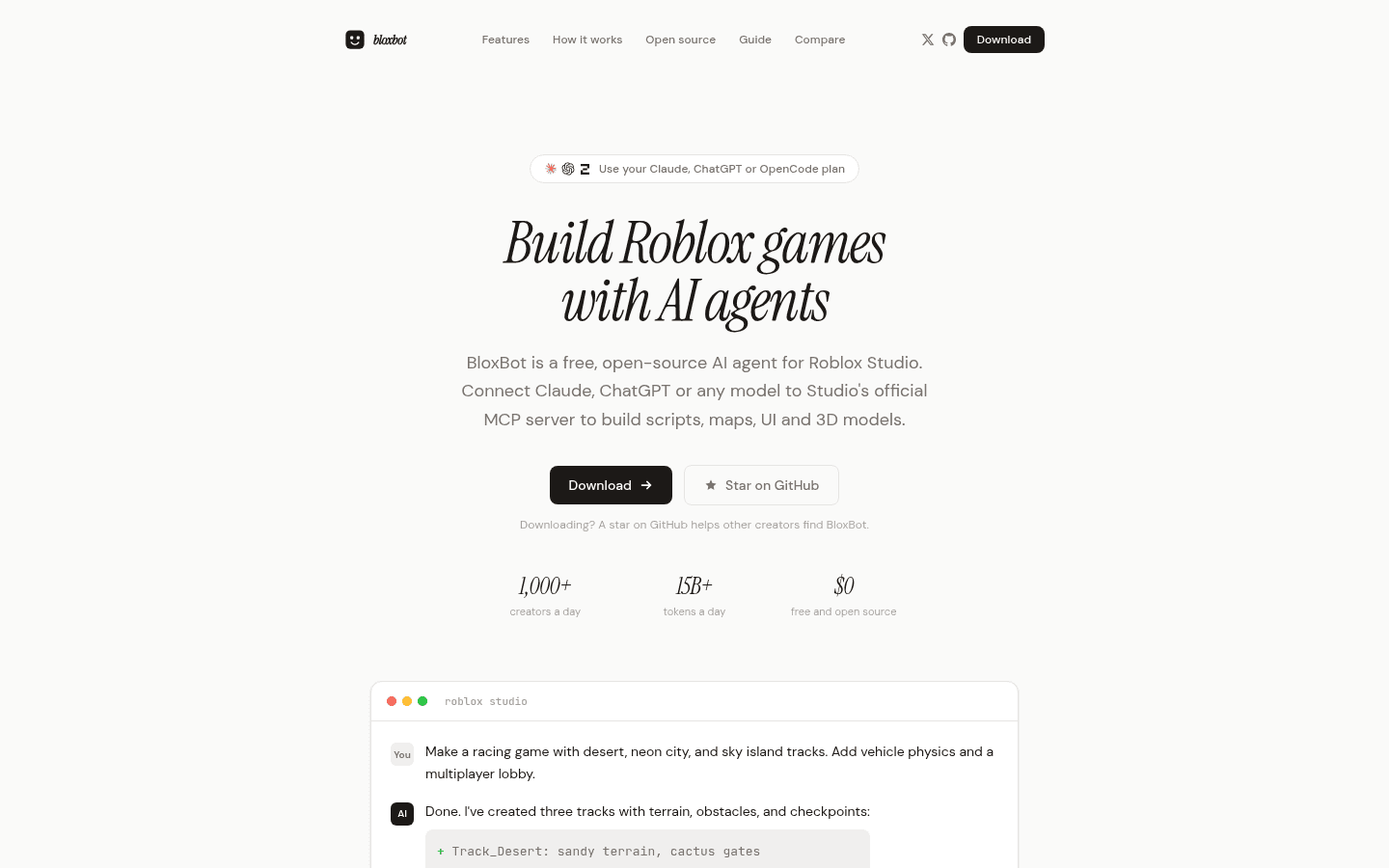
BloxBot is a free, MIT licensed desktop agent that plugs into Studio's official MCP server. You can sign in with ChatGPT, use a Claude plan through your own Claude Code login (BloxBot says at your own risk), add OpenCode, paste an API key or start on free models. Version 0.15 added one click Blender setup for 3D props.
Which Roblox AI tool should you use?
- You want nice UI fast: ForgeGUI for the art, then Roblox Assistant or an MCP agent to wire the buttons.
- You want UI that is already a real hierarchy: GenGUI, or penui if your AI agent should assemble it.
- You want free scripting help today: Roblox Assistant, then the Studio MCP server with the AI plan you already have when you hit the daily limit.
- You write real code with Git and Rojo: Superbullet AI, or Claude Code or Cursor on the Studio MCP server.
- You want an agent that builds and playtests whole features: Ropilot.
- You want any model, free and open source: BloxBot.
- You have never opened Studio: Lemonade for a first draft.
How to use AI in Roblox Studio, step by step
- Start with Assistant. Open Studio, click Assistant, and ask it to create a script or a part. It is free and needs no install.
- Generate your UI art. Create GUI or thumbnail art in ForgeGUI (10,000 free credits a month), or generate an editable screen in GenGUI.
- Import it. Install the free ForgeGUI Roblox Plugin and connect it with a pairing code, or drop GenGUI's .rbxmx into StarterGui. Our ForgeGUI setup guide covers each step.
- Wire the logic. Ask Assistant, or an MCP client like Claude Code or Cursor, to script the buttons and game loop.
- Playtest with the agent. Assistant and MCP clients can start a playtest, read the output log and fix errors.
- Review before you publish. AI edits your place directly, so use Studio Undo or version history if a change goes wrong.
FAQ
What is the best AI for Roblox Studio?
There is no single best tool. For free, built-in scripting help, use Roblox Assistant. For UI art, ForgeGUI is the most used option, and GenGUI is better for editable UI. For full agent workflows, connect Claude Code, Cursor or Codex through the Studio MCP server, or try Ropilot or BloxBot.
Is Roblox Assistant free?
Yes. Assistant is free inside Studio, but it has a daily usage limit that Roblox does not publish. Procedural model generation is capped at 50 per rolling 24 hours. You can add your own Anthropic, OpenAI or Gemini API key, which the provider bills.
What is the Roblox Studio Assistant daily limit?
Roblox does not give an exact number for chat requests. When you hit it, you can wait for the reset, use your own API key, or move to the Studio MCP server with an AI tool you already pay for.
What is the best AI for Roblox scripting?
Roblox Assistant for quick free help; Claude Code, Cursor or Codex on the Studio MCP server if you already pay for one; Superbullet AI for Rojo based projects; and Ropilot for agent sessions that apply changes and playtest.
Can AI make Roblox games?
AI can now draft a playable game. Lemonade and Superbullet AI generate games from prompts, and Studio MCP agents can build parts, scripts, terrain and UI. You still need to test, fix and design the game loop yourself.
Is there a free Roblox AI UI generator?
Yes. ForgeGUI's free plan gives 10,000 credits a month for image generations, GenGUI samples are free and unlimited, and penui's Starter plan is free forever with 4 packs.
How do I connect ForgeGUI to Roblox Studio?
Install the free ForgeGUI Roblox Plugin from the Creator Store, open it in Studio, stop any Play session, click Connect and enter the pairing code on the website, then approve the account and use Import to Studio. Our step by step ForgeGUI guide covers fixes for connection errors.
Is ForgeGUI free?
Yes. The free plan includes 10,000 credits a month, basic models and MCP and API access, but no commercial use rights and no Marketplace. Paid plans start at $22 a month or $18 a month billed yearly. See Is ForgeGUI Free? for the full breakdown.
Is ForgeGUI safe?
The official plugin comes from a verified creator and showed 95% positive votes from 200+ votes on November 10, 2026. Some Reddit users have criticized its free claims. Use the free credits first, give its Open Cloud key only Assets Read and Write, never share your Roblox password, and revoke the key if you stop using it.
How do I connect Claude or Cursor to Roblox Studio?
Open Assistant, click ... and Manage MCP Servers, turn on Enable Studio as MCP server, then use Quick connect for Claude Code, Claude Desktop, Cursor or Codex CLI. Restart the client after connecting.
Sources and verification notes
Prices and plan limits were checked on each vendor's public page on November 10, 2026 (Europe/Athens): forgegui.com/plans, getgengui.com/pricing, penui.dev/pricing, ai.superbulletstudios.com/pricing and ropilot.ai/pricing. Roblox Assistant and Studio MCP details come from create.roblox.com docs and Roblox DevForum announcements, and the "44% of the top 1,000 creators" figure is from Roblox's April 15, 2026 newsroom post. ForgeGUI plugin ratings come from its Creator Store listing. BloxBot and Lemonade details are from their homepages. Lemonade pricing is only visible after sign-in, so it is not listed. We did not sign in to any tool, install any plugin or run any agent for this article, so the descriptions are based on vendor documentation, not hands-on testing. FAQ questions come from Google autocomplete and related searches (Google showed a captcha for full results pages) and from Search Console questions on our ForgeGUI guides.


