


The best AI motion graphics generator for most people in 2026 is Swishy: type a prompt or pick a template and export MP4, MOV or GIF. Pick Raylight for 4K video with AI sound, Jitter for team motion design, Animos for free looping design showcases, and Prompt Motion for free Claude animation prompts.
Swishy, Raylight, Prompt Motion, Animos and Jitter on Toolfolio. Updated November 4, 2026.
What an AI motion graphics generator actually does
Motion graphics are animated text, logos, shapes, charts and UI: the intros, lower thirds, product demos and social clips you would normally build in After Effects. An AI motion graphics generator removes most of the keyframing. The tools in this guide fall into four groups:
- Prompt to animation: you describe the animation and the AI builds it (Swishy, Raylight, Motion).
- Template and preset tools: you drop your own images or video into a ready made animation and export (Animos, Momentum, Paper Animator).
- Design and timeline editors with AI: a full motion design canvas with AI helpers and MCP support (Jitter, Motioner).
- Agent and code based: your coding agent (Claude Code, Cursor, Codex) writes the animation as code (Remocn, plus the prompts collected on Prompt Motion).
This is a different job from AI video generators that create realistic footage of people or scenes. If that is what you need, see our guide to LTX Studio pricing.
Best AI motion graphics generators at a glance
Prices come from each tool's own website, checked November 4, 2026.
| Tool | Type | Free option | Paid from | Best for |
|---|---|---|---|---|
| Swishy | Prompt to animation | Yes, start from the homepage | Not listed publicly | Text, logo and UI animations from a prompt |
| Raylight | Prompt to video, 3D canvas | Free plan, 1080p60 with badge | $12/mo billed yearly | 4K motion videos with AI sound and music |
| Prompt Motion | Prompt library | Free | Free | Copying Claude prompts that make motion videos |
| Animos | Templates in the browser | 720p export, free forever | $9/mo or $90/yr | Looping showcases of design work |
| Paper Animator | Effects and templates | 1 free credit, 3 Motion Lab renders a day | $2.99 for 5 credits | Paper cut-out and match cut effects |
| Motion | AI video agent | No free plan listed | $6 for 200 credits | Launch videos and edits from a brief |
| Jitter | Motion design editor | 3 files, 720p30 | $15 per editor/mo billed yearly | Designers and teams, Lottie export |
| Momentum | Presets in the browser | Try presets free, no signup | One time purchase | Quick carousels and reveals for social |
| Motioner | Design and timeline editor | 5 exports a month | $10/mo | Keyframe control, 4K and ProRes |
| Remocn | Agent and code components | Free, MIT licensed | Free | Product demo videos built by your coding agent |
The best AI motion graphics generators, one by one
1. Swishy: best for prompt to animation
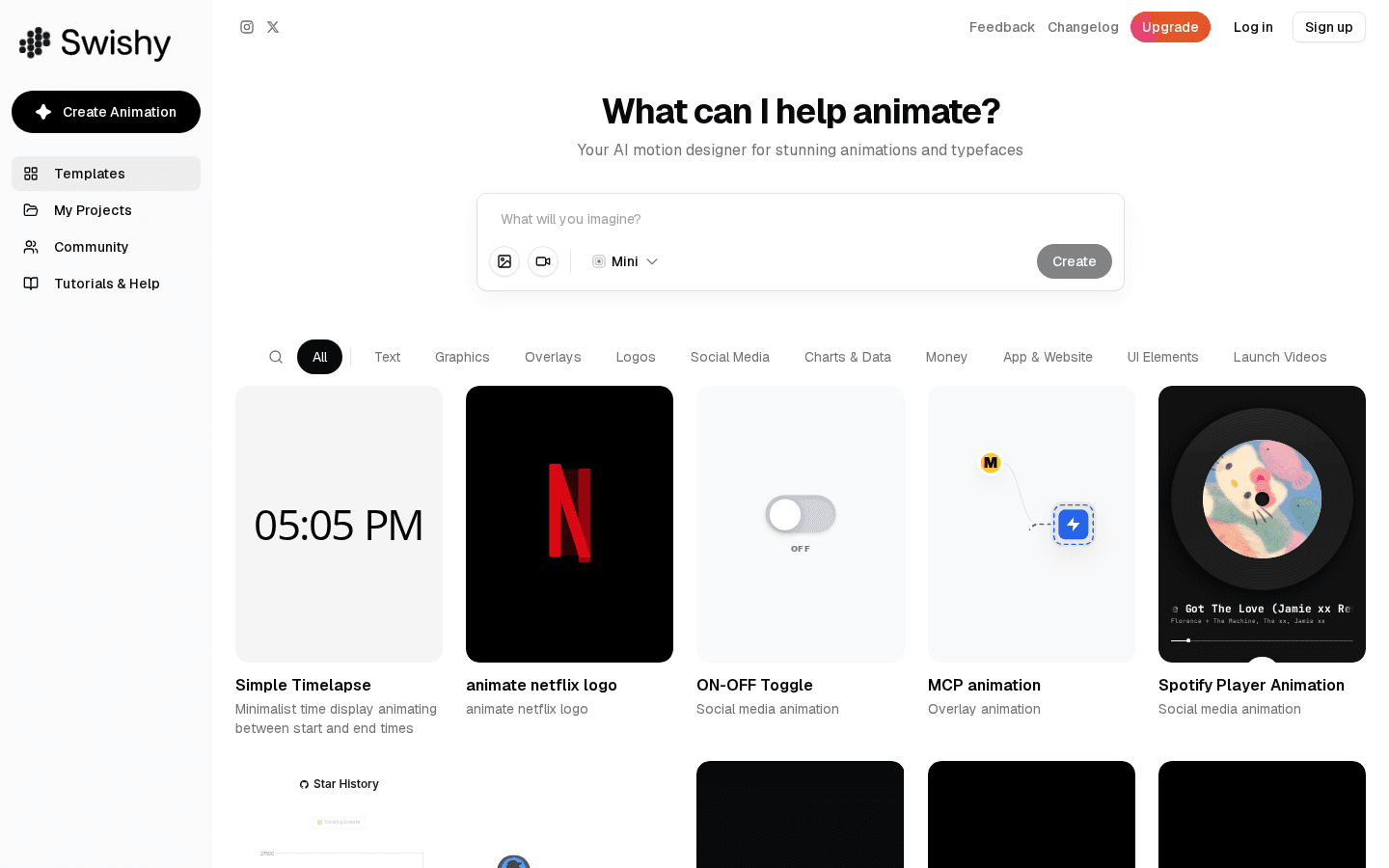
Swishy's homepage puts a prompt box above a gallery of community templates.
Swishy calls itself "your AI motion designer for stunning animations and typefaces." You type what you want animated into the prompt box (you can also attach an image or a video) or start from a template. Templates are grouped into Text, Graphics, Overlays, Logos, Social Media, Charts & Data, Money, App & Website, UI Elements and Launch Videos, so you can find a counter, a toggle, a Spotify style player or a logo reveal and change it instead of starting from scratch.
Export: MP4, MOV or GIF, and Swishy's motion graphics page says output goes "up to 4K resolution."
Pricing: you can start creating from the homepage, and paid plans sit behind an Upgrade button. Swishy does not publish its prices on a public pricing page (swishy.ai/pricing returned a 404 when we checked), so we are not listing a price here. Its terms say it "may offer free and paid plans" with limits that vary by plan.
What it lacks: no public price list, and Swishy says it works best on desktop.
2. Raylight: best for 4K motion videos with AI sound
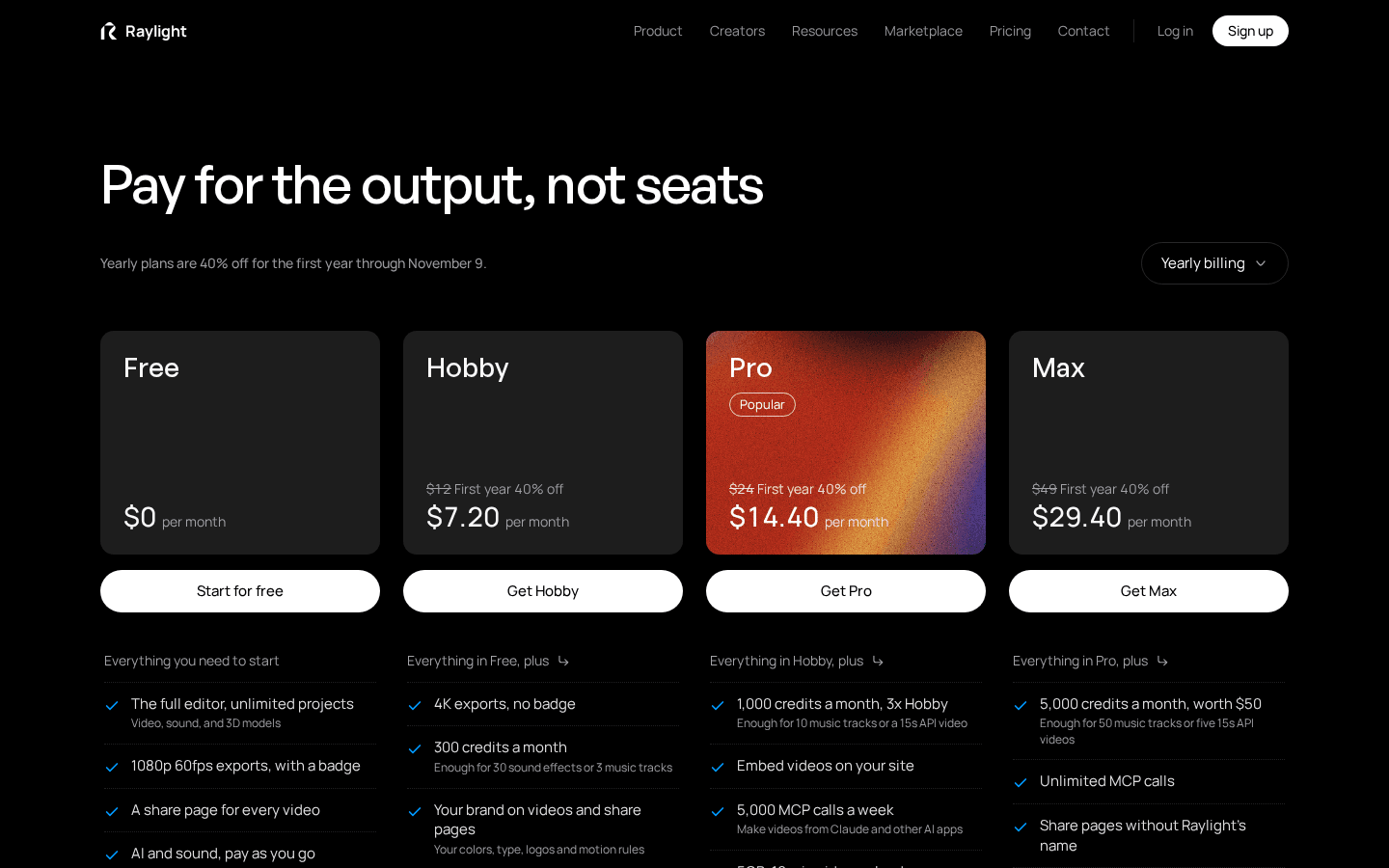
Raylight's pricing page with yearly billing selected and the first year 40% off promotion running until November 9.
Raylight is a web based motion graphics editor with a 3D canvas. Its pricing page sums up the model: "Pay for the output, not seats." Beyond the editor it offers an MCP server (so you can make videos from Claude, Codex, Cursor and other AI apps), an API, and Raylight Capture for Mac; a Figma plugin is marked "soon."
Pricing (billed yearly):
| Plan | Price per month | What you get |
|---|---|---|
| Free | $0 | Full editor, unlimited projects, 1080p 60fps exports with a Raylight badge, AI and sound pay as you go |
| Hobby | $12 ($15 monthly) | 4K exports with no badge, 300 credits a month, brand kit |
| Pro | $24 ($29 monthly) | 1,000 credits a month, embeds, 5,000 MCP calls a week |
| Max | $49 ($59 monthly) | 5,000 credits a month, unlimited MCP calls |
| Team | $239 ($299 monthly) | 10 editors, 30,000 credits |
Business is $799 a month billed yearly, and Enterprise starts at $10,000 a year. Until November 9, 2026, Raylight shows yearly plans at 40% off for the first year (Hobby $7.20, Pro $14.40, Max $29.40 a month).
How credits work: one credit is worth one cent. A sound effect costs 10 credits, a music track 100 credits, and an API video 60 credits per second. Removing the badge from a single Free export costs 500 credits.
What it lacks: the free plan watermarks exports, and AI sound and music use credits on every plan.
3. Prompt Motion: best free source of animation prompts
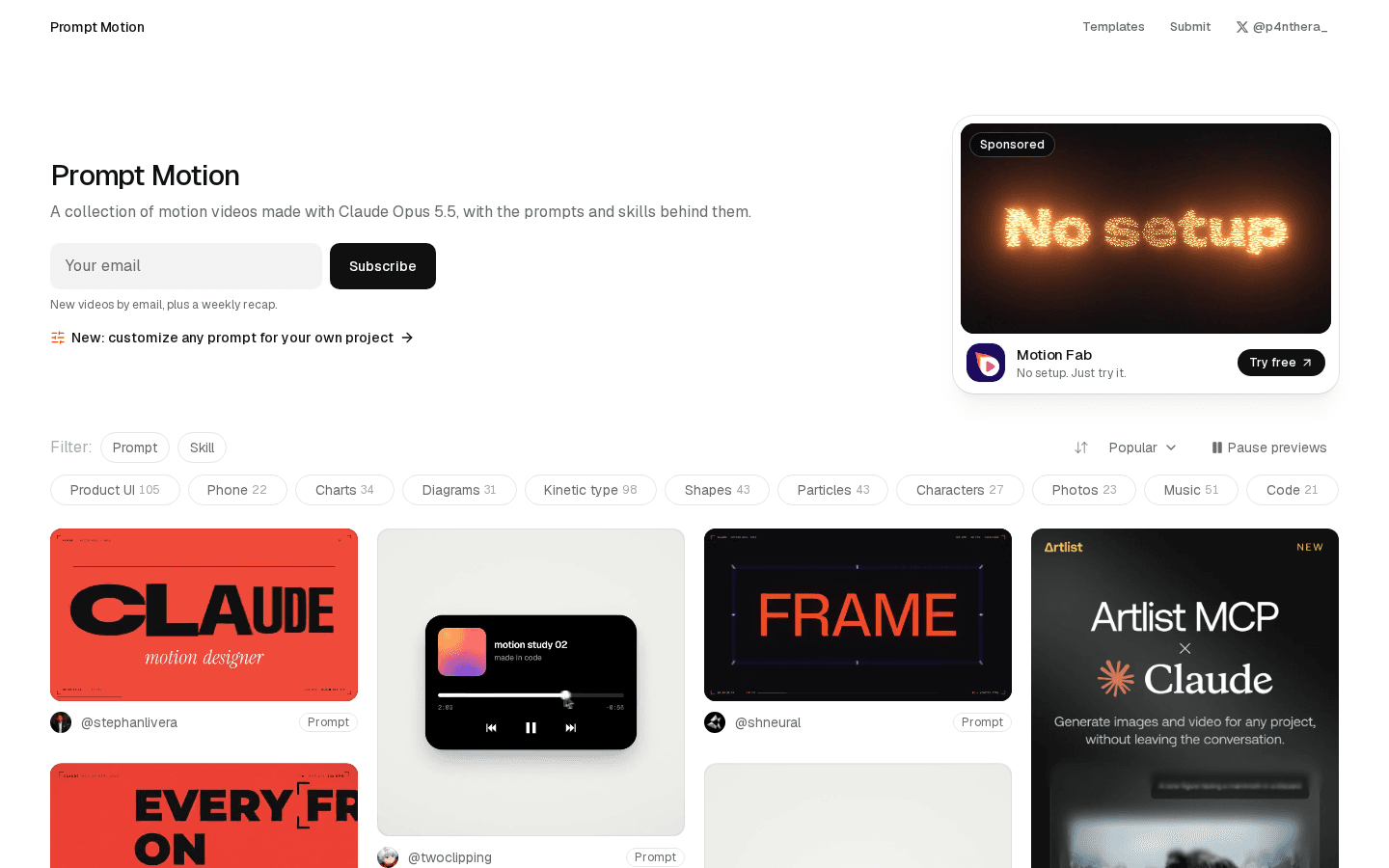
Prompt Motion's gallery, filterable by Prompt or Skill and by category.
Prompt Motion is not a generator itself. It is a free library of "motion videos made with Claude Opus 5.5, with the prompts and skills behind them." Every video comes with the prompt (or Claude skill) that produced it, so you can paste it into Claude and get a similar animation. Categories include Product UI (105 videos), Kinetic type (98), Music (51), Shapes (43), Particles (43), Charts (34) and Diagrams (31). A newer feature lets you customize any prompt for your own project.
It is the best starting point if you already pay for Claude and want motion graphics without another subscription. We walk through it step by step in What is Prompt Motion and how to use it.
What it lacks: you still need Claude (or another capable model) to render the animations, and results depend on the model you use.
4. Animos: best free tool for design showcases
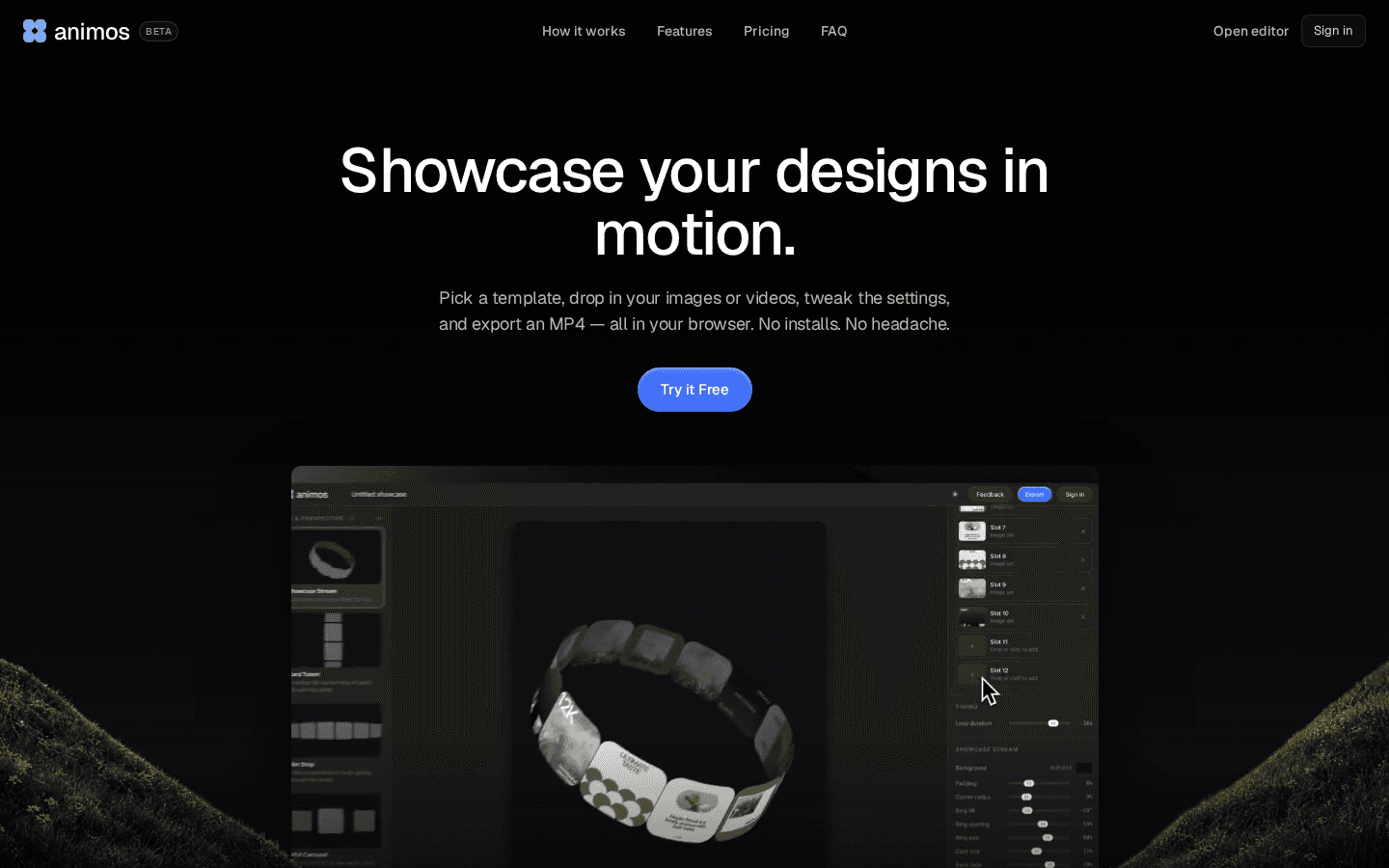
Animos runs entirely in the browser; the editor is open without an account.
Animos turns static designs into looping animations. You "pick a template, drop in your images or videos, tweak the settings, and export an MP4." There are 25 looping templates, and every one is built to loop seamlessly. It is aimed at designers sharing UI and app mockups on Dribbble, Behance and social feeds.
Export: MP4 and WebM, from 720p up to 8K, in six frame ratios (16:9, 4:3, 1:1, 4:5, 3:4 and 9:16).
Pricing: every template and 720p export are free forever. You can edit without an account and only need a free account to export. Pro costs $9 a month or $90 a year for unlimited 1080p, 2K, 4K and 8K exports. Refunds are available within 7 days of buying Pro if you have not exported anything in HD yet.
Privacy: Animos says your images, videos and projects never leave your device.
What it lacks: it only animates your content inside its templates; you cannot build a custom animation from scratch.
5. Paper Animator: best for paper cut-out effects
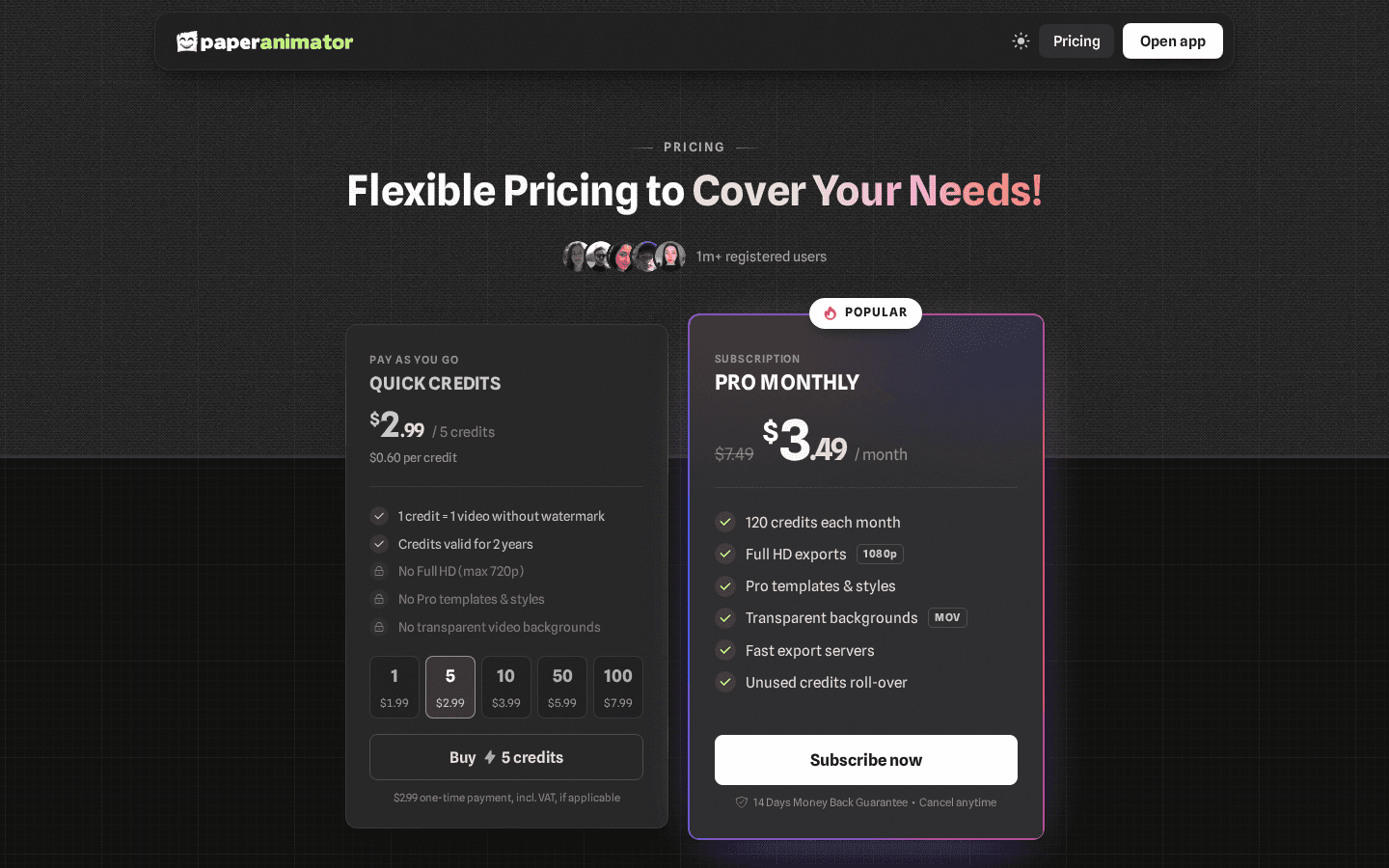
Paper Animator's pricing page on November 4, with the Pro Monthly plan discounted.
Paper Animator turns a photo into a paper cut-out that unfolds, and has two more tools: Motion Lab, with 20 templates for headlines, magazine letters, flight maps and more, and Text Match Cut, which lines up your words across changing pages. It runs in the browser on desktop and mobile and says it has more than 1 million creators.
Pricing: you get 1 free credit when you sign up, and Motion Lab gives 3 free watermarked renders every 24 hours. One credit is one video without a watermark.
- Quick credits: from $1.99 for 1 credit, or $2.99 for 5; valid for 2 years; 720p max and no Pro templates.
- Pro Monthly: listed at $7.49 a month and shown discounted to $3.49 when we checked; 120 credits a month, 1080p exports, Pro templates, transparent MOV backgrounds and credit roll over. It has a 14 day money back guarantee.
What it lacks: it is built around a few signature effects rather than general motion graphics.
6. Motion: best AI agent for full videos
Motion, made by Mosaic, calls itself "the General Video Agent." You give it footage, writing, a reference or just an idea, and it plans the video, builds the shots, edits them and checks the cut. Motion design is one of its modes alongside launch videos, talking heads, clip highlights and article to video. You refine the result in chat, by annotating the preview or in a timeline, and you can export to After Effects, Premiere Pro, DaVinci Resolve, Remotion or Hyperframes.
Pricing: Motion uses credits. Flex is $6 for 200 credits with no subscription and credits that never expire. Pro starts at $29 a month for 1,000 credits. Enterprise offers custom pricing for teams needing 50,000 or more credits a month.
What it lacks: it is a general video tool, so it is more than you need for a single animated logo or caption.
7. Jitter: best motion design tool for designers and teams
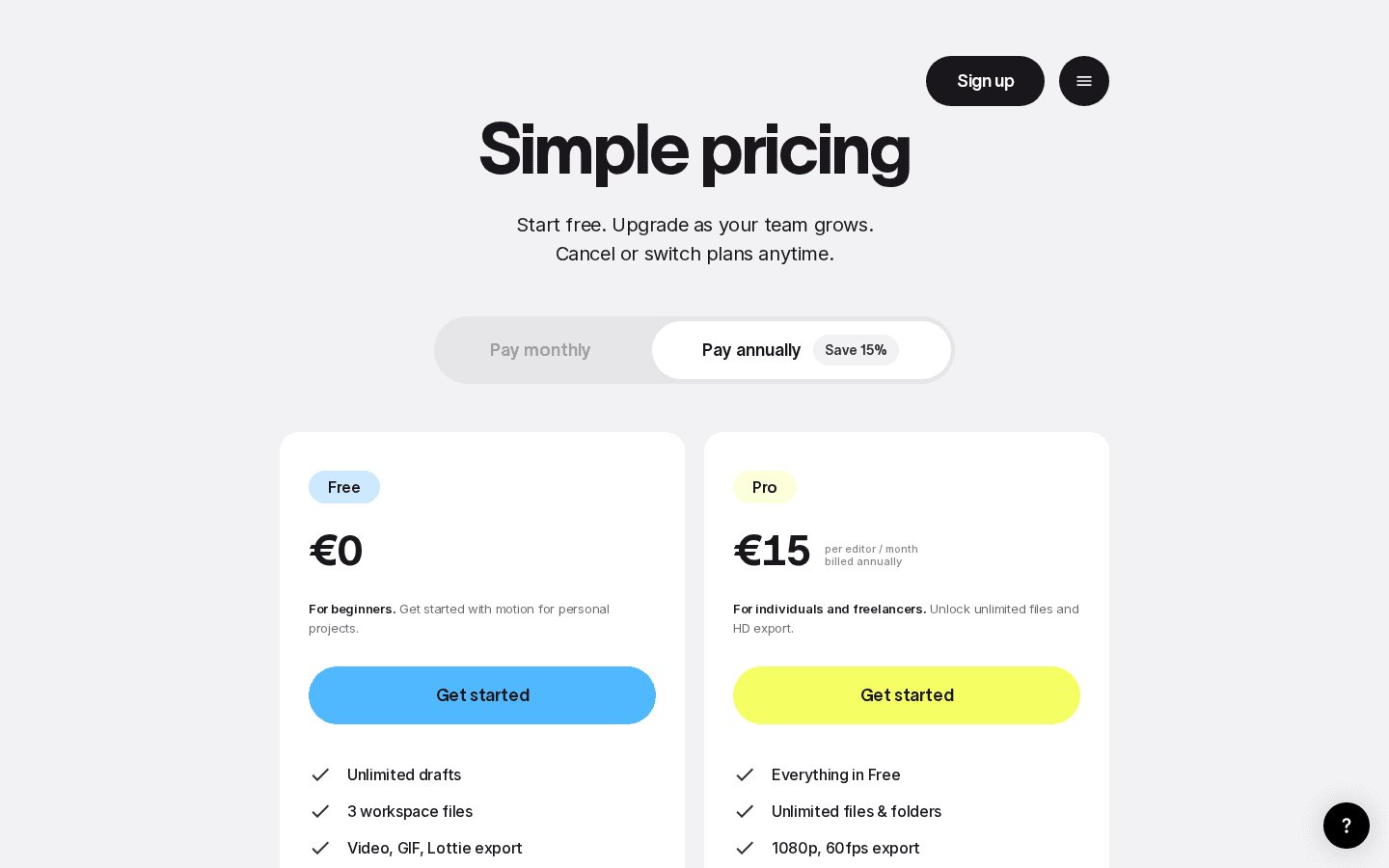
Jitter's pricing page with annual billing selected. It showed euro prices to our EU browser; the US page lists the same plans in dollars.
Jitter is a browser based motion design tool with a Figma import, and its homepage now reads "Design in motion. Now with AI." Brands like Perplexity and Deliveroo appear in its customer stories. In October 2026 Jitter added a Jitter MCP and multi brainstorm, according to its changelog.
Pricing (per editor per month, billed annually; annual saves 15%):
| Plan | Price | Highlights |
|---|---|---|
| Free | $0 | Unlimited drafts, 3 workspace files, video, GIF and Lottie export, 720p 30fps, limited AI credits |
| Pro | $15 | Unlimited files, 1080p 60fps, ProRes and WebM, image to video, standard AI credits |
| Max | $35 | Brand kits, transparent export, frame by frame export, 4K 120fps, 2x Pro AI credits |
| Ultra | $59 | 3x Max AI credits for high volume AI work |
Prices exclude VAT. Enterprise is a custom plan with SSO and SCIM.
What it lacks: it is a real editor, so there is more to learn than with a prompt or preset tool.
8. Momentum: best for quick social presets
Momentum, from Uninspired Studio, turns static visuals into motion with presets ("like After Effects templates, but lighter and faster"). You pick a preset such as a curved carousel or a mask reveal, add your images or video, adjust timing, direction and colors, and export.
Export: MP4 or WebM in 9:16, 1:1 and 16:9.
Pricing: you can try any preset free with no signup. To upload your own images and videos you buy access, and Momentum says there is no subscription: "Pay once, keep forever. Updates included." The price is not shown on its public homepage.
What it lacks: you can tweak a preset but not rebuild it from scratch, and the price only appears inside the app.
9. Motioner: best for full keyframe control
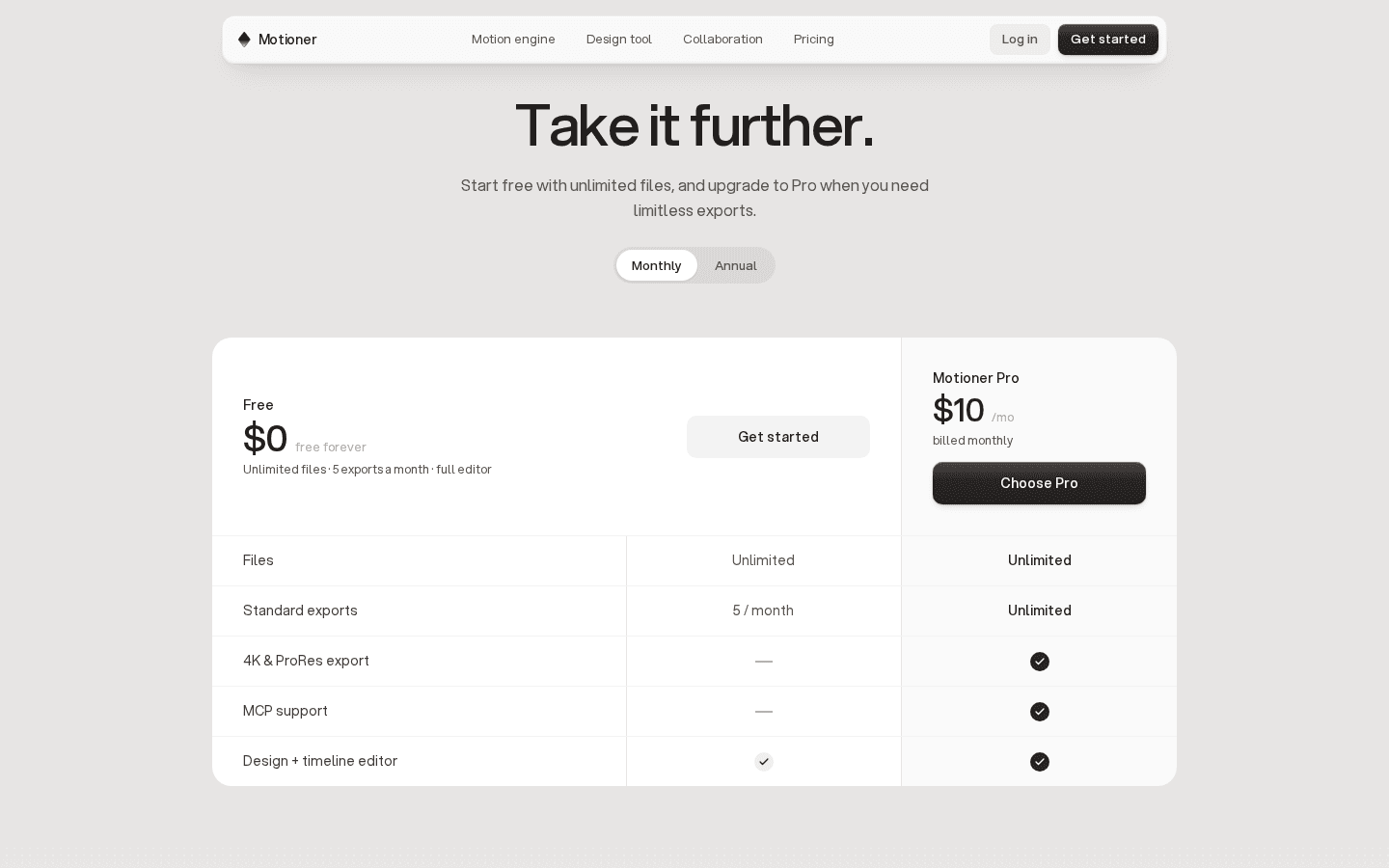
Motioner's pricing section with monthly billing selected.
Motioner is a "design first professional motion workspace" in open beta. It combines a design tool (vectors and booleans, components and variants, auto layout, masks and rich text) with a timeline where you can keyframe any property.
Pricing: Free gives unlimited files, 5 exports a month and the full editor. Motioner Pro costs $10 a month billed monthly and adds unlimited exports, 4K and ProRes export, and MCP support.
What it lacks: it is a manual tool first; it is in beta, and the AI angle is mainly MCP support on Pro.
10. Remocn: best for product demos built by your coding agent
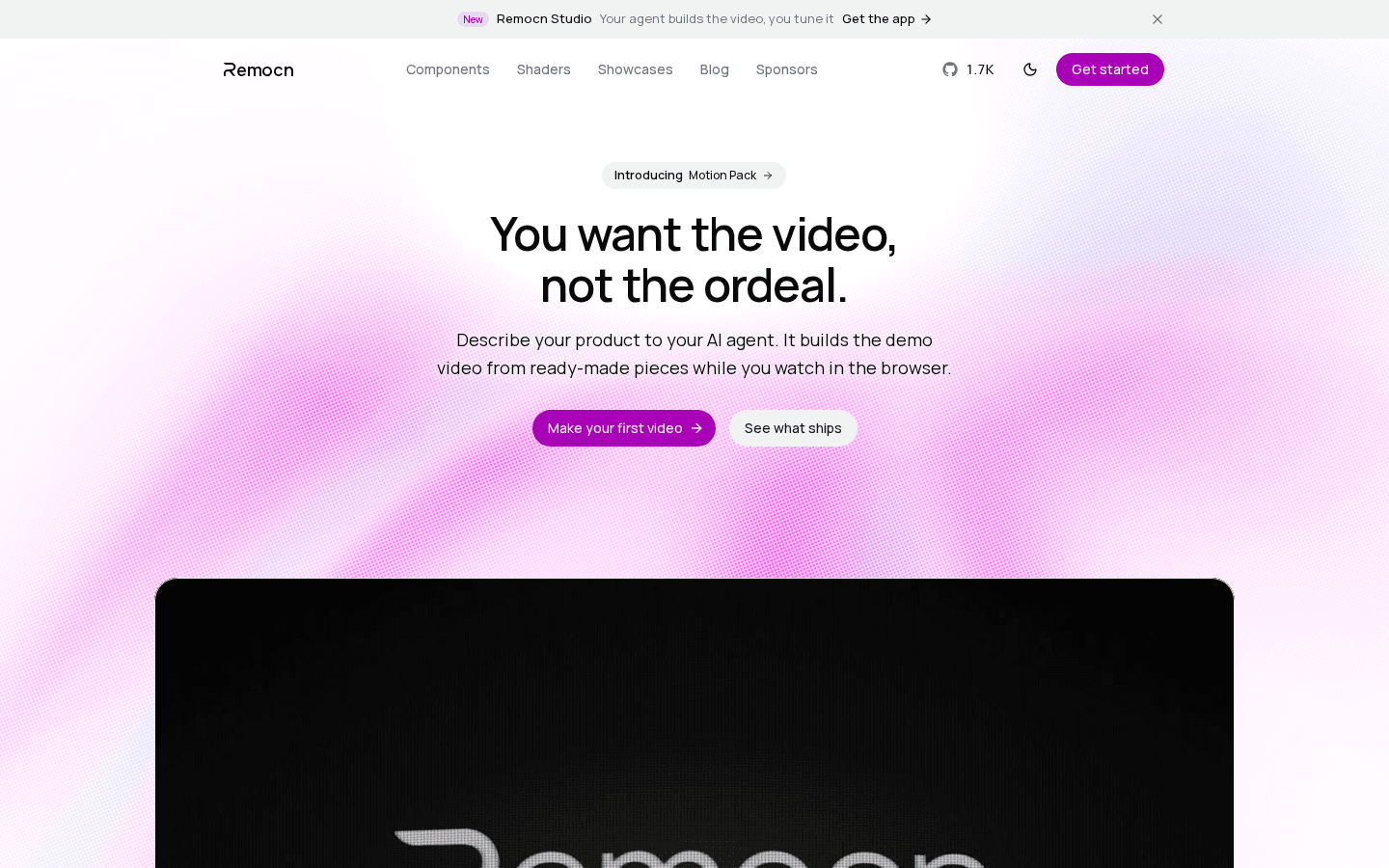
Remocn's homepage, with the new Remocn Studio app linked in the top banner.
Remocn is an open source library of motion components that your AI agent assembles into a video. You open Claude Code, Cursor or ChatGPT in an empty folder, paste one setup prompt, and a live preview opens in your browser while the agent builds the video. It has 433 components (typography, shaders, transitions, animated icons and UI) under the MIT license, with "no runtime, no account, nothing to cancel."
Remocn Studio is a free desktop app built on the same idea: it runs on the agent subscription you already pay for (Claude Code, Codex, Grok or GitHub Copilot), lets you click any element in the video to change it, and every video is a real Remotion project on your disk.
What it lacks: you need a coding agent and some comfort with a project folder, so it is aimed at developers and founders.
Which AI motion graphics generator should you pick?
- You want an animation from a sentence: Swishy, or Raylight if you need 4K, sound and music.
- You want it free: Animos (720p), Remocn (MIT), Prompt Motion with your Claude plan, or the free tiers of Raylight, Jitter and Motioner.
- You show off design work: Animos for loops, Momentum for carousels and reveals.
- You are a motion designer or a team: Jitter, or Motioner if you want a design tool and a keyframe timeline in one.
- You need a whole video from a brief: Motion.
- You live in Claude Code or Cursor: Remocn for product demos, Prompt Motion for prompts, and the MCP support in Raylight, Jitter and Motioner.
FAQ
Which is the best AI to generate animation videos?
For motion graphics (animated text, logos, UI and charts), Swishy is the easiest place to start because it turns a prompt or template into an MP4, MOV or GIF. Raylight is better for polished 4K videos with AI sound, and Jitter is better for design teams.
Is there an AI for motion graphics?
Yes. Swishy, Raylight and Motion generate motion graphics from a text prompt, while Jitter and Motioner add AI and MCP support to a full motion design editor.
What is the best AI for motion graphics?
It depends on how much control you want. Swishy is the fastest prompt based option, Jitter is the strongest editor for designers, and Remocn is the best fit if you want your coding agent to build the animation as code.
Can AI do motion graphics?
Yes, for most short formats: kinetic text, logo reveals, UI and product demos, charts and social clips. Several tools also export to professional editors (Motion exports to After Effects and Premiere Pro, Jitter exports Lottie and ProRes) so you can finish the work by hand.
Is there a free AI motion graphics generator?
Animos is free forever at 720p, Remocn is free and open source, and Prompt Motion's prompts are free to use with Claude. Raylight, Jitter and Motioner have free plans with limits, such as a badge on Raylight exports or 5 exports a month on Motioner.
Can I make animations without signing up?
Yes. Animos lets you edit without an account (a free account is only needed to export), and Momentum lets you try its presets with no signup.
Prices, plans and features were checked on each tool's official website on November 4, 2026 and can change. Promotions (Raylight's first year discount and Paper Animator's Pro Monthly discount) may end at any time. Toolfolio is not affiliated with any of these tools.