
UX Pilot Labs is a free collection of 17 browser-based design tools from the AI design platform UX Pilot. It makes mesh gradients, background patterns, ASCII art, dither, liquid metal and other visual effects, previews them inside real product screens, and exports them or sends them to the UX Pilot canvas with a free account.
UX Pilot on Toolfolio. Updated Oct 9, 2026.
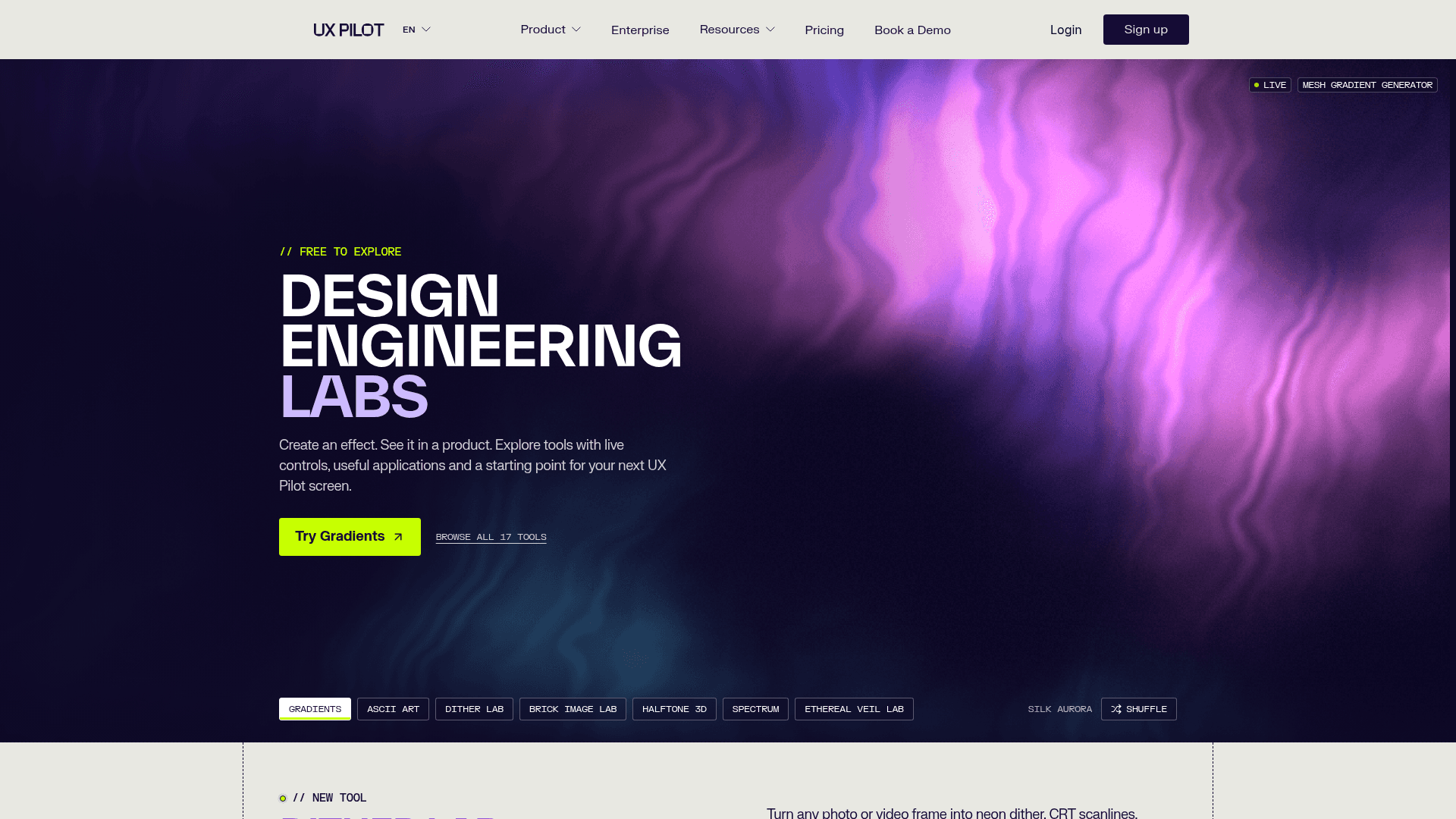
The UX Pilot Labs hub (uxpilot.ai/labs, Oct 9, 2026).
UX Pilot Labs at a glance
| What it is | 17 free design effect tools that run in your browser |
| Made by | UX Pilot, the AI UI and UX design platform |
| Launched | Announced live on Oct 7, 2026 |
| Price | Free to explore. Exporting or using a result on the UX Pilot canvas needs a free account |
| Presets | 276 in the launch messaging; the per-tool counts on the hub add up to roughly 280 as of Oct 9, 2026 |
| Export menu | Download PNG, WebP, HTML, or code + assets, plus "Copy code" and "Use on canvas" |
| Official page | uxpilot.ai/labs |
What is UX Pilot Labs?
UX Pilot is best known for generating wireframes, UI screens and user flows from prompts. Labs is a free companion product: in UX Pilot's words, "a collection of free design tools for the visual details that make a product feel finished."
Every Labs tool works the same way:
- It runs in your browser with live controls, so there is nothing to install and every change shows instantly.
- You judge effects in context. A preview mode drops your effect into real layouts such as a landing page, card, mobile app, signup form or campaign (12 to 15 layouts per tool in the ones we checked).
- It hands off to the AI canvas. With a free account you can export, copy code, or click "Use on canvas" to start a full UX Pilot screen from your result.
Co-founder Adam Fard announced the launch on X on Oct 7, 2026 ("17 design tools. 276 presets. All free, in one place.") and said the team built it in two to three weeks using UX Pilot itself plus Claude.
For the main product (AI screen generation, Figma export, pros and cons), see our UX Pilot review.
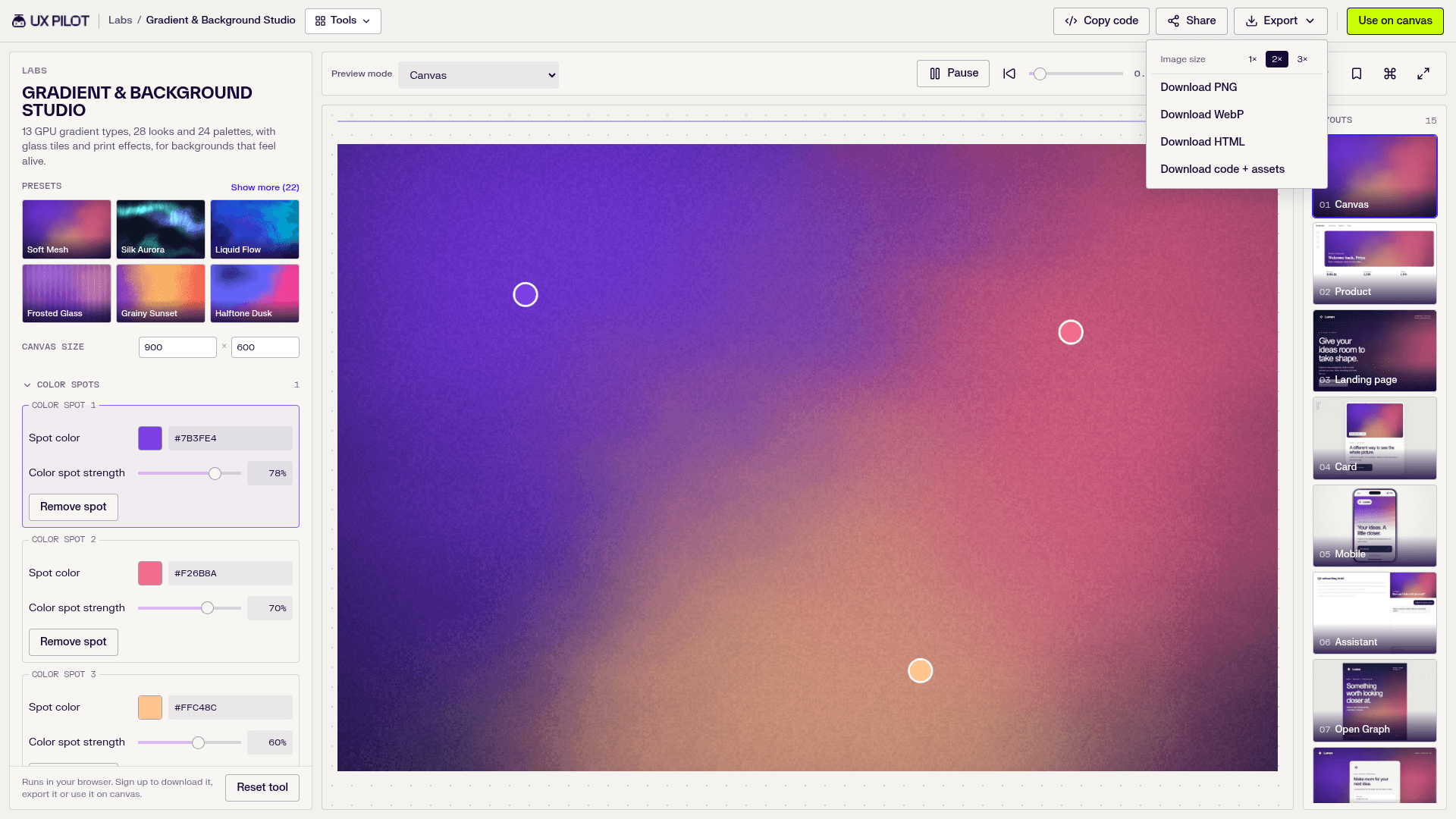
The shared Export menu, here in Gradient & Background Studio (Oct 9, 2026).
How to dither an image (make a dither effect) with Dither Lab
What is dithering?
Dithering recreates shades using only a few colors by arranging pixels in patterns. Up close you see dots, grain or a crosshatch; from a distance your eye blends them into smooth tones. That is why dithered images look retro: think 1-bit Mac graphics, Game Boy screens, newspaper print and risograph posters.
What is a dithering pattern, and what types of dithering are there?
The pattern is the rule that decides which pixel gets which color. Dither Lab offers 14 methods in three main families:
- Error diffusion (Floyd-Steinberg, Atkinson, Jarvis-Judice-Ninke, Stucki, Burkes, Sierra): spreads each pixel's color error to its neighbors for a soft, organic grain. Best for photos and portraits.
- Ordered dithering (Bayer matrices): compares pixels to a repeating threshold grid, giving the regular crosshatch of old computers and consoles.
- Blue noise and halftone screen: blue noise scatters dots evenly with no visible pattern, while halftone mimics print dots.
Step by step: how to make a dither effect
- Open Dither Lab.
- Upload a PNG, JPG or WebP up to 20 MB (or a short video), or pick a sample image.
- Crop to 1:1, 4:5, 3:2, 16:9 or 9:16, or keep the original shape.
- Set Output mode to Dither, then choose an algorithm and one of 13 palettes (1-bit, Game Boy, CGA, PICO-8, Riso, neon and more). Or start from a preset like Riso, CRT, Game Boy or CMYK print.
- Adjust pixel size, contrast and dither strength. Add scanlines, bloom, grain or a vignette if you want.
- Switch preview to Compare to see before and after side by side.
- Sign in with a free UX Pilot account and export, or click "Use on canvas."
Dither Lab also has a Shapes mode (dots, squares, lines, crosses, diamonds) and a Photo art mode with 18 styles such as LED matrix, engraving and stained glass. The classic alternative is Photoshop's Save for Web dither options, but Dither Lab needs no software or plugins.
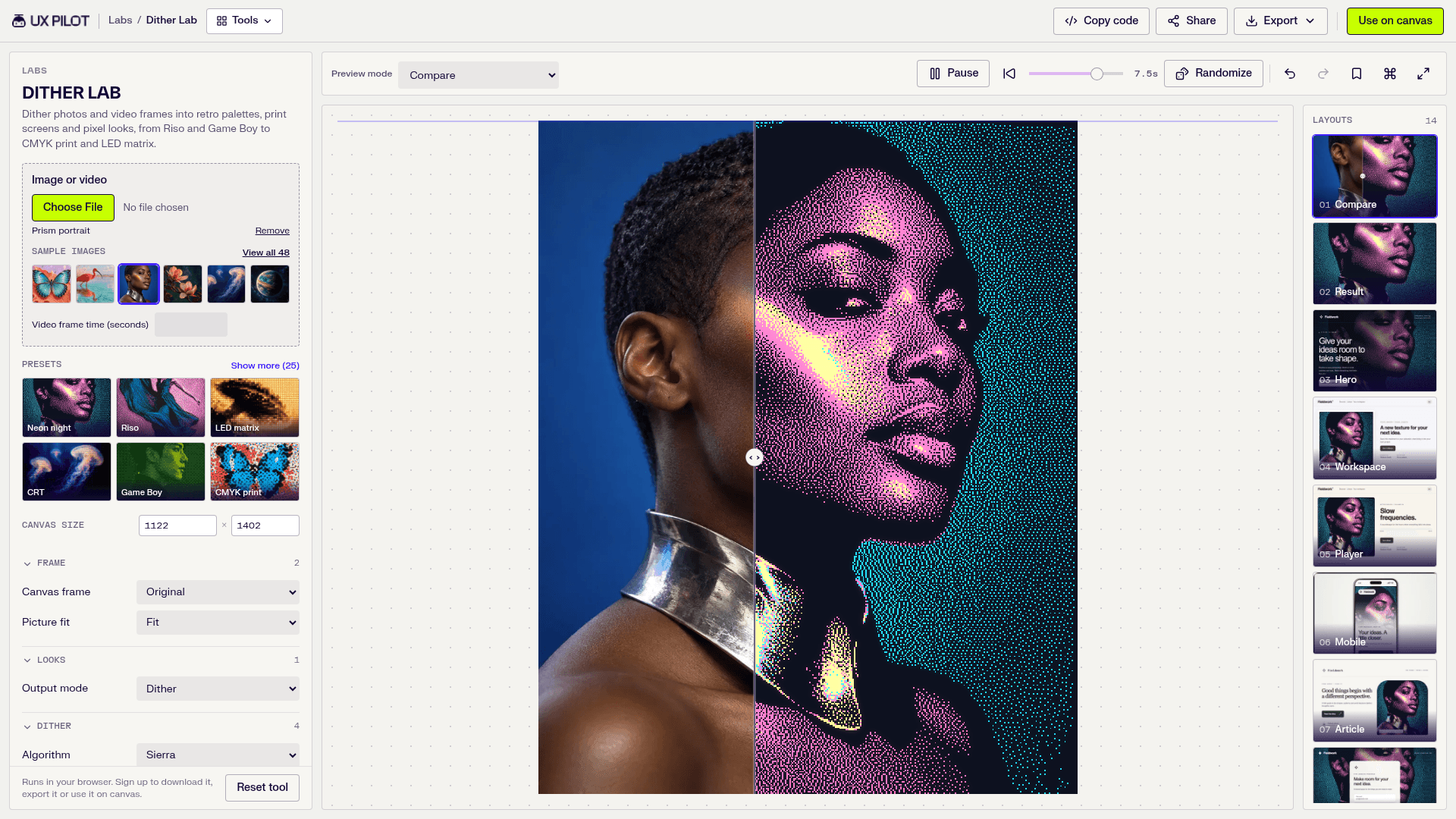
Dither Lab in Compare mode (Oct 9, 2026).
Free online mesh gradient generator: Gradient & Background Studio
Gradient & Background Studio is a free online mesh gradient generator with 13 GPU gradient types (Mesh, Flow, Aurora, Linear, Radial, Conic, Glow, Blobs, Waves, Bars, Columns, Rays, Orbit), 28 looks and 24 palettes. You drag color spots, add grain, glass panes or tiles, switch on animation, or redraw the gradient as dither, halftone, ASCII or contour lines.
Export formats we verified: the Export menu offers PNG and WebP (at 1x, 2x or 3x), HTML, and code + assets, and there is a separate "Copy code" button. UX Pilot's own preset pages also list JSON. We did not see a dedicated SVG, Tailwind or Figma export for gradients.
ASCII art generator from an image: ASCII Art Lab
To turn an image into ASCII art, open ASCII Art Lab, upload a PNG, JPG or WebP (up to 20 MB), switch the mode to ASCII and pick one of 8 character sets (Standard to Braille, Matrix, Binary or your own characters). Then adjust character size, contrast and edge detail. Photo art mode instead keeps the image's colors with 8 glyph styles and optional glow. It also works on video frames.
UX Pilot's preset pages list PNG, SVG, Text and Text HTML exports, so you can paste the characters into a README, code comment or web page.
Liquid metal effect without CSS or WebGL code: Liquid Metal Lab
A liquid metal effect is a chrome or molten-metal surface with studio reflections and a slow flowing distortion. Developers usually build it with WebGL shaders or React shader components. Liquid Metal Lab does it with sliders: pick one of 10 shapes, a sample model (marble bust, lion head, rubber duck) or your own GLB, OBJ or STL file up to 20 MB, choose a lighting rig and a metal (chrome, gold, titanium, cobalt), then tune roughness, iridescence, liquid distortion and flow speed.
The Export menu includes PNG, WebP, HTML and code + assets, so you can get an image or a code bundle without writing the shader yourself.
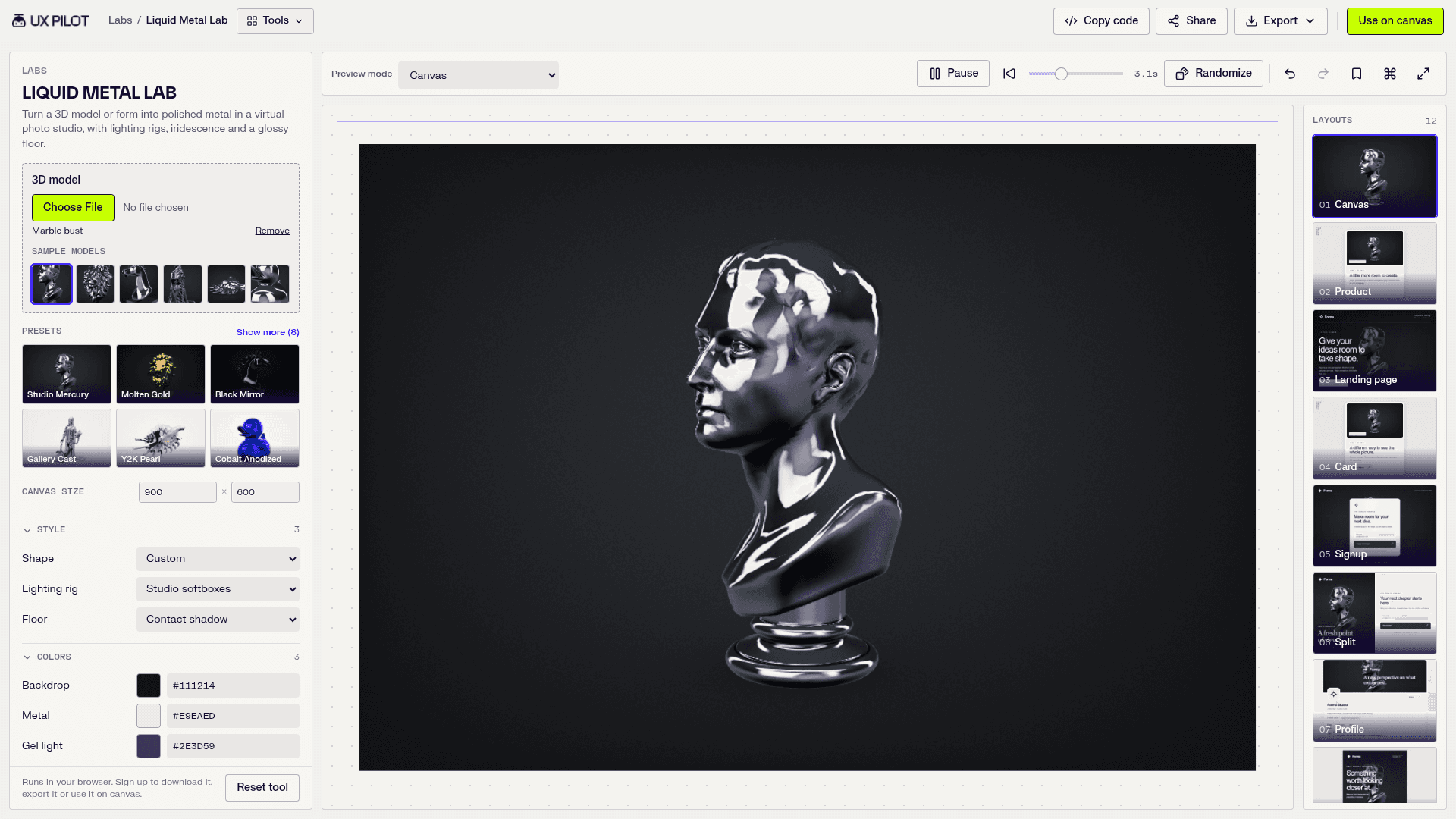
Liquid Metal Lab with the Marble bust sample model (Oct 9, 2026).
Free background pattern generator: Pattern, Shape & Texture Maker
Pattern, Shape & Texture Maker builds a background in three layers: a repeating pattern (18 motifs such as dots, grid, hex, waves, topographic, truchet and isometric, on a square, brick or hex layout), one of 8 hero shapes, and one of 9 noise textures (grain, paper, riso, fabric, scanlines and more). It is free to use in the browser. Exports are PNG, WebP, HTML and code + assets, plus "Copy code." We could not confirm a seamless tile or SVG export, so for raw tileable SVG/CSS patterns a dedicated tool may suit you better (see alternatives below).
The other 12 Labs tools
- Mesh Effects Lab: halftone, ASCII, pixel and print effects on a 3D mesh or image.
- Brick Image Lab: rebuilds an image as dimensional bricks.
- Logo Orbit Lab: logos as a 3D sphere, marquee band or integrations hub.
- Spectrum Flow Lab: moving refracted spectral light.
- Editorial Pattern Lab: editorial posters from line art and your copy.
- Creative Direction Playground: 20 generative visual systems to test art directions.
- Minimal Shapes Lab: an SVG shape generator for brand marks and covers.
- Chromatic Light Lab: abstract light backgrounds.
- Retro Rhythm Lab: retro modular patterns with a print finish.
- Ethereal Veil Lab: fluid art from glowing hairline filaments.
- Luminous Alloy Lab: chrome, foil and anodized metal backgrounds.
- Optical Motion Lab: animated op art from dots and lines.
Who is UX Pilot Labs for?
UX Pilot targets product designers, design engineers, founders and marketers. In practice: designers who need a hero background or texture fast, developers who want effects as code, founders shipping a landing page, marketers making social images in standard ratios, and UX Pilot users who want to feed a visual style into the AI canvas.
UX Pilot Labs pricing (and is UX Pilot AI free?)
Labs is free. Every tool page says exploring is free in the browser, while exporting or using a result on the canvas needs a free UX Pilot account.
The main UX Pilot app also has a free plan. From uxpilot.ai/plans, checked Oct 9, 2026:
| Plan | Price | Credits |
|---|---|---|
| Free | $0 forever, no credit card | 80 credits per day, no rollover |
| Pro | $25/month billed yearly, $39 monthly | 750 credits per month |
| Teams | $45/user/month billed yearly, $59 monthly | 900 credits per user per month, shared pool |
| Enterprise | Custom | Custom |
Prices change, so confirm on the plans page before you subscribe.
UX Pilot Labs review: our short take
What's good: it is genuinely free to explore, the tools are polished, presets get you to a strong result in seconds, and the in-product previews (seeing a gradient behind a real headline) are more useful than a blank canvas. Code and HTML exports make it practical for developers too.
What to know: exporting requires an account, so it is a funnel into UX Pilot. The Labs tools are slider-based effect generators, not AI generators; the AI part is the UX Pilot canvas you can send results to. Some niche needs (seamless SVG tiles, Tailwind or Figma gradient export) are better served elsewhere.
Verdict: one of the most generous free design releases of 2026 for hero visuals, retro effects and textures. For the AI app itself, read our full UX Pilot review.
UX Pilot alternatives
For AI UI design tools similar to UX Pilot, check the Similar Tools section on the UX Pilot tool page. For single effects, other free web tools that commonly come up include MagicPattern (mesh gradients, dither and CSS background patterns), Dither it! (image dithering) and Pattern Monster (SVG pattern generator). Labs stands out for putting many effects in one place with in-context previews; the single-purpose tools can be faster if you need one specific output.
FAQ
Is UX Pilot Labs free?
Yes. All 17 tools are free to explore in your browser. Exporting or using a result on the UX Pilot canvas requires a free UX Pilot account, and the Free plan needs no credit card.
Is UX Pilot AI free?
UX Pilot has a free plan at $0 with 80 credits per day (no rollover, no credit card). Paid plans start at $25/month billed yearly ($39 monthly) for Pro, as listed on uxpilot.ai/plans on Oct 9, 2026.
How do I dither an image for free?
Upload your image to Dither Lab, choose an algorithm such as Floyd-Steinberg or Bayer and a palette, tune pixel size and contrast, then export with a free account.
Can I export a mesh gradient as PNG or code?
Yes. Gradient & Background Studio exports PNG or WebP at 1x to 3x, HTML, and code + assets, and has a Copy code button.
How do I make ASCII art from an image?
Upload a PNG, JPG or WebP to ASCII Art Lab, switch to ASCII mode, pick a character set and adjust size and contrast. Export as PNG, SVG, Text or Text HTML.
How many tools and presets does UX Pilot Labs have?
17 tools. UX Pilot's launch messaging says 276 presets; the per-tool counts on the hub add up to roughly 280 as of Oct 9, 2026.
When did UX Pilot Labs launch?
UX Pilot co-founder Adam Fard announced it was live on Oct 7, 2026.
What are the best UX Pilot alternatives?
See Similar Tools on the UX Pilot tool page for AI design apps. For individual effects, MagicPattern, Dither it! and Pattern Monster are common free options.
Bottom line
UX Pilot Labs gives you 17 polished effect generators, hundreds of presets and live in-product previews for free. Use it when you need a mesh gradient, a dithered image, ASCII art or a chrome 3D shape fast, then take the result into the UX Pilot canvas if you want full screens.