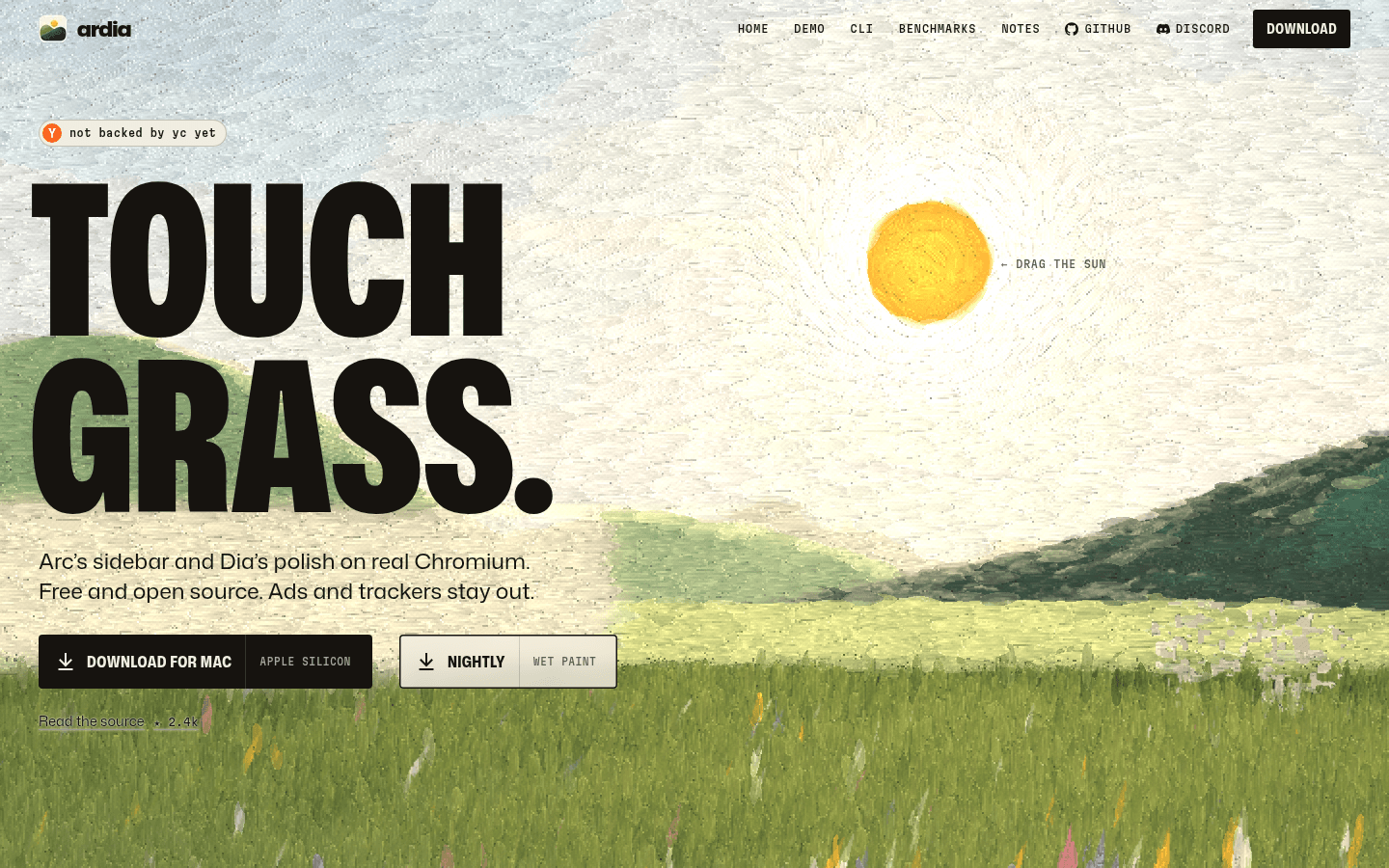
Ardia is a free, open-source Mac browser that copies Arc's sidebar and Dia's look on real Chromium. It is GPL-3.0 licensed with no paid tier or account, blocks ads with built-in uBlock Origin, and imports Arc Spaces, pinned tabs, folders and themes. The stable build needs an Apple Silicon Mac on macOS 14 or later.
 Ardia,
 Zen Browser and
SupaSidebar on Toolfolio. Updated November 16, 2026.
What is Ardia browser?
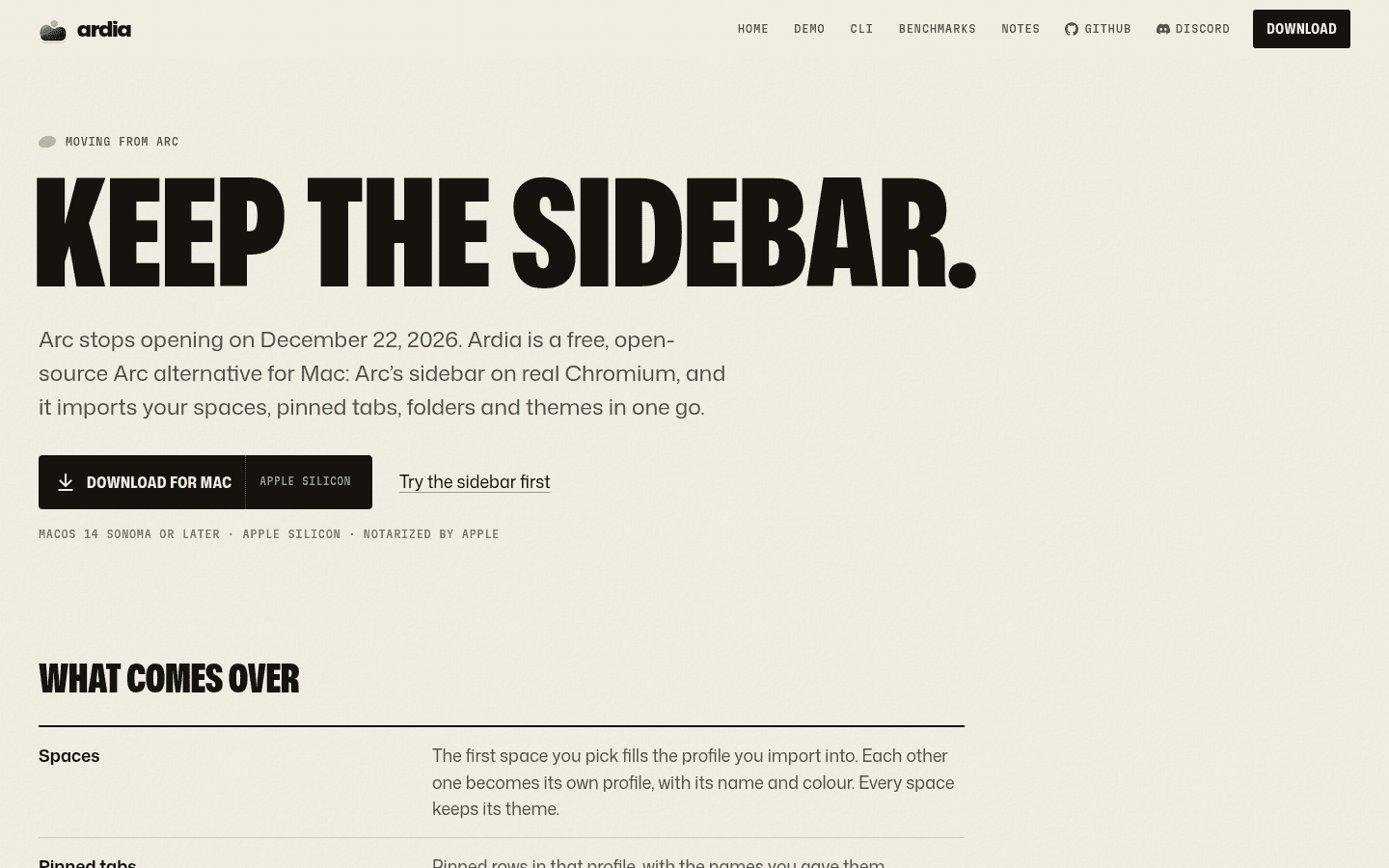
Ardia is a sidebar browser for the Mac built for people who loved Arc and need somewhere to go before Arc stops opening on December 22, 2026. The name is simply "Arc plus Dia": the project's own FAQ says it "dresses like Dia, or like Arc if you ask". It is not made by The Browser Company, and the site states it is "not affiliated with Google or The Browser Company".
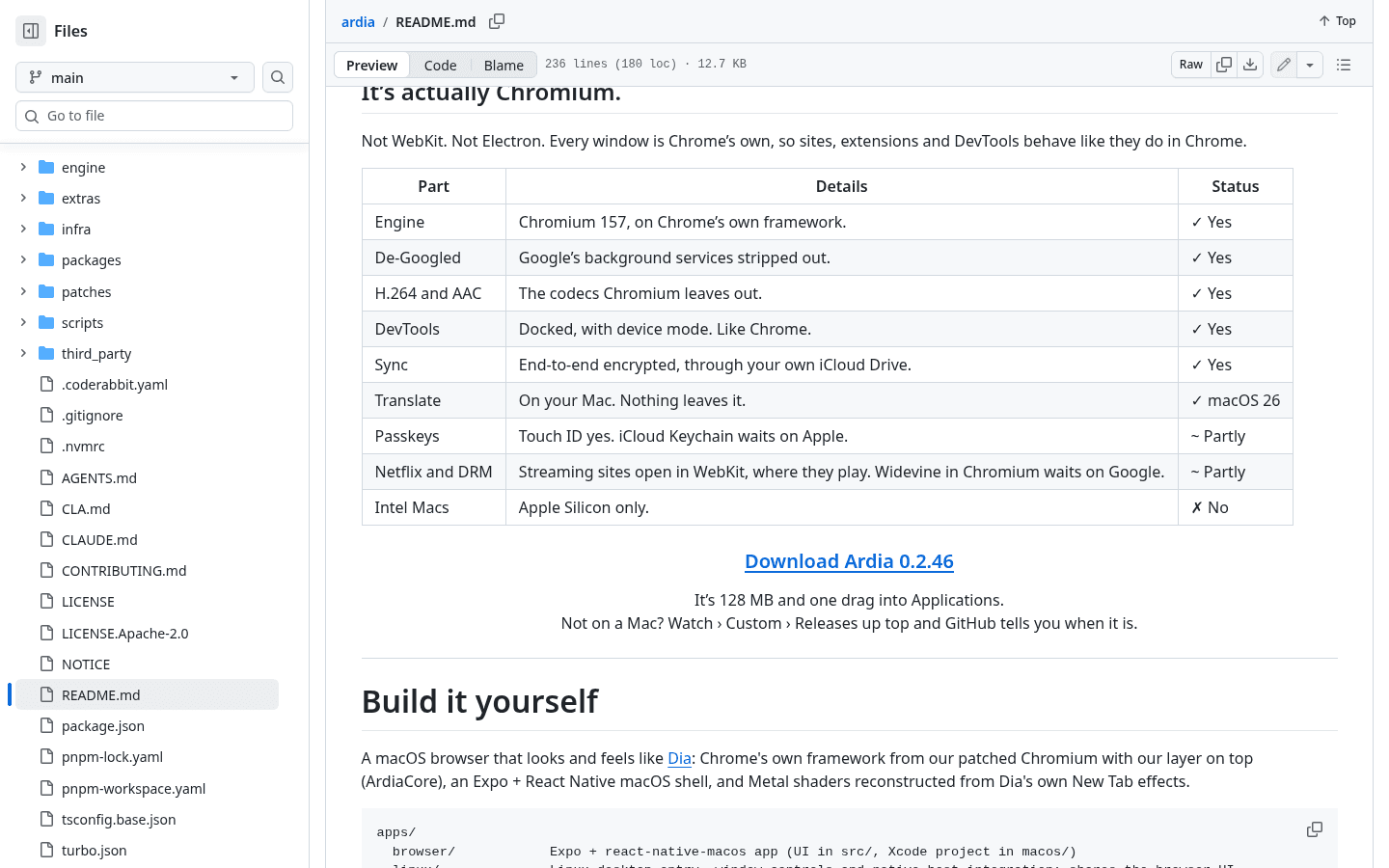
Under the interface it is Chromium 157 with Google's background services stripped out, so websites, DevTools and Chrome Web Store extensions behave like they do in Chrome. The app shell is built with React Native for macOS, and the source lives on GitHub at ardia-browser/ardia.
Who makes Ardia?
Ardia's privacy policy says the browser and ardia.dev are run by Mantra Patel. The GitHub repository was created in June 2026, version 0.1.0 shipped on September 25, 2026, and the latest stable release is 0.2.46 from November 12, 2026. The release notes list 54 releases and 67 nightly builds so far, and the repository had about 2,370 stars and 13 contributors in the last 30 days, according to GitHub and a November 14 repo roundup. It is a young, fast-moving project rather than a company product.
Is Ardia free?
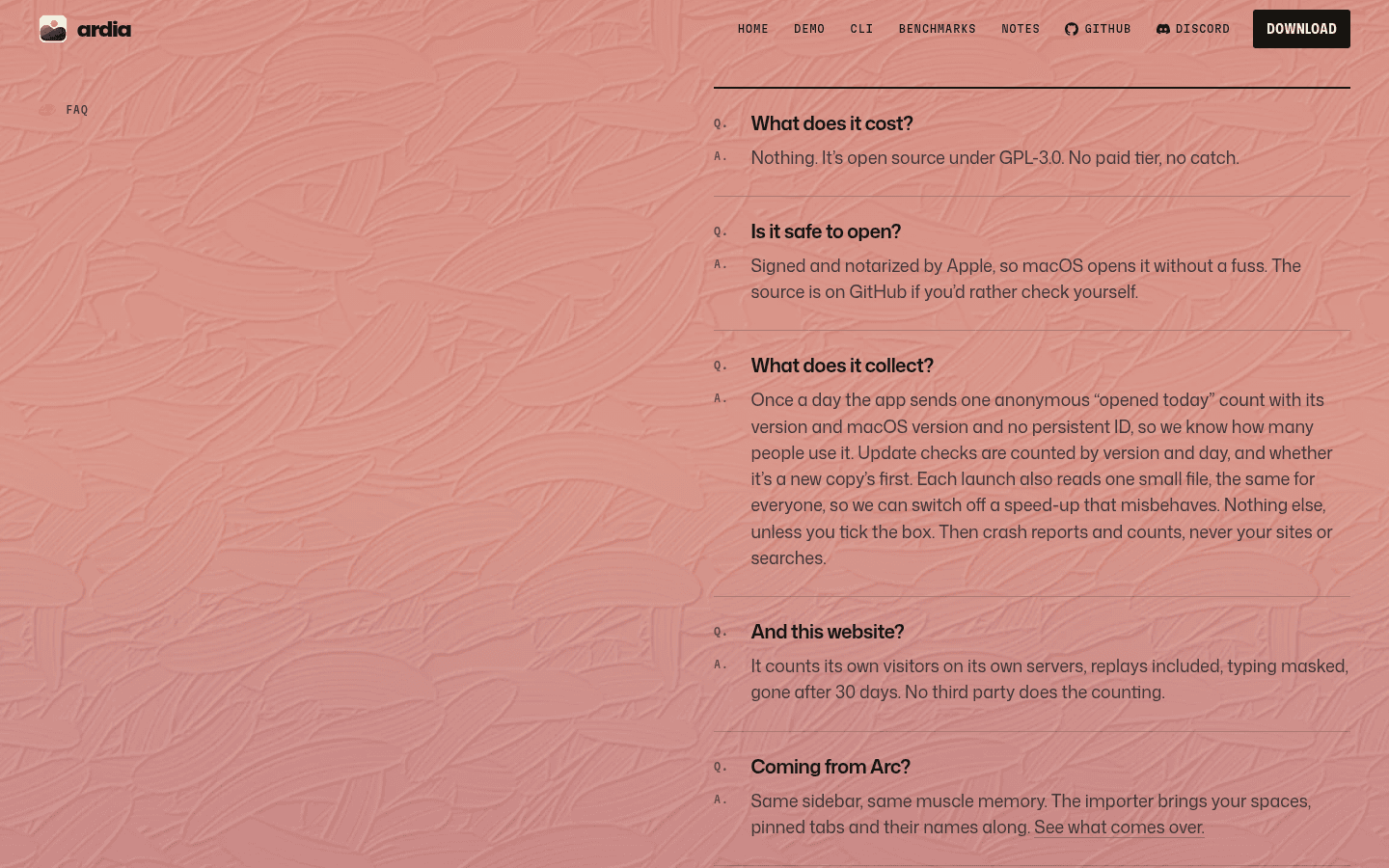
Yes. The official FAQ answers "What does it cost?" with "Nothing. It's open source under GPL-3.0. No paid tier, no catch." There is no Ardia account to create, and the GitHub repository confirms the GPL-3.0 license.
Ardia at a glance


Free, open source Chromium browser for Apple silicon Macs with an Arc style sidebar, built in uBlock Origin and Arc import.
| Ardia | |
|---|---|
| Price | Free, no paid tier |
| License | GPL-3.0 (open source) |
| Engine | Chromium 157, with WebKit used for streaming sites that need DRM |
| Stable platform | Mac with Apple Silicon, macOS 14 Sonoma or later |
| Preview builds | Windows (x64 and Arm) and Linux (x86-64) nightlies since November 15, 2026; an iPhone app in TestFlight |
| Ad blocking | Full uBlock Origin built in, cookie banners included |
| Extensions | Chrome Web Store |
| Imports from | Arc, Dia, Zen, Helium, Chrome, Safari, Firefox and more |
| Sync | End-to-end encrypted, through your own iCloud Drive |
| AI features | None, on purpose |
| Account needed | No |
| Latest stable | 0.2.46 (November 12, 2026) |
What Ardia does well
Arc's sidebar on real Chromium
The core pitch is Arc's muscle memory without Arc. Pinned tabs, groups and today's tabs sit down the side in Arc's layout, and you can hide the sidebar for full-screen pages. The parts Arc users reach for every day are there:
- Split View with up to three pages side by side or stacked.
- Peek: Shift-click a link to preview it, and since 0.2.46 links to other sites open in a Peek by default, as in Arc.
- Little Ardia: Option-Command-N opens a small window with one page and no sidebar, like Little Arc.
- Command bar: Command-T and Command-L open one box for tabs, history, settings and search.
- Arc themes: gradient themes with grain, one per profile, and Settings > Profiles > Theme > Import from Arc brings a single theme over.
Ads and trackers blocked by default
The README says the full uBlock Origin is built in, "cookie banners included", and that Google's pings are compiled out. Pages that open in WebKit (streaming sites) use uBlock Origin Lite's lists with the same on and off switches.
Privacy and sync
There is no Ardia account and, per the privacy policy, no Ardia server that receives your browsing. The app sends one anonymous "opened today" count a day with its version and macOS version and checks ardia.dev for updates. Crash reports and usage stats are off unless you turn them on. Sync is end-to-end encrypted and stored in your own iCloud Drive.
Speed claims
Ardia publishes its own benchmarks against Dia and Helium. On a Mac mini M4 on November 13, 2026, Ardia reports a 278 ms cold launch versus 1,811 ms for Dia, and 240 MB of memory with one tab versus 361 MB for Dia. These are the developer's own measurements, not independent tests, so treat them as a guide.
How to import Arc into Ardia, step by step
Ardia's official "Moving from Arc" page lists four steps. Do this while Arc still opens, because the importer reads Arc's data on your Mac.
- Download Ardia from ardia.dev and drag it into Applications. No admin password is needed. Homebrew users can run
brew install ardia-browser/tap/ardia. - Keep Arc installed. In Ardia, open Ardia > Import from Another Browser and pick Arc.
- Pick the Spaces to bring. macOS asks once to unlock Arc's saved passwords, so your passwords and cookies come over too and you stay signed in.
- Make Ardia your default browser in Settings > General.
What comes over from Arc
| In Arc | In Ardia after import |
|---|---|
| Spaces | The first Space you pick fills the profile you import into; each other Space becomes its own profile with its name and colour |
| Space themes | Every Space keeps its theme |
| Pinned tabs | Pinned rows in that profile, with your custom names |
| Folders | Pinned groups, and nested folders stay nested |
| Favorites | Tiles at the top of the sidebar |
| Open tabs | An "Imported" group (tabs already open in Ardia and arc:// pages are skipped) |
| Split views | Arrive as splits, since 0.2.46 |
| Bookmarks, history, passwords, cookies | Into the first profile |
| Extensions | Listed after the import so you can reinstall them from the Chrome Web Store |
One difference from Arc: Arc Spaces map to Ardia profiles, and each profile keeps its own logins, history, extensions and colour. That is closer to how Dia handles it than to Arc's shared Spaces, and because cookies land in the first profile, expect to sign in again in any Space that becomes its own profile. Extensions do not copy over automatically.
What Ardia lacks
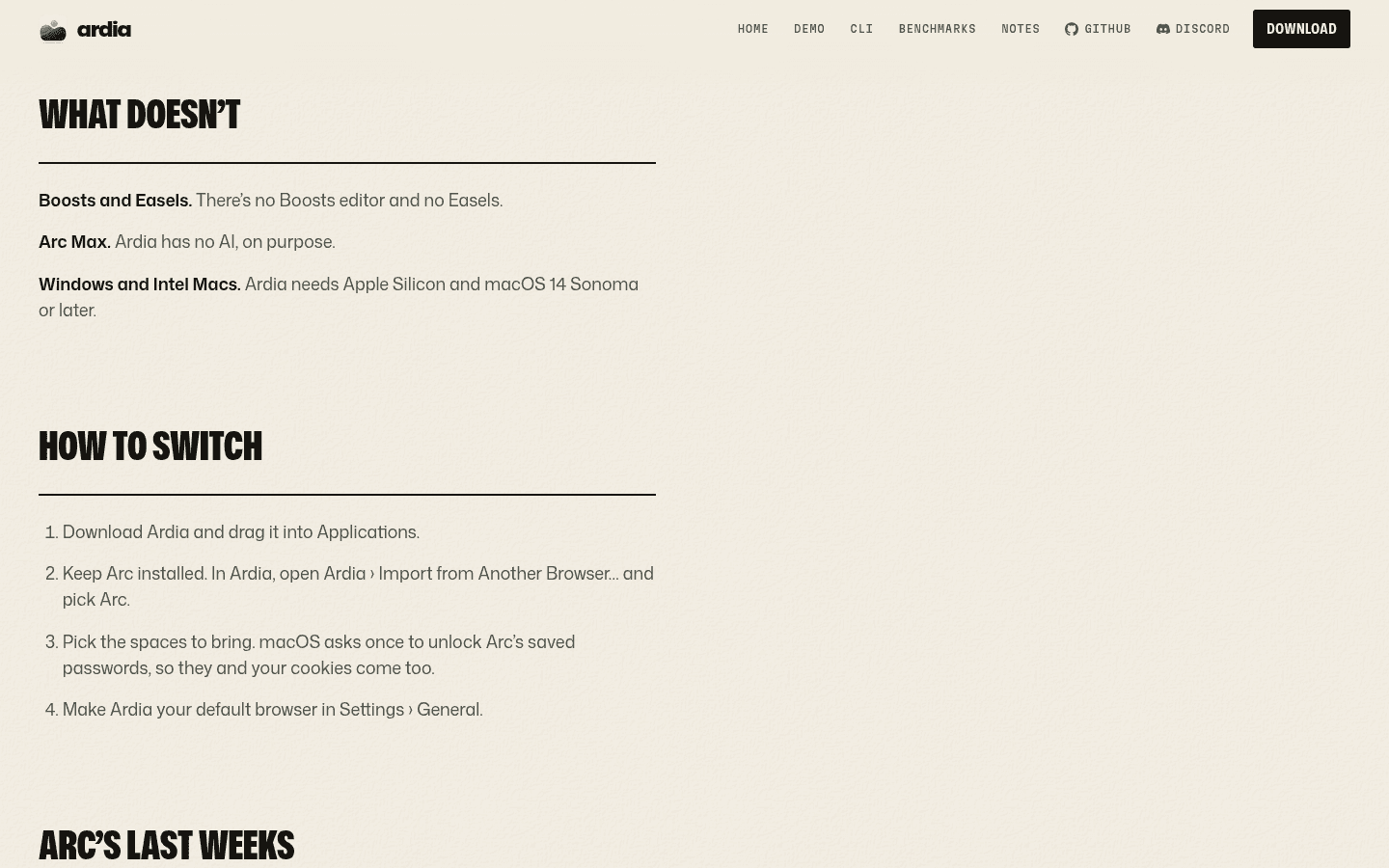
Ardia's own Arc page has a "What doesn't" section, and it is refreshingly blunt.
No Boosts and no Easels
There is no Boosts editor and no Easels. If you rely on either, export your Easels from Arc before December 22 and rebuild site tweaks with a userscript or style extension.
No AI, on purpose
Ardia ships without Arc Max or any built-in assistant. The /arc page says "Ardia has no AI, on purpose", and the homepage adds "Nothing in Ardia calls a model". More on what that means below.
Apple Silicon Macs only (for the stable build)
The stable release needs Apple Silicon and macOS 14 Sonoma or later. Intel Macs are not supported, and the README marks them with a clear "No".
Some gaps on media and passkeys
The README lists two features as "partly" done: passkeys work with Touch ID but not iCloud Keychain yet, and Netflix and other DRM streaming sites open in a WebKit tab where they play, because Widevine in Chromium "waits on Google". Extensions and the ad blocker stay in the Chromium side.
It is young
Ardia is a few months old, ships most weeks and has hundreds of open GitHub issues. That speed is great for fixes and less great if you want a browser that never changes under you.
Does Ardia work on Windows, Linux, Intel Macs or iPhone?
This changed this weekend, so many pages online are already out of date. Here is the state on November 16, 2026:
| Platform | Status |
|---|---|
| Mac, Apple Silicon, macOS 14+ | Yes, stable 0.2.46, signed and notarized by Apple |
| Mac with Intel chip | No |
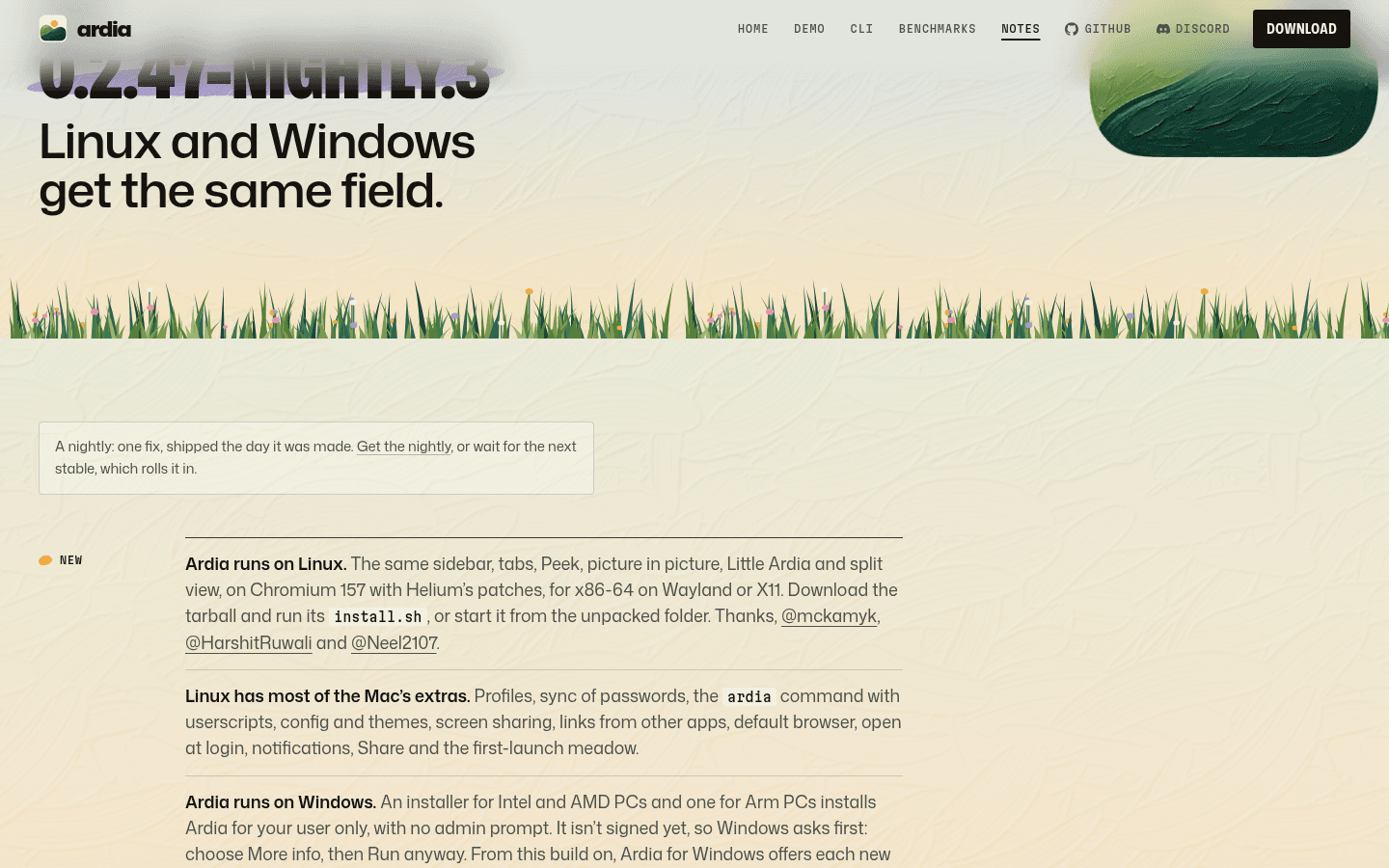
| Windows (x64 and Arm) | Nightly only, since 0.2.47-nightly.3 on November 15, 2026. Not signed yet, so Windows warns you first |
| Linux (x86-64, Wayland or X11) | Nightly only, since November 15, 2026, as a tarball, .deb or AppImage |
| iPhone | Beta app through Apple TestFlight, not found on the US App Store |
| Android | No |
The Windows nightly can already import Chrome-family browsers plus Arc and Zen Spaces, and syncs with your Mac through any folder, OneDrive included, but passwords do not sync on Windows yet. Ardia's own Arc page still says "Windows and Intel Macs" are not supported, which is true for stable builds. If you are on Windows today and need something dependable before December 22, look at Zen or  Dia instead.
Ardia has no AI: how it compares with AI browsers
Free, open source Chromium browser for Apple silicon Macs with an Arc style sidebar, built in uBlock Origin and Arc import.
Most of the Arc successors we cover are moving toward AI. Dia, from Arc's own team, is built around an assistant that works across your tabs, and  Comet from Perplexity is an AI-first browser that automates tasks. Ardia goes the other way: no chat panel, no summaries and no model calls inside the browser.
There is one AI-adjacent feature, and it is opt-in by design. Ardia ships an ardia command-line tool that lets your own coding agent, such as Claude Code or Codex, drive the browser with ardia browse (with your logins) and other Mac apps with ardia computer. Ardia supplies the hands; you bring the model and pay for it yourself. Ardia's own November 7 benchmark says its CLI used fewer tokens than Aside and OpenCode Browse across eight test tasks, but that is again the developer's own test.
So the honest summary: pick Ardia if you want Arc's layout and zero AI in your browsing; pick Dia or Comet if you want the AI. Our AI browsers comparison covers those in detail.
Ardia vs Zen vs Dia vs Crest
Free, open source Chromium browser for Apple silicon Macs with an Arc style sidebar, built in uBlock Origin and Arc import.
People searching for Ardia often compare it with Zen and Crest, so here is how the free and Arc-like options line up.
| Ardia | Zen Browser | Dia |  Crest | |
|---|---|---|---|---|
| Engine | Chromium (WebKit for DRM sites) | Firefox | Chromium | Chromium, plus WebKit per site |
| Price | Free | Free | Free plan plus paid plans | Free |
| Open source | Yes, GPL-3.0 | Yes | No | Yes, MPL 2.0 |
| Extensions | Chrome Web Store | Firefox add-ons | Chrome Web Store | Chrome extensions on Mac |
| Built-in AI | No | None advertised | Yes | None advertised |
| Stable platforms | Apple Silicon Mac | Mac, Windows, Linux | Mac, Windows | Apple Silicon Mac, iPhone, iPad |
| Imports Arc Spaces | Yes | Yes, since 1.24b | Yes | Yes, on Mac |
Ardia vs Zen. Both are free and open source. Ardia keeps Chrome extensions and Chrome's engine; Zen runs on Firefox, so you swap to Firefox add-ons but get Windows and Linux stable builds today. Our Arc to Zen migration guide walks through Zen's importer.
Ardia vs Dia. Dia is the official Arc successor with AI and Windows support, and it has paid plans (see our Dia pricing guide). Ardia is the free, no-AI take on the same look.
Ardia vs Crest. Crest is the other open-source "life after Arc" browser. It also runs on Apple Silicon and adds native iPhone and iPad apps, but calls itself early access and notes its security is not independently audited.
Keep your current browser instead. If you would rather not switch browsers at all, SupaSidebar is a free-to-start Mac app that adds an Arc-like sidebar, Spaces and a command panel to Safari, Chrome or whatever you already use.
For the wider field, see our best Arc browser alternatives guide.
Arc shutdown dates to plan around
The official Arc Help Center lists these dates:
| Date | What happens |
|---|---|
| October 22, 2026 | Sunset announced, no new Arc accounts |
| November 23, 2026 | Arc Search on iOS and Android loses AI features, sign-in and sync; Arc desktop starts showing sunset reminders |
| December 15, 2026 | Last day to request a copy of your Arc account data or ask for deletion |
| December 22, 2026 | Arc for macOS and Windows stops working and accounts are deactivated, with personal data deleted within 30 days |
Ardia's importer needs Arc's data on your Mac, so run it before December 22. After that, as Ardia's page puts it, "there's no Arc left to ask".
FAQ
Is Ardia browser free?
Yes. Ardia is free and open source under GPL-3.0, with no paid tier, no subscription and no account.
Is Ardia browser safe?
The Mac build is signed and notarized by Apple, the full source is public on GitHub, and the privacy policy says your history, tabs, passwords and cookies stay on your devices. It is still a young project with no independent security audit that we could find, so keep your usual caution with passwords and extensions.
Is Ardia available for Windows?
Only as a nightly preview. Windows x64 and Arm installers appeared on November 15, 2026. They are not signed yet, so Windows asks first and you choose More info, then Run anyway. There is no stable Windows release.
Is there an Ardia app for iPhone or iOS?
There is an iPhone app in beta through Apple's TestFlight, linked from ardia.dev. We did not find it on the US App Store on November 16, 2026.
Does Ardia work on Intel Macs?
No. Ardia needs a Mac with Apple Silicon running macOS 14 Sonoma or later.
How do I import Arc into Ardia?
Keep Arc installed, open Ardia > Import from Another Browser, pick Arc, choose the Spaces to bring and allow macOS to unlock Arc's passwords. Spaces become profiles, and pinned tabs, folders, Favorites and themes come with them.
Does Ardia have AI?
No, on purpose. Nothing in Ardia calls a model. Its optional ardia command lets your own agent, like Claude Code or Codex, control the browser, but the AI is yours, not built in.
Is Ardia on GitHub?
Yes, at github.com/ardia-browser/ardia (the older github.com/mantrakp04/ardia links redirect there). The code is GPL-3.0.
Is Ardia the same as Dia?
No. Ardia is an independent open-source project that borrows Dia's polish and Arc's sidebar. Dia is made by The Browser Company.
Ardia vs Zen: which should I pick?
Free, open source Chromium browser for Apple silicon Macs with an Arc style sidebar, built in uBlock Origin and Arc import.
Pick Ardia if you want Chrome extensions and Chromium compatibility on an Apple Silicon Mac. Pick Zen if you need Windows or Linux today or prefer Firefox.
Does Ardia support Chrome extensions?
Yes. Ardia is real Chromium, the Chrome Web Store works, and its button reads "Add to Ardia".
Sources and verification notes
All Ardia facts come from official sources checked on November 16, 2026 (Europe/Athens): the ardia.dev homepage and FAQ, ardia.dev/arc (Moving from Arc), the release notes for 0.2.46 (November 12) and 0.2.47-nightly.3 (November 15), the privacy policy (last updated October 30, 2026) and the GitHub repository and README at ardia-browser/ardia, including its GPL-3.0 license and release list. The contributor count comes from a November 14 GitHub repo roundup. Benchmark numbers are Ardia's own, not ours. Arc dates come from the official Arc Help Center article "Arc Sunset: Key Dates and What to Expect". Crest facts come from crestbrowser.com and SupaSidebar facts from supasidebar.com. We did not install Ardia or run the importer on a real Arc profile for this article, and we did not create any accounts. FAQ questions come from real Google searches people used to find Toolfolio's Ardia page (such as "ardia browser windows", "ardia ios", "ardia github", "ardia vs zen" and "ardia vs crest"). Ardia changes most weeks, so check its release notes before you switch.